 Installation guide
 Owner’s manual
 Error Codes











How do I reset my Kenmore electric range?
To reset your Kenmore electric range model 79096011400, turn the range off, then cycle power at the home breaker (or unplug it) for about 1 minute and restore power. After power returns, reset the clock and any oven settings per the 79096011400 owner's manual.
- Turn all surface element knobs to OFF.
- If the oven is running, press Cancel/Off.
- Turn OFF the range circuit breaker (or unplug the power cord).
- Wait 60 seconds.
- Turn the breaker ON (or plug back in).
- Set the clock and re-enter any bake/broil settings.
Your range should not be operated during a power failure. Once power resumes, the range can begin operating again if it was left on, so we recommend confirming everything is OFF and then resetting the clock and oven function. Use the 79096011400 owner's manual for the exact clock-setting steps.
A reset clears many temporary control glitches, but it will not correct a failed heating circuit or a stuck control.
- If the oven will not heat, inspect the bake and broil functions; a failed element is a common cause.
- If a surface burner will not regulate heat, the infinite switch can be the issue.
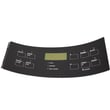
- If the display or keypad acts erratically after a reset, the control interface may need attention.
| Symptom after reset | Most likely area to check | Example part for this model |
|---|---|---|
| Oven will not bake | Bake heating circuit | Frigidaire range bake element 316075103 |
| Burner stuck on high/low | Surface element control switch | Range surface element control switch 316436001 |
| Oven light out (not a reset issue) | Bulb or socket | Range oven light bulb 316538904 |
Resetting safely protects the electronic oven control and helps prevent unexpected heating after a power interruption. It is also the fastest first step before testing parts like a bake element, control switch, or wiring.
Last updated: January 2026
How to read Kenmore model numbers?
Kenmore model numbers are read left to right: the first 3 digits identify the manufacturer, the next digits identify the base design, and the remaining digits show feature or color variations. For Kenmore range model 79096011400, the 790 prefix is the key identifier.
Use this quick breakdown to interpret most Kenmore appliance model numbers:
- Prefix (first 3 digits): manufacturer code (for example, 790)
- Middle digits: base model series and platform
- Ending digits: version, feature set, and sometimes color or production changes
- Serial number: separate from the model number; used to identify build date and production run
On Kenmore electric range model 79096011400, the identification plate is located on the right side of the oven front frame inside the storage drawer or warmer drawer compartment.
- Pull the drawer out and look along the right front frame
- Write down the full model number and serial number exactly as shown
- Keep it with your purchase records for parts lookup and service
Reference: 79096011400 owner's manual
The 3-digit prefix helps match your range to the correct parts catalog and design family. That matters because parts like a bake element, surface element control switch, or control overlay can look similar but mount or wire differently.
| What you’re doing | What to use | Why it helps |
|---|---|---|
| Ordering parts | Full model number (all digits) | Ensures exact fit and wiring match |
| Checking design family | First 3 digits (prefix) | Points to the correct manufacturer platform |
| Scheduling service | Model + serial number | Identifies the exact unit and production run |
If you are decoding the model number because you are seeing an error code, use: Kenmore 790 range 4-digit error codes
Last updated: January 2026
Where to find model number on Kenmore Electric Range?
On Kenmore electric range model 79096011400, the model and serial number are printed on the serial plate on the right side of the oven front frame, accessible by opening the storage drawer or warmer drawer compartment (depending on your configuration). The illustration in the 79096011400 owner's manual shows the exact spot.
Use this order so you find the tag quickly:
- Open the bottom drawer area (storage drawer or warmer drawer compartment)
- Look at the right-side front frame just inside the drawer opening
- Find a metal or foil serial plate with both model and serial numbers
- Use a flashlight; the plate sits low and can be easy to miss
- Write down the full model number and serial number before ordering parts
- Make sure the oven is off and cool.
- Open the bottom drawer area fully.
- Inspect the right vertical frame at the front of the oven cavity opening.
- Record the model and serial numbers exactly as printed.
| Item | What it looks like | What we use it for |
|---|---|---|
| Model number | Often begins with 790. | Matching diagrams and correct Kenmore parts |
| Serial number | Letters and numbers | Service identification and production info |
Kenmore ranges that look similar can use different heating elements, switches, and controls. Using the exact model number helps us match the correct replacement parts and avoid fit or wiring issues.
Last updated: January 2026






