Owner’s manual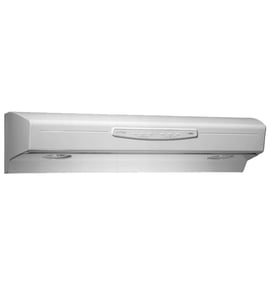





How to find Broan range hood model number?
On a Broan range hood like model QP330SS, the model number is typically printed on the rating label inside the hood area. The fastest way to find it is to look under the hood after removing the filters and bottom pan, then match the label to the format shown in the QP330SS owner’s manual.
Where to look on the hood
Check these common label locations (use a flashlight):
- Under the hood on the left inside wall
- Under the hood on the right inside wall
- On the back interior panel near the wiring compartment
- Near the blower housing or light assembly area
Quick access steps (safe and simple)
We recommend using the same access approach used for service checks in the manual.
- Turn off power to the hood at the breaker (service entrance)
- Remove the grease filters
- Remove the bottom pan (if your version has one)
- Look for a sticker or metal plate that lists MODEL and electrical ratings
What the label usually includes
| Label item | What it helps with |
|---|---|
| Model number (example: QP330SS) | Matching parts and diagrams correctly |
| Part identification | Ordering the correct replacement part |
| Electrical ratings | Confirming proper power supply |
Why it matters
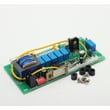
Broan range hood parts can look similar across series, but controls, transformers, and sensors can differ by model. Using the exact model number helps us match the correct components the first time, especially for electrical parts like the range hood electronic control board 97018260 or the transformer S97018262.
Last updated: February 2026
What are the parts of a range hood called?
On the Broan QP330SS range hood, the main parts are typically the hood body (canopy), blower and blower wheel, filters, lights, and the control system (user interface and control board). These names match how parts are listed for ordering and how they are referenced in the QP330SS owner's manual.
Common range hood part names (and what they do)
- Hood canopy (hood body): captures smoke, steam, and grease above the cooktop
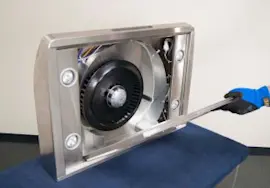
- Blower assembly: moves air through the hood and ducting (or through recirculation filters)
- Blower wheel (impeller): the spinning wheel that actually pushes air
- Grease filters: trap grease before it reaches the blower and ductwork
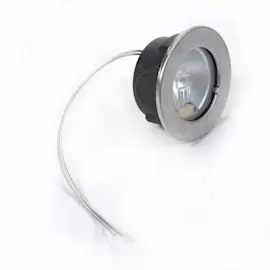
- Lights and light lens/socket: illuminate the cooking surface
- Controls (buttons/LED display): let you select fan speed, lighting, and settings
QP330SS parts you may see listed on parts diagrams
| Part listing name | What it controls or affects | When it is commonly replaced |
|---|---|---|
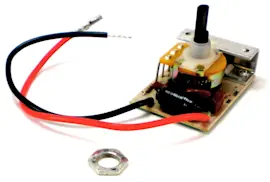
| Electronic control board | Power and logic for fan and lights; includes protective fuses | Hood dead, erratic operation, no response to buttons |
| User interface control | The button panel and indicator functions | Buttons do not respond, indicators act incorrectly |
| Transformer | Low-voltage supply for controls/lighting circuits | Lights or controls fail (after power checks) |
| Heat sensor | Heat Sentry temperature monitoring | Fan behavior changes unexpectedly during cooking |
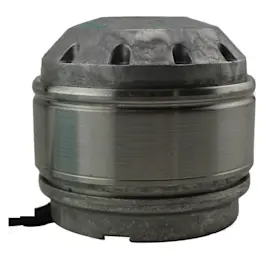
| Blower wheel assembly | Air movement and noise level | Loud rattling, vibration, weak airflow |
If you are troubleshooting control or power symptoms, the range hood electronic control board 97018260 and range hood user interface control S97018257 are two of the key control-related parts for this model.
Why the names matter when ordering parts
Parts catalogs and diagrams use these standard names so you can match the symptom to the correct assembly. For example, “blower wheel” and “motor” are different items; replacing the wrong one can leave airflow or noise problems unchanged.
Quick tip for matching the right part
- Start with the symptom (no fan, no lights, noisy fan, weak airflow)
- Confirm whether the issue is air movement, lighting, or controls/power
- Use the model number QP330SS when searching to avoid look-alike parts
Last updated: February 2026
Why is my Broan range hood fan not working?
If the fan on your Broan QP330SS range hood is not working, the most common causes are a power supply issue, a control problem, or a blower wheel or motor problem. Start with power and settings checks, then inspect the blower wheel and controls before replacing parts.
Quick checks first (fastest fixes)
- Confirm the hood has power (tripped breaker, loose connection, switched outlet).
- Make sure the fan is not in a timed feature state; the delay-off can shut the fan down after 10 minutes.
- If the fan turns on by itself or changes speed, the Heat Sentry feature can automatically raise the fan speed when temperatures are high.
- Clean the grease filters; heavy grease buildup can reduce airflow and make the fan seem weak.
- Listen for symptoms: humming with no airflow often points to a stuck blower wheel or failing motor.
What the symptoms usually mean
| What you notice | Most likely cause | What we recommend |
|---|---|---|
| No lights, no fan | No power to hood, internal power issue | Verify power, then check controls and wiring per the manual |
| Lights work, fan does not | Fan control issue, motor circuit issue | Check user interface and control board connections |
| Fan hums but does not spin | Blower wheel jammed, motor failing | Inspect blower wheel for rubbing or debris |
| Fan speed changes on its own | Heat Sentry reacting to heat | Reduce heat source, verify normal operation in the manual |
Parts that commonly fix a “fan not working” complaint
If basic checks do not restore operation, these model-matched parts are common suspects:
- Range hood user interface control S97018257 (buttons and fan commands)
- Range hood electronic control board 97018260 (processes fan speed and feature logic)
- Range hood blower wheel assembly S97018220 (can bind, wobble, or rub)
- Transformer S97018262 (low-voltage supply for controls)
- Range hood heat sensor S97018252 (Heat Sentry behavior when temperatures rise)
Why it matters
A non-working fan reduces smoke and odor capture and can allow grease to build up faster on filters and internal surfaces. Keeping filters clean and confirming normal Heat Sentry and delay-off behavior helps prevent repeat issues.
For model-specific feature behavior (delay-off, timer, Heat Sentry) and safe service guidance, follow the QP330SS owner’s manual.
Last updated: February 2026