 Owner’s manual



What is the average lifespan of an LG washer?
Most LG washers, including the LG WD100CK, typically last 10 to 15 years with normal household use. Consistent maintenance (cleaning, correct loading, and prompt fixes for small leaks or drain issues) is what most often determines whether you land closer to 10 years or closer to 15.
What affects washer lifespan the most
- Load size and balance: frequent overloading and chronic out-of-balance spinning shortens life.
- Detergent habits: too much detergent can cause residue buildup and odor.
- Water quality: hard water can increase scale and valve wear.
- Drain health: slow draining strains the drain pump and can trigger stoppages.
- Leveling and vibration: an unlevel washer increases wear on suspension and tub components.
Maintenance that helps you reach 15 years
Use the care and cleaning steps in the WD100CK owner's manual. In general, we recommend:
- Run a monthly tub-clean cycle (or hottest empty cycle) as directed.
- Leave the lid open between loads to reduce moisture and odor.
- Check pockets to prevent coins and debris from reaching the drain system.
- Use the correct detergent type and measure accurately.
- Keep the washer level; re-level if it starts walking or banging.
Quick “wear item” guide (what usually fails first)
| Area | Common symptom | Typical fix type |
|---|---|---|
| Drain system | Won’t drain, humming, water left in tub | Clean-out or replace pump |
| Water fill | Slow fill, no fill, fill errors | Clean screens or replace inlet valve |
| Lid/lock | Won’t start, won’t spin, lid won’t lock | Adjust or replace lid lock |
| Suspension | Excessive shaking, banging | Replace suspension parts |
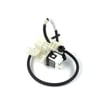
If your WD100CK won’t drain and you’ve ruled out a clog, the washer drain pump assembly AHA74453902 is a common replacement part for drain failures.
Why it matters
A washer that is kept clean, level, and properly loaded runs with less vibration and less strain on the motor, tub, and drain components. That directly improves reliability and helps you avoid repeat breakdowns.
Last updated: February 2026
How do I tell what model LG washer I have?
Your LG washer’s model number is printed on the appliance identification label. On most LG washers, we find it on the door opening (door jamb) or along the cabinet frame; it can also be on the back panel. For your unit, the model number you want to match is WD100CK; confirm it against the label and your WD100CK owner's manual.
Where to look for the model and serial label
Check these common label locations first:
- Inside the washer opening on the door jamb or inner rim
- Along the cabinet frame near the lid/door opening
- On the back of the washer near the power cord area
- Behind or near the detergent dispenser area (some designs)
- On the side panel near the top edge (less common)
What the label should look like (and what to copy)
We recommend copying the model number exactly as shown, including any letters and dashes.
| What to record | Example | Why we need it |
|---|---|---|
| Model number | WD100CK | Ensures parts diagrams and fit are correct |
| Serial number | (varies) | Helps confirm production version and compatible revisions |
| Electrical rating | (varies) | Useful for diagnosing control, motor, and wiring issues |
Tips to avoid ordering the wrong parts
Even one character off can point to a different LG washer platform.
- Match the model number character-for-character (for example, WD100CK)
- Use the serial number when multiple versions of a part exist
- If you are replacing a common failure item, confirm by symptom and part location
- For water fill issues, verify the inlet connection style before ordering a valve such as the washer water inlet valve 5220FR1280P
Why it matters
LG washers often have multiple revisions that look similar but use different control boards, lid locks, hoses, or tub components. Using the exact model number from the label is the fastest way to get the right LG parts the first time.
Last updated: February 2026
What is the most common problem with LG washers?
The most common LG washer problems are draining failures (won’t drain or stops mid-cycle), out-of-balance spinning (shaking or UE errors), and filling issues (slow fill or no fill). On the LG WD100CK, these symptoms usually trace back to the drain system, load balance, or the water inlet system; use the WD100CK owner’s manual for model-specific checks and reset steps.
Most common issues we see (and what they look like)
- Drainage problems: standing water, “OE” style drain errors, or a cycle that ends with water still in the tub
- Unbalanced loads: banging, walking, or repeated spin attempts (often shows as UE)
- Filling problems: slow fill, no fill, or temperature complaints (hot or cold not coming in)
- Lid lock problems: won’t start, won’t spin, or lid won’t unlock
- Control or interface glitches: dead panel, random stopping, or buttons not responding
Quick checks before replacing parts
- Confirm the load is balanced: mix items, avoid one heavy blanket alone, and don’t overload.
- Check drain path basics: make sure the drain hose is not kinked or shoved too far down the standpipe.
- Verify water supply: both faucets fully open; inlet screens not clogged.
- Power reset: unplug for 2 minutes, then retry a normal cycle.
Common symptom-to-part mapping (WD100CK)
| Symptom | Most likely system | Parts that commonly relate |
|---|---|---|
| Won’t drain / water left in tub | Drain system | Washer drain pump assembly AHA74453902 |
| Shakes or won’t spin out | Load balance / suspension | Washer suspension rod kit AGM75369501 |
| Slow fill / no fill | Water inlet | Washer water inlet valve 5220FR1280P |
| Won’t start or won’t spin with lid closed | Lid lock | Washer lid lock assembly EAU63143510 |
Error codes that point to the “most common” problems
If your LG washer is showing an error code, it usually narrows the problem fast:
- For unbalanced load (UE) guidance, use LG top load washer ue and ue error codes.
- For a broader list, use LG top load washer error codes.
Why it matters
Drain, balance, and fill problems are the top repeat offenders because they directly stop the cycle. Catching them early helps prevent wet loads, repeated spin stress, and unnecessary control board replacements.
Last updated: February 2026
What does E6 mean on a LG washer?
On an LG WD100CK washer, an E6 code points to a drive system problem: the washer is not able to turn the tub as expected, or it is not sensing that movement correctly. Start with a reset and obstruction check, then move to drive and control checks. Use the WD100CK manual for the model’s error-code definitions and the recommended reset steps.
Quick fixes we do first
- Unplug the washer for 2 minutes, plug it back in, then try a Rinse/Spin.
- Reduce the load; bulky items can stall rotation.
- Redistribute the load evenly in the tub.
- Check for items trapped between the inner tub and outer tub (socks, coins).
- Make sure the washer is level and stable on the floor.
What to check next if E6 returns
If E6 comes back after the quick checks, focus on the components that make the tub turn and the wiring that carries feedback to the control.
| Symptom | Most likely area | What we check |
|---|---|---|
| Motor sound but tub does not move | Drive components | Obstruction, rotor area, mechanical binding |
| Tub starts then stops | Sensing or wiring | Harness connections, pin fit, damaged wires |
| Code is intermittent | Loose connection | Reseat connectors, inspect for corrosion |
Parts that commonly relate to drive and sensing issues
These parts are often involved when a washer cannot drive or correctly sense tub movement:
- Rotor assembly AHL73894501 (part of the direct-drive motor system)
- Washer wire harness, single EAD63146401 (carries power and sensor signals)
- Washer electronic control board EBR77688006 (controls the motor and reads feedback)
Why it matters
A drive or sensing fault stops agitation or spin, leaving clothes wet and increasing strain on the motor system. Fixing load issues and clearing obstructions prevents repeat shutdowns and helps protect major components.
Last updated: February 2026


