Error Codes

Where to find model number on Dacor wall oven?
On a Dacor wall oven, the model number is usually on the oven frame around the door opening (often along the left or right side) or on a label visible when you open the door. For your Dacor CPD230, check these spots first so we can match the correct wall oven parts.
Most common places to check
- Open the oven door and look along the front frame (the rim around the opening).
- Check the left side of the door opening near the hinge area.
- Check the right side of the door opening near the hinge area.
- Look along the bottom edge of the opening (near the door gasket).
- If your unit has a lower drawer or access panel, check behind it for a rating label.
What the label looks like
The tag is typically a small sticker or metal plate that includes:
- Model number (example: CPD230)
- Serial number
- Electrical ratings (volts/amps)
- Brand name (Dacor)
| Where you looked | What you should see | Next step |
|---|---|---|
| Door frame (left/right) | Model and serial tag | Write down model and serial |
| Bottom edge of opening | Smaller rating label | Take a clear photo |
| Behind lower panel/drawer | Rating plate | Use flashlight, then photo |
Why it matters
Dacor wall ovens can use different racks, trim pieces, and electrical components depending on the exact model and production run. Using the full model number and serial helps us match the correct replacement part the first time.
Related part you may shop by model
If you are replacing missing or bent racks after confirming the model, start with the Dacor screw 83022 or other mounting hardware only when you know exactly what is missing.
Last updated: February 2026
How long do Dacor wall ovens last?
Most Dacor wall ovens, including model CPD230, typically last 15 years with normal use and basic care. Keeping airflow clear, avoiding harsh cleaners on controls, and fixing small issues early helps you get the full life out of the heating and electrical systems.
Typical lifespan and what affects it
A wall oven’s service life depends more on heat stress and electrical health than on cosmetics.
- Typical lifespan: about 15 years
- Heavier use (daily high-heat baking, frequent self-clean) can shorten life
- Power issues (surges, loose connections) can damage controls and wiring
- Ventilation problems can overheat components
- Door seal wear can force longer heat times and strain parts
What usually fails first (and what to check)
These are common wear points on electric wall ovens.
| Area | Common symptom | What we recommend |
|---|---|---|
| Power protection | Oven dead or intermittent | Check house breaker; inspect and test the fuse box 12401 |
| Wiring/connectors | Burning smell, random shutoffs | Look for heat-damaged terminals; repair safely using guidance like how to repair broken or damaged wires video |
| Airflow/trim | Hot cabinet face, uneven temps | Make sure venting and trim are seated correctly; replace damaged trim if needed |
| Racks/fit | Rack won’t slide or sits uneven | Replace bent racks to prevent spills and heat damage |
Maintenance that extends oven life
- Keep the door gasket clean and intact; replace if torn or flattened
- Use self-clean sparingly; high heat accelerates wear on wiring and electronics
- Wipe spills after the oven cools to protect porcelain and reduce smoke
- Confirm the oven is level so heat and airflow behave normally
- If you suspect an electrical issue, test safely with a meter using how to use a multimeter to test electrical parts video
Why it matters
A 15-year wall oven lifespan assumes stable temperatures and safe electrical operation. Simple upkeep reduces overheating and electrical stress, which are the main reasons wall ovens fail early.
Last updated: February 2026
Where is the reset button on a Dacor oven?
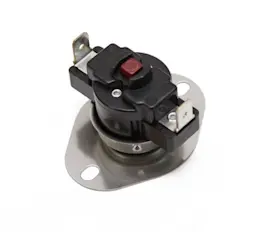
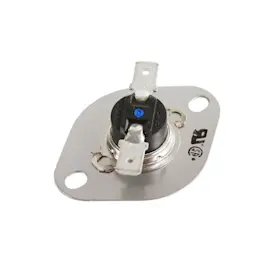
Most Dacor ovens, including model CPD230, do not have a single external “reset button.” When people say “reset,” they usually mean resetting power at the breaker or resetting a safety device such as a high-limit thermostat or thermal fuse inside the oven.
Quick ways to “reset” a Dacor CPD230 wall oven
- Power reset (most common): turn the oven circuit breaker OFF for 1 to 2 minutes, then turn it back ON.
- Control reset: if the display is responsive, cancel the cooking mode and reselect Bake or Broil.
- After self-clean issues: allow the oven to cool fully; some lock and heat-limit conditions clear only after cooldown.
- If the oven is dead (no display): check the home breaker first, then check internal fusing and wiring.
- If it trips repeatedly: stop resetting and troubleshoot the cause (overheating, failed fan motor, shorted wiring).
Where a “reset” device is typically located
On many wall ovens, the high-limit thermostat or thermal cutoff is mounted behind an upper rear access panel or behind the control panel area. Access usually requires removing screws and panels, so we recommend disconnecting power first.
| What you are trying to fix | What “reset” usually means | What to check next |
|---|---|---|
| Display frozen or acting odd | Breaker power cycle | Loose connections, control issues |
| Oven will not heat but has power | Safety limit opened or sensor issue | Temperature sensor, wiring, cooling fan |
| No power at all | Blown fuse or open thermal device | Fuse box, harness connections |
Parts that commonly relate to “no heat” or “dead oven” symptoms
If you are diagnosing a power or heat problem on CPD230, these model-matched parts are often involved:
- Fuse box 12401 (if the oven is completely dead)
- Hrnes oven 82815 (if you see burned, loose, or broken wiring)
Why it matters
Repeatedly “resetting” an oven that is overheating or shorting can lead to more damage. A quick breaker reset is fine for a one-time control glitch, but recurring shutdowns point to an electrical or airflow problem that needs repair.
Last updated: February 2026