 Owner’s manual
 Error Codes


Does Samsung make electric ranges?
Yes. Samsung makes electric ranges, including slide-in electric ranges like model NE58R9431SG. Samsung electric ranges use radiant surface elements on the cooktop and electric heating elements in the oven, with features and sizes varying by series.
Because NE58R9431SG is a Samsung slide-in electric range, you can use Samsung’s use and care instructions for electric cooking, cleaning, and troubleshooting as your baseline reference in the NE58R9431SG owner’s manual.
Common electric-range components you will see on this model type include:
- Glass cooktop with radiant surface elements
- Surface element control switches and indicator lights
- Oven temperature sensor and electronic control board
- Convection fan motor (on convection models)
| Feature | Electric range | Gas range |
|---|---|---|
| Cooktop heat source | Radiant element under glass or coil element | Open flame burner |
| Typical power supply | 240V | 120V + gas supply |
| Common symptoms | Element not heating, hot surface light stays on | Burner won’t ignite, weak flame |
If you’re troubleshooting heating or control issues on NE58R9431SG, these model-matched parts are commonly involved:
- Range oven temperature sensor DG32-00004C (helps regulate oven temperature)
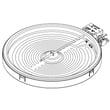
- Range radiant surface element, 6-in DG47-00060A (one of the cooktop heating elements)
- Samsung range oven control board DE92-03960A (manages oven functions and temperature control)
Knowing Samsung makes electric ranges helps you shop the correct parts and follow the right safety and troubleshooting steps. Electric ranges rely on 240V power and electronic controls; using the correct model-specific guidance reduces misdiagnosis and repeat repairs.
Last updated: February 2026
How do you reset a Samsung electric range?
For the Samsung NE58R9431SG slide-in electric range, the most reliable “reset” is a power reset: turn the range off, shut off the circuit breaker for 1 minute, then restore power and recheck operation. Use the settings menu reset only when you need to restore control settings.
- Power reset (best for glitches): Turn off the range, switch the range breaker OFF for 60 seconds, then turn it back ON.
- Control settings reset (best for wrong settings): Use the reset option in the control menu (if your model’s control panel includes it).
- Exit Demo mode (best if the oven will not heat): Turn Demo mode OFF in Options so heating elements operate normally.
- Wi-Fi reset (connection issues): Toggle Wi-Fi Off/On in Options.
- Turn all surface elements OFF.
- Turn the range circuit breaker OFF.
- Wait 60 seconds.
- Turn the breaker back ON.
- Set the clock and test Bake or a surface element.
These options are listed in the NE58R9431SG owner’s manual and are often mistaken for a full reset.
| What you want to reset | Where to do it | What it changes |
|---|---|---|
| Sound | Options menu | Beeps on/off |
| Wi-Fi | Options menu | Wireless connection on/off |
| Demo mode | Options menu | Enables or disables heating |
A breaker reset clears temporary control-board glitches and restores normal operation after a power surge. If the range is in Demo mode, the display can look normal but the oven will not heat, so turning Demo mode off is a critical “reset” step.
Last updated: February 2026
What are common Samsung oven problems?
Common problems we see on the Samsung NE58R9431SG slide-in electric range include the oven not turning on, baking or roasting unevenly, slow preheating, broil not working as expected, and control or display glitches. Many issues trace back to power supply, settings, airflow, or a failed sensor or control component; use the NE58R9431SG owner's manual to match symptoms to the right checks.
- Confirm the range is fully plugged into a properly grounded outlet.
- Check your home breaker or fuse; reset or replace if tripped/blown.
- Verify the oven controls are set correctly for Bake, Broil, or Convection.
- Let the oven cool if it is overheated; some functions will pause until temperatures drop.
- Make sure the rack is level and in the recommended position for the food.
- Use correctly sized cookware; warped pans often cause uneven baking.
| Symptom | Most common causes | What to do next |
|---|---|---|
| Oven will not turn on | No power, tripped breaker, incorrect settings | Verify outlet power and settings; then inspect wiring connections |
| Food bakes unevenly | Rack position, cookware, temperature calibration | Adjust rack and pans; check calibration steps in the manual |
| Oven temperature seems off | Sensor drift, failed sensor | Test/replace the range oven temperature sensor DG32-00004C |
| Display or functions act erratically | Control board issue, loose harness | Inspect connections; consider the range oven control board DE92-03960A |
These parts are frequently involved when the oven heats inconsistently, shuts off unexpectedly, or won’t regulate temperature:
- Range oven temperature sensor DG32-00004C (helps the control maintain accurate temperature)
- Range oven control board DE92-03960A (manages bake, broil, and convection commands)
- Convection fan components (if convection is noisy, weak, or not circulating heat evenly)
An electric oven that is underheating, overheating, or heating unevenly can ruin baking results and can also stress components like the control board and wiring. Starting with power and setup checks prevents unnecessary part replacement and gets you to the correct repair faster.
Last updated: February 2026
What does C do mean on a Samsung oven?
On the Samsung NE58R9431SG slide-in electric range, C-d0 (often read as “C do”) is an information code that means a control key is being detected as pressed continuously for about 1 minute. Press OFF to clear it, then restart the oven.
- Press OFF/CLEAR on the control panel.
- Wipe the keypad and surrounding trim with a soft, slightly damp cloth; then dry it completely.
- Make sure there is no moisture, cleaner residue, or grease around the buttons.
- If the code returns, turn power off at the breaker for at least 30 seconds, then restore power.
- If the code still returns after power is restored, service is needed.
C-d0 is usually triggered by something making the touch panel think a key is stuck.
- A key is physically stuck or being held down
- Moisture on the touch panel (steam, spills, wet cloth)
- Cleaner residue bridging the touch surface
- A failing touch/control panel circuit
If C-d0 keeps coming back after cleaning and a breaker reset, the issue is typically in the control system (touch panel or control electronics). On this model, a common related component is the electronic control board, such as the range oven control board DE92-03960A.
| Symptom | Most likely issue | Best next step |
|---|---|---|
| Code appears right after wiping panel | Moisture/residue | Dry thoroughly; retry |
| Code appears during cooking with lots of steam | Steam/moisture | Ventilate; wipe and dry |
| Code returns immediately after reset | Keypad/control fault | Plan for service/board diagnosis |
When the range detects a “stuck key,” it can disable normal operation to prevent unintended heating or settings changes. Clearing the condition quickly helps you get back to safe, predictable oven control.
For the full list of information codes and the exact reset steps for this range, use the NE58R9431SG owner’s manual.
Last updated: February 2026
Why is the light not working on my Samsung oven?
On the Samsung NE58R9431SG range, the oven light usually fails because the 40-watt bulb is loose or burned out, the light is disabled during Self Clean, or the door/light switch circuit is not working. Start with the bulb and settings in the NE58R9431SG owner’s manual.
- Make sure the oven is not in Self Clean; the light will not operate during that cycle.
- Open the door; the light should turn on automatically when the door opens.
- Press the Oven Light pad to toggle the light on and off with the door closed.
- If the range is completely dead, check the home breaker or fuse first.
- If the bulb recently flickered, plan to replace it (common sign of a failing filament).
The NE58R9431SG uses a standard 40-watt appliance bulb behind a glass cover inside the oven cavity.
- Turn the oven off and let everything cool.
- Disconnect power at the breaker (important for electric ranges).
- Twist the glass bulb cover counterclockwise to remove.
- Remove the bulb, install a new 40-watt appliance bulb, then reinstall the cover.
- Restore power and test the light.
If the bulb is good and the light still stays off, the issue is typically in the door/light switching circuit or control.
| Symptom | Most likely cause | What we recommend |
|---|---|---|
| Light never turns on, but oven heats normally | Door switch or light switch circuit issue | Inspect wiring and switch operation; service if needed |
| Light works only with door open (or only with door closed) | Door switch not changing states | Check door alignment and switch function |
| Light and other functions act erratically | Control or wiring problem | Check connections; consider control diagnosis |
A working oven light helps you verify bake and broil progress without opening the door, which helps maintain stable temperature and reduces heat loss during cooking.
Last updated: February 2026




