Installation guide
 Owner’s manual
 Error Codes




Does KitchenAid make gas ranges?
Yes. KitchenAid makes gas ranges, and your KitchenAid KFGC500JSS00 is a commercial-style gas convection range. It is factory set for Natural gas, and it can be converted to Propane using the conversion kit that comes with the range (conversion should be done by a qualified service technician). See the KFGC500JSS00 use and care guide for model-specific operation details.
What this means for your KFGC500JSS00
KitchenAid gas ranges like the KFGC500JSS00 are designed to run on a household gas supply and use an electronic ignition system for oven functions.
Key points we recommend confirming:
- The model and serial/rating plate information (gas type and ratings)
- Your home gas type (Natural gas vs. Propane)
- Proper installation requirements for the gas supply line
- Whether Remote Enable and app features are being used (connected features can affect oven control)
Gas type and conversion basics
Your range is factory set for Natural gas. If you need Propane, the correct approach is to use the included conversion kit and follow the conversion instructions.
| Topic | Natural gas | Propane (LP) |
|---|---|---|
| Factory setup | Yes | No |
| Conversion needed | No | Yes |
| Who should convert | Not applicable | Qualified service technician |
Why it matters
Using the correct gas type and proper installation practices helps the burners and oven ignite reliably, heat correctly, and operate safely. It also prevents performance issues like weak flames, poor baking results, or ignition problems.
Last updated: February 2026
How to replace igniter on KitchenAid gas range?
On the KitchenAid KFGC500JSS00 free standing gas range, replacing an oven igniter typically means accessing the burner assembly, removing the igniter mounting screws, transferring the wire connection, and reassembling so the burner lights reliably. We follow the disassembly steps and safety notes in the KFGC500JSS00 installation guide.
Safety first (gas and electrical)
- Turn the range control knobs to OFF.
- Shut off the manual gas shut-off valve.
- Unplug the range (or switch off the circuit breaker).
- Let the oven and broiler area cool completely.
- If you smell gas at any point, stop and ventilate the area before continuing.
Steps to replace an oven igniter (bake or broil)
- Remove oven racks and any accessories.
- Remove the oven bottom panel and flame spreader (if equipped) to expose the burner.
- Locate the igniter mounted to the burner tube.
- Remove the igniter mounting screws (a 1/4-in or 5/16-in nut driver is commonly used on ranges).
- Disconnect the igniter wire connector.
- Install the new igniter, route the wires away from hot surfaces, and reconnect the plug.
- Reinstall panels and racks, restore power and gas, then test ignition.
What “normal” ignition looks like on this model
This range uses an electronic ignition system; when you turn a control knob on, you should hear clicking and the burner should light quickly once gas reaches it.
| What you notice | What it usually means | What to check |
|---|---|---|
| Clicking but no flame | Gas not reaching burner or ignition issue | Gas valve open, burner seated, wiring connection |
| Slow lighting on first use | Air in the gas line | Try again; first ignition can take longer |
| No glow (oven igniter) | Failed igniter or no power to igniter | Connector, wiring, control issue |
Parts that are commonly involved
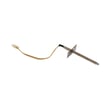
If you are working on the oven ignition circuit (especially bake ignition), the igniter electrode is a common replacement item for this model: electrode, bake W11355922.
Why it matters
A weak or failed igniter can cause delayed ignition, poor heating, or no heat. Correct reassembly and wire routing helps prevent repeat failures and keeps burner lighting consistent.
Last updated: February 2026
What are the parts of a gas oven?
On the KitchenAid KFGC500JSS00 free standing gas range, the main gas-oven parts include the oven cavity, broil elements, bake burner/ignition system, convection fan, oven lights, temperature sensor, and the temperature probe jack. Together, these parts create heat, circulate air, and control temperature (see the KFGC500JSS00 owner’s manual).
Common gas oven parts and what they do
- Oven cavity: insulated cooking space that holds heat
- Bake burner and ignition: provides primary heat for baking; uses an igniter or spark system to light gas
- Broil elements: top heat source for browning and broiling
- Convection fan: circulates hot air for more even baking and roasting
- Oven lights (halogen lights): illuminate the cavity
- Oven cavity sensor: monitors temperature for accurate control
- Temperature probe jack: connection point for a food temperature probe
- Oven racks: support cookware at different cooking levels
How parts relate to cooking modes on KFGC500JSS00
The Mode knob and Temperature knob select functions like Bake, Convect Bake/Roast, and Broil; each mode emphasizes different components.
| Cooking mode | Primary parts doing the work | What you notice |
|---|---|---|
| Bake | Bake burner and ignition, oven cavity sensor, oven cavity, racks | Steady heat for cookies, casseroles, breads |
| Convect bake/roast | Convection fan, bake burner and ignition, sensor, cavity | More even browning, improved heat circulation |
| Broil | Broil elements, sensor, cavity | Intense top heat for searing and melting |
Parts customers commonly replace on this model
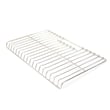
- Range oven rack W11550107 if a rack is bent, peeling, or won’t slide smoothly
- Wall oven light bulb WPW10169757 if the oven light is out
- Electrode, bake W11355922 if the bake ignition system is weak or inconsistent
Why it matters
Using the correct part names helps you match the right KitchenAid replacement part and troubleshoot symptoms like uneven baking, weak broil, or an oven light that won’t turn on.
Last updated: February 2026
What is the life expectancy of a KitchenAid gas range?
A KitchenAid gas range like model KFGC500JSS00 typically lasts 13 to 15 years with normal household use. With consistent cleaning, correct installation, and timely part replacement, many ranges reach 15 to 20 years, especially when burners and oven ignition components are kept in good condition (see the KFGC500JSS00 owner’s manual).
What affects lifespan the most
- Heat and grease buildup on burners, grates, and inside the oven
- Ignition wear (spark electrode and gas valve cycling over time)
- Door use and self-clean habits (high heat stresses latches and electronics)
- Ventilation and leveling (helps cooking performance and reduces heat damage)
- Power quality (surges can shorten control and ignition component life)
Maintenance that adds years (practical checklist)
- Wipe spills quickly; keep burner ports clear and dry after cleaning.
- Avoid running back-to-back self-clean cycles; allow plenty of cool-down time between cycles.
- Confirm the range is installed and leveled correctly using the KFGC500JSS00 installation guide.
- Replace wear items early if symptoms show up (slow ignition, uneven flame, weak oven light).
- Use the correct rack positions and bakeware to reduce overcooking and excessive preheat time.
Common “end-of-life” symptoms and what they usually mean
| Symptom | Most common cause | Typical fix path |
|---|---|---|
| Oven won’t start or won’t stay lit | Ignition or sensing issue | Check igniter/electrode and wiring; service if gas components are involved |
| Self-clean won’t run or door won’t unlock | Door latch system problem | Inspect/replace the motorized latch W11029221 |
| Oven is dark but heats normally | Burned-out bulb | Replace the wall oven light bulb WPW10169757 |
| Uneven baking | Preheat/rack/bakeware issues or temperature control drift | Verify settings and rack placement; then check thermostat/sensor |
Why it matters
Knowing the typical lifespan helps you decide when routine maintenance is enough versus when a larger repair makes sense. On a commercial-style KitchenAid range, small fixes (like a latch or light bulb) can keep the appliance reliable for years.
Last updated: February 2026
Why is my KitchenAid gas oven not heating up?
If your KitchenAid KFGC500JSS00 gas oven is not heating, the most common causes are a power or control setting issue, a failed ignition component, or a gas supply problem. Start by confirming the oven is actually starting a Bake cycle, then verify power and basic operating settings in the KFGC500JSS00 owner’s manual.
Quick checks we recommend first
- Make sure the electronic oven control is set correctly for Bake (not just the knob turned without starting a cycle).
- Check the household fuse or circuit breaker; reset if tripped.
- Confirm the range has electrical power (gas ovens still need electricity for ignition and controls).
- Allow 10 to 15 minutes after starting Bake, then open the door and feel for heat.
- If you smell gas but do not get ignition, stop the cycle and ventilate the area.
Likely causes and what to do
| What you notice | Most likely cause | What we do next |
|---|---|---|
| No heat and no signs of ignition | Control not set correctly, no power | Recheck settings, breaker/fuse, and start a fresh Bake cycle |
| Clicking or trying to ignite but no flame | Ignition component issue | Inspect ignition parts and wiring; test components if accessible |
| Broil works but Bake does not | Bake ignition circuit issue | Focus on the bake ignition side, including the electrode, bake W11355922 |
| Oven starts but temperature is off | Preheat/rack/bakeware issues | Preheat fully; verify rack position and airflow per the manual |
Why it matters
On the KFGC500JSS00, the oven needs correct control settings and a solid electrical supply to ignite gas safely. If ignition fails, the oven will not heat even if the gas supply is available.
When to stop and get service
Stop troubleshooting and contact a qualified technician if:
- You do not feel heat after 10 to 15 minutes of Bake operation.
- You see continuous sparking or smell gas without ignition.
- The oven repeatedly fails to operate after confirming power and settings.
Last updated: February 2026
Why is my KitchenAid range display not working?
If the display on your KitchenAid gas range model KFGC500JSS00 is blank or unresponsive, the most common causes are a power supply problem (tripped breaker, loose cord, failed outlet) or a control issue (stuck keypad, failed electronic control). Start with a safe power reset, then check for signs of control failure.
Quick checks we recommend first
- Confirm the range has power: check the breaker, then test the outlet with a small appliance.
- Unplug the range (or switch the breaker off) for 2 to 5 minutes, then restore power.
- If the cooktop burners light normally but the display stays dead, focus on the control area.
- If the display comes on but acts “glitchy,” moisture or heat at the console can cause temporary issues.
- Review basic operation settings in the KFGC500JSS00 owner's manual.
What typically causes a dead or blank display
| Symptom | Most likely cause | What to do next |
|---|---|---|
| Entire display is off, nothing responds | No power to range | Verify breaker, outlet, cord connection |
| Display is off but interior light works | Control not powering up correctly | Power reset; inspect wiring at console |
| Display is on but buttons do not respond | Keypad/touch interface issue | Try reset; if persistent, service is needed |
| Display flickers or resets during use | Loose connection or unstable power | Check outlet fit; inspect harness connections |
Parts that can be involved (when a repair is needed)
On this model, display problems are often tied to the console controls or wiring connections. If the issue happens during self-clean or door locking, the door latch system can also be part of the symptom chain.
- Inspect harness connections at the console for looseness or heat damage.
- If the oven seems “stuck” in a lock-related state after a cycle, check the motorized latch W11029221.
- If you see damaged wiring or terminals, repair the wiring properly before replacing any control parts.
Why it matters
A non-working display can prevent you from setting bake, broil, timers, or features like Delay Start. It can also hide operating modes (such as settings changed through connected features), which makes troubleshooting harder and can lead to uneven cooking results.
Safety notes before troubleshooting
- Turn power off at the breaker before removing any panels.
- If you smell gas at any time, stop and have the gas supply and range checked by a qualified technician.
- Use the leveling and installation guidance in the installation guide to prevent strain on wiring and connections.
Last updated: February 2026
Why is the igniter not working on my KitchenAid gas stove?
On your KitchenAid KFGC500JSS00 gas range, a surface-burner igniter usually stops working because the burner cap is misaligned, the burner ports are clogged or wet, or the range is not getting power for the spark system (tripped breaker or blown fuse). Use the checks below to pinpoint the cause.
Quick checks (most common fixes)
- Turn the knob to LITE and listen for clicking; no click often points to a power or switch issue.
- Make sure the burner cap is seated correctly; if it is off-center, the burner may not light.
- Clean clogged burner ports with a straight pin (food spillovers commonly block gas flow).
- If the burner is wet (recent cleaning or boilover), let it dry completely before retrying.
- Confirm the knob is pressed fully down on the valve shaft when turning to ignite.
What the symptoms usually mean
| What you notice | Most likely cause | What to do next |
|---|---|---|
| No clicking at all | No power to ignition, or knob not engaging | Check breaker/fuse; press knob fully down |
| Clicking, but no flame | Cap misaligned, ports clogged, air in line | Align cap; clean ports; try again |
| Continuous sparking, still no light | Cap alignment issue or ignition problem | Stop using that burner and schedule service |
| Yellow/uneven flame after it lights | Ports clogged or cap not seated | Clean ports; reseat cap |
Model-specific notes for KFGC500JSS00
- This range uses an electronic ignition system; it sparks when you turn the control knob to an ignition position and stops once the flame lights.
- On first use (or after gas has been off), lighting can take longer while air clears from the gas line.
When a part is likely needed
If the oven bake function is the issue (not the cooktop), a failed ignition component can prevent burner ignition. For this model, a common ignition-related part is the electrode, bake W11355922.
Why it matters
A burner that keeps sparking without lighting can indicate improper burner setup or a developing ignition problem. Correcting cap alignment and cleaning ports restores safe, reliable lighting and helps prevent delayed ignition.
For operating and cleaning guidance, follow the KFGC500JSS00 owner's manual.
Last updated: February 2026