Installation guide
 Owner’s manual
 Error Codes










How to find Kenmore Range model number?
For Kenmore electric freestanding range model 79096182713, the model number is printed on a rating label on the range body. The most common spots are the oven door frame (door jamb) and the frame behind the storage drawer or lower panel. Use the exact model number to match parts and the correct installation details in the 79096182713 owner's manual.
Where to look on model 79096182713
Check these locations in order (they are the most common for freestanding ranges):
- Oven door jamb: open the oven door and look along the frame edge.
- Behind the storage drawer: pull the drawer out and look on the frame rails or side panel.
- Lower front panel area: behind the toe panel or lower access panel.
- Back of the range: near the rear access cover and power cord entry area.
What to write down (so parts match the first time)
Record the full identifier exactly as shown on the label.
- Model number (example: 79096182713)
- Serial number (helps confirm production run)
- Electrical rating (volts/amps), especially if you are checking power cord or terminal block needs
| Label item | Why we need it | Example format |
|---|---|---|
| Model number | Ensures correct part fit | 79096182713 |
| Serial number | Helps confirm version changes | Letters and numbers |
| Electrical rating | Helps with safe electrical setup | 120/240V, amps |
Why it matters
Kenmore model numbers drive everything from correct replacement parts (like an oven temperature sensor or surface element switch) to safe setup steps such as anti-tip bracket positioning and electrical connection requirements. The 79096182713 installation guide is the best reference for installation and grounding details.
Last updated: February 2026
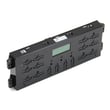
How to replace Kenmore Range oven control board?
To replace the oven control board on Kenmore electric range model 79096182713, we disconnect power, access the control area, move each wire and ribbon connector from the old board to the matching spot on the new board, then reassemble and restore power for a function check.
Before you start (safety and prep)
- Turn OFF the range breaker (240V) and confirm the display is dark.
- Let the range cool completely.
- Use a phone photo to document every connector before removal.
- Label wires one at a time so nothing gets crossed.
- Avoid pulling on wires; pull on connector bodies.
For panel access and any model-specific cautions, follow the 79096182713 installation guide.
Replacement steps (typical for this model style)
- Disconnect power at the breaker.
- Access the control area (commonly from the back of the control console or by removing a rear access panel).
- Transfer connectors one at a time:
- Move each wire harness plug from the old board to the same location on the new board.
- Reattach the ribbon cable by sliding it fully into the connector, then locking the connector.
- Secure the new board with the original mounting screws.
- Reinstall the rear cover/panel, making sure no wires are pinched.
- Restore power and test Bake, Broil, and clock/timer functions.
What to check if the new board still does not work
- Confirm the range has proper power at the terminal block (loose connections cause failures).
- Inspect for burned or loose wiring at the terminal block and harness.
- If the oven heats incorrectly, test the sensor; a failed sensor can mimic a control problem.
Helpful related parts for this model:
| Symptom | Part to consider | Part ID |
|---|---|---|
| Oven temperature inaccurate or error related to temp sensing | Frigidaire range oven temperature sensor 316490000 | 316490000 |
| Display dead or intermittent due to poor power connection | Universal/multiflex (frigidaire) range terminal block 5303935271 | 5303935271 |
| Oven will not heat in Bake (element open) | Frigidaire range bake element 316413800 | 316413800 |
Why it matters
The control board is the “brain” for bake, broil, and timing. Correctly seating the ribbon cable and transferring connectors one-by-one prevents miswiring, nuisance error codes, and no-heat conditions.
Last updated: February 2026
How to tell the age of a Kenmore range?
To tell the age of a Kenmore range, we use the serial number, not the model number. For Kenmore model 79096182713, the serial plate is typically on the lower right front frame (and sometimes under the cooktop); the early characters in the serial number indicate the production date.
Step 1: Find the serial number plate
We look for the serial plate in these common spots:
- Lower right front frame of the range (most common)
- Under the cooktop (alternate location)
- Behind the storage drawer or lower panel area (common access point)
For exact location details and safe access, use the 79096182713 installation guide.
Step 2: Decode the date from the serial number
Once you have the serial number, use this quick approach:
- Write down the full serial number exactly as shown
- Focus on the first several characters (the date code is near the beginning on many Kenmore 790-prefix ranges)
- Match the coded year and week or month to a calendar date
- If the plate is worn, take a clear photo and zoom in to confirm characters
What you will typically see
| What you have | What it tells us | Why it helps |
|---|---|---|
| Model number (79096182713) | Product family and configuration | Identifies the correct parts list |
| Serial number | Manufacturing date code | Determines the unit’s age |
Why it matters
Knowing the manufacturing date helps us choose the right replacement parts (like a bake element, oven temperature sensor, or control board) and confirm compatibility when a range has mid-series design changes.
Related tip
If you are also trying to confirm you copied the model number correctly before ordering parts, use how to find your appliance model number (and what it means for parts).
Last updated: February 2026
What causes a Kenmore oven to stop working?
On the Kenmore 79096182713 electric range, an oven that stops working is usually caused by a power supply problem (tripped breaker, loose cord/terminal connections), a failed heating component (bake or broil element), or a control/temperature feedback issue such as a bad sensor or control board. See the 79096182713 installation guide for safe power-connection details.
Quick checks first (most common)
- Confirm the range has 240 VAC at the outlet; reset both sides of the double breaker.
- If the display is dead or the oven is completely unresponsive, inspect the power cord and rear connection area.
- If the cooktop works but the oven will not heat, suspect an oven heating circuit issue (element, sensor, control).
- If the oven heats erratically or burns food, suspect the temperature sensor.
- If the oven works sometimes, look for a loose connection or failing control.
Parts that commonly cause “no heat” or “stops mid-cycle”
For this model, these parts are frequent suspects:
- Frigidaire range oven temperature sensor 316490000 (incorrect temperature feedback can stop heating)
- Control board (if relays fail or the board loses output to elements)
- Bake element or broil element (open element can prevent heating in certain modes)
- Door lock system (self-clean lock issues can interrupt operation on some ranges)
| Symptom | Most likely area | What we check |
|---|---|---|
| Oven totally dead | Power supply | Breaker, cord, terminal block, wiring |
| Display on, no heat | Heating circuit | Elements, sensor, control outputs |
| Heats then shuts off | Overheat or control | Cooling/venting, sensor, control board |
| Works in broil not bake (or vice versa) | Specific element | Bake or broil element continuity |
Why power connections matter on this model
The installation instructions for freestanding electric ranges emphasize tight, correct terminal block connections and warn not to loosen factory-installed nuts that secure range wiring. A loose or overheated connection at the terminal block can cause intermittent power loss and make the oven stop working.
If you suspect a connection issue, unplug the range or shut off the breaker before inspecting. If the terminal block is damaged or heat-scarred, replacement is common; for example, universal/multiflex (frigidaire) range terminal block 5303935271.
Why it matters
An oven that stops working is often a power delivery or temperature control problem. Fixing the root cause prevents repeat failures, protects wiring from overheating, and restores consistent baking performance.
Last updated: February 2026