Owner’s manual
 Error Codes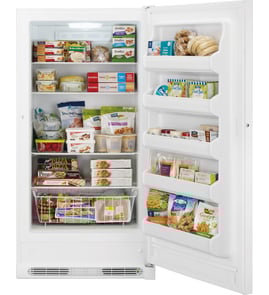





How do I reset my GE freezer?
To reset your GE FUF21DLRDWW upright freezer, we unplug it (or switch the breaker off) for about 30 seconds, then restore power and let it run. If the control is in Demo mode, we turn Demo off using the control-panel button sequence in the FUF21DLRDWW owner's manual.
Quick reset steps (power reset)
- Make sure the door is fully closed.
- Unplug the freezer (or turn the circuit breaker off).
- Wait 30 seconds.
- Restore power.
- Allow at least 4 hours for the freezer to cool down completely before judging temperature.
If “Demo” is lit (Demo mode reset)
If the freezer has power but is not cooling and the Demo indicator is on, we use the control-panel sequence below to exit Demo mode:
- Press Alarm Reset first.
- Then press - and + immediately while holding Control Lock.
- Keep holding for 5 seconds, then release.
- Confirm the Demo light turns off.
What to check if it still will not cool
- Outlet has power (try another small appliance in the outlet).
- House fuse is good or the circuit breaker is not tripped.
- Door is sealing and not being held open by packages.
- Temperature setting was not recently changed; allow several hours between adjustments.
- High temp alarm: press Alarm Reset to silence it while the freezer pulls temperature back down.
Why it matters
A power reset clears minor control glitches, but the freezer still needs time to stabilize. On the FUF21DLRDWW, a “no cool” complaint is often a control setting issue (like Demo mode) or a door-open condition rather than a failed part.
| Situation | What we do | What to expect |
|---|---|---|
| Control acting odd, lights normal | Power reset | Normal operation resumes after restart |
| “Demo” light on, not cooling | Exit Demo mode | Cooling starts shortly after Demo turns off |
| Warm after restart or outage | Wait 4 hours | Temperature gradually returns to setpoint |
Last updated: February 2026
Is FUF21DLRDWW garage ready?
GE model FUF21DLRDWW is designed to operate in a wider range of ambient temperatures than a standard indoor-only freezer, so it is commonly used in garages; we still recommend confirming the approved operating range and installation requirements in the FUF21DLRDWW owner’s manual before placing it in an unconditioned space.
What to check before installing in a garage
- Ambient temperature range: Verify the minimum and maximum room temperature the freezer is rated for.
- Power: Use a grounded 3-prong outlet; do not use an extension cord.
- Location: Keep it out of rain/water exposure and direct sunlight.
- Airflow clearance: Allow about 3 inches on the top, back, and sides for proper air circulation.
- Leveling: Adjust the front leveling legs so the door closes and seals easily.
Quick garage placement checklist
| Item | What “good” looks like | Why it matters |
|---|---|---|
| Outlet | Grounded 3-prong, dedicated-feeling circuit | Prevents nuisance trips and voltage issues |
| Clearance | ~3 in. top/back/sides | Helps the compressor shed heat |
| Floor/level | Stable, slightly tipped back | Improves door sealing |
| Environment | Dry, shaded, ventilated | Reduces corrosion and overheating |
Why it matters
In a garage, temperature swings and poor ventilation can make an upright freezer run longer, frost up faster, or struggle to hold set temperature. Following the installation and clearance guidance helps the sealed system and controls maintain consistent freezing performance.
Last updated: February 2026
Why is my GE freezer not freezing?
If your GE FUF21DLRDWW upright freezer is running but not freezing, the most common causes are a warm temperature setting, the door not sealing or being left open, or the freezer needing time to pull down temperature after being unplugged or loaded with warm food. Use the FUF21DLRDWW owner's manual to confirm control settings and normal cool-down behavior.
Quick checks we recommend first
- Make sure the freezer is plugged in and the outlet has power (reset a tripped breaker if needed).
- Check that the door closes fully and nothing is holding it open.
- Turn the temperature control to a colder setting; then allow several hours to stabilize.
- If it was recently unplugged, allow about 4 hours to cool down completely.
- If you recently added warm food, expect longer run time until the set temperature is reached.
- Verify the unit has adequate air space around the cabinet for ventilation.
What to look for next (cooling system symptoms)
If the basic checks look good but temperatures stay too warm, these symptoms help narrow it down:
| Symptom | Most likely area | What it usually means |
|---|---|---|
| Runs a lot, still warm | Airflow or heat rejection | Poor airflow inside, dirty condenser area, or hot room conditions |
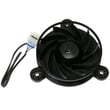
| Warm spots, weak airflow | Evaporator airflow | Evaporator fan not moving cold air through the cabinet |
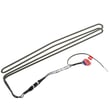
| Heavy frost on back wall/evaporator cover | Defrost system | Defrost heater or sensor issue causing ice buildup that blocks airflow |
| No cooling at all, silent | Power/control | Control, wiring, or power supply problem |
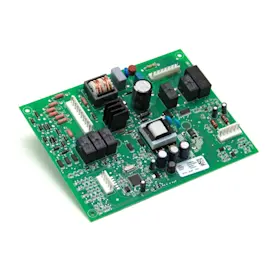
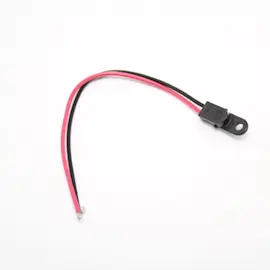
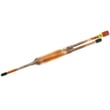
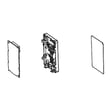
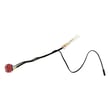
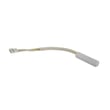
Model-relevant parts that commonly affect freezing performance include the freezer temperature sensor WR55X27914, the freezer defrost sensor WR09X27221, and the freezer electronic control board WR55X30692.
Why it matters
A freezer that is “cold but not freezing” often has an airflow or defrost problem; food can soften and refreeze, which hurts quality and can lead to spoilage. Catching a door seal, control setting, or frost buildup issue early prevents longer compressor run times and uneven temperatures.
Last updated: February 2026