 Installation guide
 Owner’s manual
 Error Codes









Why is my Jenn-Air Gas range oven not igniting?
If your Jenn-Air JGS9900CDF01 gas range oven is not igniting, the most common causes are no power to the range (this model uses pilotless ignition), a weak or failed oven igniter, or a gas supply issue. Start by confirming the range has power and the gas shutoff valve is fully open.
- Confirm the range has electrical power; this oven will not operate during a power failure.
- Make sure the gas shutoff valve is open and other gas appliances work.
- Set BAKE and listen for ignition; a long delay with no flame often points to a weak igniter.
- If the igniter glows but the burner never lights, the igniter can be too weak to open the gas valve.
- If nothing happens at all, check for a tripped breaker or loose power cord connection.
On JGS9900CDF01, the oven bake ignition system is a frequent failure point. If troubleshooting points to the bake igniter, match the replacement to your exact model.
| Symptom | What it usually means | What to check next |
|---|---|---|
| No heat and no ignition activity | No power or control not operating | Power supply, control settings in the JGS9900CDF01 owner's manual |
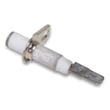
| Igniter glows but no flame | Weak igniter or gas valve not opening | Replace the whirlpool range bake igniter W11596211 |
| Smell of gas with no ignition | Ignition failure | Stop, turn off oven, ventilate, then inspect igniter and wiring |
This range uses a pilotless ignition system, so it relies on electricity to ignite and to safely control gas flow. When the igniter is weak, the oven can fail to light or heat inconsistently.
- You smell gas and the oven is not lighting
- The oven repeatedly fails to ignite after basic checks
- You see damaged wiring or heat damage near the burner area
For model-specific operating steps and safety notes, follow the JGS9900CDF01 owner's manual.
Last updated: January 2026
What does F1 mean on a Jenn-Air oven?
On the Jenn-Air JGS9900CDF01 range, an F1 error typically points to a problem in the electronic oven control system, most often the touch pad (keypad) or the oven control board. Clearing power may reset it briefly, but recurring F1 usually means a control component needs attention.
- Cancel the cycle and let the range sit for 1 minute.
- Reset power: turn the breaker off for 1 minute, then back on.
- If F1 returns immediately, stop using the oven until the control issue is corrected.
- If F1 appears only when pressing certain keys, the touch pad is the most likely cause.
- If F1 appears with no key presses, the control board is a common cause.
| Likely cause | What you may notice | Typical fix |
|---|---|---|
| Touch pad (keypad) input fault | Beeping, random key response, F1 after pressing keys | Inspect/replace touch pad or control panel assembly |
| Oven control board fault | F1 with no key presses, intermittent resets | Replace the oven control board |
| Moisture/cleaner intrusion | F1 after cleaning the control area | Dry out, avoid spraying cleaners directly on the panel |
On this model, the user interface and controls are tied to the control panel and electronic controls.
- If the display area or keypad is damaged, check the range control panel W10236210.
- If the oven will not heat and you are also troubleshooting ignition, the whirlpool range bake igniter W11596211 is a separate oven-heating component (it does not usually cause an F1 by itself).
An F1 code is a control-system fault; ignoring it can lead to constant beeping, an oven that will not start, or unpredictable operation. Addressing it early helps restore reliable baking and broiling performance.
For model-specific feature and control details (including setup and service information shown on the control), use the JGS9900CDF01 owner's manual.
Last updated: January 2026
Why does my Jenn-Air oven take so long to heat up?
If your Jenn-Air JGS9900CDF01 gas range takes a long time to preheat, the most common cause is a weak glow-bar igniter that is slow to heat and open the gas valve; the oven may eventually light, but preheat time stretches out and temperatures can be inconsistent. Use the JGS9900CDF01 owner's manual to confirm normal operation and settings.
- Confirm the oven is set to Bake (not Delay Bake or a special mode).
- Watch and listen during preheat: you should typically hear a gas ignition “whoosh” after the igniter heats.
- Verify the oven door closes firmly; a worn gasket can leak heat and slow preheat.
- Make sure the range has steady power; this model uses pilotless igniters, so weak power can affect ignition.
- If this is the first use after a gas interruption, allow extra time; air in the gas line can delay lighting.
A gas oven that preheats slowly usually has an ignition or heat-retention problem.
| Symptom you notice | Most likely cause | What it affects |
|---|---|---|
| Long preheat, oven eventually lights | Weak bake igniter | Delays gas ignition and heat-up |
| Preheat seems normal but heat won’t hold | Door seal leak | Heat loss, longer cycling |
| No consistent ignition, intermittent heat | Ignition component issue | Unreliable burner lighting |
If the bake igniter is slow or failing, replacing the whirlpool range bake igniter W11596211 is a common repair for this model.
Slow preheat is more than an inconvenience; when ignition is delayed or heat leaks out, the oven can bake unevenly, run longer, and struggle to maintain set temperature.
- You smell gas without ignition
- The oven repeatedly fails to light
- The burner lights with a loud boom
For safe operation details and feature settings (including control options), follow the JGS9900CDF01 installation guide.
Last updated: January 2026
Why is the display not working on my Jenn-Air gas stove?
If the display is blank on your Jenn-Air JGS9900CDF01 gas range, the most common causes are a power supply issue (tripped breaker, loose cord, failed outlet) or a problem in the electronic control circuit (loose connection, failed control board, or failed control panel). Use the JGS9900CDF01 owner's manual to confirm the correct power requirements and basic checks.
- Confirm the range has power: check the outlet and reset the household breaker.
- If the cooktop burners still light but the display is dead, the range may have partial power or a failed control circuit.
- If the display flickers or comes and goes, suspect a loose connection or failing electronic control.
- If the display is blank and the oven will not operate, suspect the control board or its power feed.
- If the display is blank after a recent cleaning, moisture may have affected the control area.
Turn off power at the breaker before inspecting anything.
- Check that the power cord is fully seated and not damaged
- Look for signs of heat damage near the control area (warping, discoloration)
- If the display is blank but you hear relays clicking when pressing keys, the user interface may be failing
- If nothing responds at all, the main control board is a stronger suspect
| Symptom | Most likely cause | What you typically notice |
|---|---|---|
| Display blank, nothing responds | No power to range | No lights, no beeps |
| Display blank, burners still work | Control circuit issue | Cooktop works, oven controls dead |
| Display dim/flickering | Loose connection or failing control | Intermittent operation |
| Display dead after cleaning | Moisture intrusion | Returns after drying, or fails permanently |
On JGS9900CDF01, display problems often trace back to the electronic control area. If diagnostics point to the spark/ignition system instead (clicking, no ignition), that is a different circuit.
- Range control panel W10236210 (if the user interface or display window is damaged)
- Control board (if the range is getting power but the display and oven functions are dead)
The display is part of the electronic control system that manages oven temperature, timing, and safety functions. Restoring reliable display operation helps ensure accurate baking and predictable oven performance.
Last updated: January 2026





