Error Codes






How do I clear the error code on my Samsung oven?
On the Samsung FER300SW range, we clear many error codes by resetting power (turn the breaker off, then back on). If the code returns right away, it usually points to a real fault such as an oven temperature sensing problem, a door lock or latch issue, or a control problem.
Fast reset steps (most common)
- Turn the range breaker OFF for 1 full minute.
- Turn the breaker ON.
- Set Bake to 350°F and watch the display for 10 minutes.
- If the code comes back, write it down exactly (letters and numbers).
- If the oven was in a display or showroom setting, turn off demo mode using the control panel’s demo setting.
If the code comes back: what to check next
Many Samsung range codes are triggered by a specific circuit. These checks narrow it down:
- Oven not heating or heats erratically: inspect the bake and broil circuits; a failed sensor is also common.
- Overheating or temperature swings: test the oven sensor and its wiring.
- Door lock or self-clean related codes: check the latch/lock mechanism and door switch.
- Random codes or dead keys: check the keypad membrane and control connections.
| Symptom you see | Likely area | Common part to inspect |
|---|---|---|
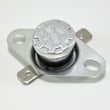
| Oven temp seems wrong | Temperature sensing | Samsung range oven temperature sensor DG32-00002B |
| Won’t bake but broil works | Bake circuit | Range bake element DG47-00038A |
| Won’t broil but bake works | Broil circuit | Samsung range broil element DG47-00037A |
| Code during self-clean or door won’t open | Door lock/latch | Range door latch DG66-00017C |
Why it matters
Clearing the code without fixing the cause can lead to poor baking results, repeated shutdowns, or a door that stays locked after self-clean. A quick reset is a good first step, but a repeating code is the range telling you which system needs attention.
Helpful reference
For code meanings and the most common fixes, use our Samsung freestanding electric range error codes guide.
Last updated: January 2026
How do I find the model number on my FER300SW?
On a Samsung range like FER300SW, we typically find the model number on the oven frame behind the door, or on a label around the storage or warming drawer opening. Match the full model and suffix exactly when ordering parts.
Where to look on the range
- Open the oven door; check the frame around the door opening (often along the left or right side)
- Pull out the bottom drawer; check the frame behind the drawer front or along the drawer opening
- Check the back panel of the range (if accessible) for a rating label
- Look for a silver or white sticker that lists MODEL and SERIAL
What to write down (and why)
- Full model number (example: FER300SW/XAA) because suffixes can change parts
- Serial number for production date and version differences
- Power rating (volts/amps) if you are troubleshooting heating issues
Quick check: model vs. part number
| You’ll see on the label | What it’s used for |
|---|---|
| Model number (FER300SW, often with /XAA) | Choosing the correct diagrams and parts |
| Serial number | Identifying production run/version |
| Part number (example: DG47-00038A) | Ordering a specific replacement part |
Why it matters
Using the exact model number prevents ordering a look-alike part that doesn’t fit your cooktop, oven wiring, or control panel. Once you confirm the model, you can choose parts by symptom, such as a failed range bake element DG47-00038A for an oven that will not heat.
Last updated: March 2026
What is the average lifespan of FER300SW?
A Samsung electric range like model FER300SW typically lasts 13 to 15 years with normal household use and basic maintenance. Keeping the oven cavity clean, ensuring good airflow, and repairing heating or control issues early helps you reach that lifespan.
What affects lifespan most
- Heavy high-heat use (frequent self-clean cycles, long bakes, daily broiling)
- Power quality and tight electrical connections at the terminal block
- Spillovers that damage surface elements or switches
- Door seal and hinge wear that lets heat escape
- Overheating from blocked vents or foil lining the oven bottom
Quick maintenance that pays off
- Wipe up boilovers quickly; avoid letting sugary spills bake onto the cooktop
- Keep the oven bottom clear; do not cover it with foil (it can trap heat)
- Check that the range sits level; adjust with range leveling leg DG61-00294A if needed
- If baking becomes uneven or temperatures swing, test the sensor; replace with Samsung range oven temperature sensor DG32-00002B
- If a burner cycles erratically or won’t regulate heat, inspect the control; Samsung range surface element control switch DG44-01002A is a common fix
Common “end-of-life” symptoms and likely causes
| Symptom | Most common cause | Typical fix |
|---|---|---|
| Oven won’t heat | Failed bake element or sensor issue | Check element continuity; verify sensor |
| Slow preheat | Weak bake element, calibration drift | Replace element; verify sensor |
| Burner stuck on high/low | Worn infinite switch | Replace surface element control switch |
| Door won’t close tightly | Worn hinge or latch | Replace hinge or latch |
Why it matters
A range near the end of its service life often shows up as temperature accuracy problems, longer preheat times, and inconsistent burner control. Replacing a few key parts can restore safe, predictable cooking and delay a full replacement.
Last updated: March 2026