Installation guide
 Owner’s manual



How to reset a Kenmore Elite microwave?
To reset your Kenmore Elite microwave/hood combo model 79080379310, unplug it (or turn off the breaker) for about 1 minute, then restore power. This clears many control glitches; for control-panel option resets, use the steps in the 79080379310 owner's manual.
Quick reset options (most common)
- Power reset: Unplug the microwave or switch the circuit breaker off, wait 60 seconds, then restore power.
- Cancel a cooking program: Press STOP to cancel cooking and clear the display.
- Exit Demo mode (if the oven will not heat): Use the Demo mode steps in the 79080379310 owner's manual.
- Reset certain control options (example: LB/KG): Use Clock & Settings and START as shown in the manual’s control feature section.
Control-panel reset example: toggle LB/KG
This model uses Clock & Settings (feature 19) to change certain options.
| What you want to reset | Buttons typically used | What to look for |
|---|---|---|
| Clear a wrong entry or stop cooking | STOP | Cooking stops; display clears |
| Change an option like LB/KG | Clock & Settings, then START | Display prompts for options |
| Clear a temporary glitch | Unplug or breaker reset | Normal clock/display returns |
If “reset” does not fix the problem
- Confirm the outlet has power (try a small lamp).
- Make sure the door closes firmly; door switches must engage for operation.
- If the unit runs but does not heat, focus troubleshooting on heating-circuit symptoms (magnetron, high-voltage components) and use safe diagnostic steps.
- If the display works but buttons do not respond, the keypad/control panel may be the issue.
Why it matters
A simple power reset fixes many “frozen display” or “won’t start” issues without replacing parts. If the microwave powers up but will not heat, that points away from a basic reset and toward a heating or safety-interlock condition.
Related help: why is my microwave not heating
Last updated: January 2026
How to find Kenmore microwave model?
On Kenmore microwave/hood combos like model 79080379310, the model number is printed on a rating label. The most common spot is the frame area you see when you open the door; it can also be on the door edge, along the control panel side, inside the cavity, or on the back panel.
Where to look first (fastest checks)
- Open the door and check the front frame (the face of the oven around the opening).
- Check the door edge (hinge side and latch side).
- Look along the side of the control panel (visible with the door open).
- Check the inside wall of the cooking cavity (usually near the opening).
- If it is not inside, check the back panel of the microwave/hood combo.
What the label usually shows
The rating label typically includes the details you need to match parts and documentation.
| Label item | What it helps with |
|---|---|
| Model number (example: 79080379310) | Ensures parts diagrams and replacements match |
| Serial number | Helps date the unit and confirm production run |
| Electrical ratings (volts/amps) | Confirms power requirements for safe service |
Tips to make sure you copy it correctly
- Write the model number exactly as shown (all digits, no spaces).
- Take a clear photo before ordering parts.
- If the label is worn, try a flashlight at an angle to make the print easier to read.
Why it matters
Kenmore microwaves often have similar-looking doors, switches, and control panels across multiple models. Using the exact model number (like 79080379310) helps us match the correct diagrams and parts the first time.
For model-specific operating details and identification info, use the 79080379310 use & care guide.
Last updated: January 2026
Does a Kenmore Elite microwave have a fuse?
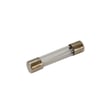
Yes. Kenmore Elite microwave/hood combos like model 79080379310 use fuses as part of their electrical protection; if the microwave is completely dead (no display, no interior light), a blown fuse is a common cause. Use the 79080379310 installation guide for safe power and setup checks before troubleshooting.
Where the fuse is and what it does
Most over-the-range microwaves use an internal line fuse to protect the unit from power surges and short circuits. If it blows, the microwave typically loses all power.
Common symptoms of a blown microwave fuse:
- No display and no response to keypad
- Interior light does not turn on when the door opens
- Unit went dead after a pop, spark, or power outage
- House breaker is OK but microwave is still dead
Safe checks we recommend first
Microwaves contain high-voltage components that can store dangerous energy even when unplugged. Start with the safe, external checks below.
- Confirm the outlet has power (test with a lamp or small appliance)
- Reset the kitchen circuit breaker, or replace the house fuse if applicable
- Make sure the unit is plugged into a dedicated 15 to 20 amp outlet (common installation requirement)
- Check that the door closes firmly and latches consistently
- Review basic operating and safety notes in the 79080379310 owner’s manual
When door switches are the real issue
If the microwave has intermittent power, runs only with the door held a certain way, or blows the fuse repeatedly, the door interlock system is a frequent cause.
Here are model-matched parts we often see involved:
| Symptom | Likely area | Example part for 79080379310 |
|---|---|---|
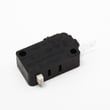
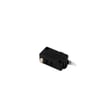
| Dead or intermittent when closing door | Door interlock switch | Microwave door switch 5304509459 |
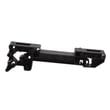
| Door won’t latch smoothly | Latch mechanism | Latch hook 5304509457 |
Why it matters
A fuse usually blows for a reason. Replacing a fuse without correcting a failing door switch, latch alignment issue, or shorted component can lead to repeat failures and unsafe operation.
Last updated: January 2026
Where is the fuse on a Kenmore microwave oven model 79080379310?
On Kenmore Elite microwave/hood combo model 79080379310, the main fuse is an internal component, not an exterior, user-accessible fuse. It’s typically mounted on the microwave’s internal power input circuit and is reached only after removing the outer cabinet; use the 79080379310 owner's manual for the correct disassembly points and fuse specifications.
Safety first (microwave fuse access)
Internal microwave repairs involve stored high voltage; we treat fuse replacement as a service-level task.
- Unplug the microwave or switch off the breaker before any work
- Do not remove the outer cover unless you are trained for microwave electrical repair
- Never operate the microwave with the cover removed
- Replace only with the exact fuse type and rating specified for model 79080379310
- If the fuse is blown, check for the underlying cause before installing a new one
Typical internal fuse location on over-the-range microwaves
On most Kenmore over-the-range units, the fuse is positioned close to where power enters the unit.
| What you see | Where the fuse is usually found | Why it’s there |
|---|---|---|
| Power cord entry area | Near the line filter or control power feed | Protects the microwave from overcurrent |
| Control compartment | On a small holder or clip on the wiring harness | Opens if a short occurs |
For step-by-step access and fastener locations, follow the 79080379310 installation guide and the manual’s service and safety sections.
If the fuse keeps blowing
A repeat blown fuse usually points to a door-interlock or power component problem.
- Door not closing firmly or latch misalignment
- Failed door switch or interlock switch
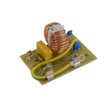
- Shorted line/noise filter
- Shorted high-voltage component (capacitor, transformer, magnetron)
If the failure happens when opening or closing the door, inspect the door switch circuit; the microwave door interlock switch 5304509459 is one of the interlock-related parts used on this model.
Why it matters
The fuse is a safety device. Replacing it without correcting the cause can lead to repeated failures and damage to wiring or the electronic control.
Last updated: January 2026