 Installation guide
 Owner’s manual


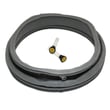
Where to find model number on a Frigidaire washer?
On your Frigidaire washer model FFFS5115PW0, the model number is on the serial plate inside the door opening. Open the washer door and look around the door frame area; you will see the model and serial number label.
- Open the washer door fully.
- Look along the inside edge of the door opening (the front cabinet opening).
- Find the serial plate or sticker with Model and Serial.
- Write the model number exactly as shown (for parts lookup and service).
- Keep it with your paperwork; the FFFS5115PW0 owner's manual also has a “Record your model and serial numbers” section.
| Label item | What it’s used for | Example (yours) |
|---|---|---|
| Model number | Matching parts and diagrams | FFFS5115PW0 |
| Serial number | Production info and service history | (varies by unit) |
| Electrical ratings | Installation and troubleshooting reference | (varies by unit) |
We use the model number to match the correct Frigidaire washer parts for your exact configuration (controls, door components, tub parts). Even small model differences can change which parts fit.
- Wipe the label gently with a damp cloth and dry it.
- Use a flashlight or take a close-up photo to zoom in.
- If the door label is damaged, check the FFFS5115PW0 installation guide notes about where technical information may be stored on the machine (some units also have service data under the top panel).
Last updated: February 2026
How to remove front panel frigidaire washer?
To remove the front panel on your Frigidaire washer model FFFS5115PW0, we typically take off the top panel first, then remove the screws that secure the front panel and lift it off the mounting tabs. Use the FFFS5115PW0 installation guide for safe handling and access notes.
- Unplug the washer or switch off power at the breaker.
- Turn off both water faucets to the inlet hoses.
- Protect the floor with cardboard or a blanket before moving or tilting the washer.
- Have a second person help if you need to tip the washer; it is heavy.
- Keep screws organized by location so reassembly is straightforward.
- Remove the top panel: From the back, remove the screws securing the top panel, then slide the top back and lift it off.
- Locate front panel fasteners: With the top off, remove the screws along the top edge of the front panel.
- Release the front panel: Pull the panel slightly forward, then lift up to unhook it from the lower tabs/clips.
- Disconnect any wiring if needed: If the door lock wiring harness is attached to the front panel area, disconnect it carefully.
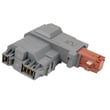
If you are removing the front panel to access a failed latch, the washer door lock assembly 131763256 is the common part involved in door lock and “won’t start” symptoms.
| Area | What you will usually find | What to do |
|---|---|---|
| Back edge of top | Top panel mounting screws | Remove to lift top |
| Top edge of front panel | Front panel mounting screws | Remove before lifting panel |
| Lower front edge | Tabs/clips (not screws) | Lift panel up and off |
Removing the front panel the right way prevents bent panels, broken mounting tabs, and pinched wiring to components like the door lock and control wiring.
Last updated: February 2026
Why is my Frigidaire washer not washing?
If your Frigidaire FFFS5115PW0 washer fills and drains but does not actually wash (tumble/agitate), the most common causes are a cycle not starting due to a door-lock issue, incorrect cycle settings, or a drive/control problem. Start with the door, power, and water supply checks in the FFFS5115PW0 owner's manual.
- Confirm the door is fully closed; the washer will not run with the door open.
- Press START (not just power); if you need to change options after starting, press PAUSE, change settings, then press START again.
- Verify both hot and cold water valves are fully open and household water pressure is adequate.
- Check your home breaker or fuse; low or interrupted power can prevent proper operation.
- If the washer beeps repeatedly when you press buttons, pause the cycle and reselect options.
| What you see | What it usually means | What to do next |
|---|---|---|
| Door won’t lock, or cycle won’t begin | Door lock not engaging | Inspect latch area; consider replacing the washer door lock assembly 131763256 |
| Fills but drum never tumbles | Motor/control not driving the wash action | Check for error codes; suspect control or motor circuit issues |
| Stops mid-cycle and won’t continue | Safety lock, control sensing issue, or drain problem | Cancel, restart; check for codes and drainage restrictions |
| Loud grinding/squealing | Mechanical problem that can worsen quickly | Stop using the washer and have it serviced |
On the FFFS5115PW0, an error code on the display is a strong clue that the control detected a fault (door lock, motor control, water level sensing, or draining). Use our Frigidaire front load washer error codes guide to match the code to the next best check.
Common parts involved when the washer will not wash (tumble) include:
- Washer motor control board 134618213 (controls motor operation)
- Washer drive motor 134638900 (provides drum movement)
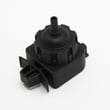
- Washer water-level pressure switch 134762010 (confirms proper fill level)
A washer that is not washing is often being prevented from running by a safety condition (like the door not locking) or a control sensing problem. Fixing the root cause prevents repeat shutdowns, poor cleaning, and potential damage from continued operation with abnormal noises.
Last updated: February 2026


