Installation guide
 Owner’s manual
 Error Codes


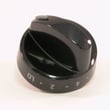
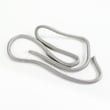

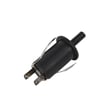
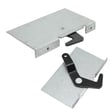
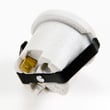
What model is my Kenmore gas range?
Your Kenmore gas range model number is printed on the appliance’s rating label. On Kenmore model 79078644601, you will typically find that label in the oven door jamb area, behind the storage drawer or lower panel, or on the back of the range. Use the exact model number to match parts and instructions in the owner's manual.
Where to look for the model number label
Check these common locations on a freestanding Kenmore gas range:
- Open the oven door and look along the door frame (door jamb) and front frame
- Pull out the storage drawer (or remove the lower panel) and look on the frame behind it
- Look on the back panel near the upper vent area
- Check the side frame just inside the lower front area
How to confirm you have the full model number
Model numbers can include extra digits that matter for parts fit. When you find the label, copy it exactly.
| What to capture | Example | Why it matters |
|---|---|---|
| Model number | 79078644601 | Identifies the correct parts list and diagrams |
| Serial number | (varies) | Helps match production run details |
| Gas type notes | Natural gas or LP converted | Affects regulator and orifice setup |
Why it matters
We use the model number to ensure you get the right Kenmore range parts (like an oven igniter, surface burner head, or temperature sensor) and the correct procedures for installation, leveling, and gas supply connection.
Quick tip if the label is hard to read
- Wipe the label gently with a damp cloth and mild dish soap, then dry
- Use your phone camera zoom and a flashlight to improve contrast
- Write down the model number first, then the serial number
Last updated: February 2026
How long should a Kenmore gas stove last?
A Kenmore gas range like model 79078644601 typically lasts 15 years with normal household use. Regular cleaning to prevent grease buildup and prompt repair of ignition or heating issues helps you reach that lifespan; follow the care steps in the owner's manual.
What affects lifespan most
- Cleaning habits: Grease buildup can create overheating and flare-up risks, especially around burners and under the cooktop.
- Ignition reliability: Frequent clicking, delayed lighting, or weak flames increase wear on igniters and spark components.
- Oven temperature accuracy: Consistent overheating or underheating can point to sensor or control issues.
- Door seal condition: A worn seal makes the oven work harder to hold temperature.
- Gas supply setup: Correct installation and stable gas pressure support consistent burner performance.
Quick maintenance checklist (monthly to seasonally)
- Wipe spills promptly; clean the range regularly to keep parts free of grease.
- Keep burner heads and caps seated correctly after cleaning.
- Confirm each surface burner lights promptly; after air is purged, burners should light quickly in normal operation.
- If a burner goes out on LOW, adjust the low flame setting using the procedure in the installation guide.
- Check the oven door closes firmly; replace the seal if heat leaks.
Common parts that can extend usable life
| Symptom | Likely area | Example part for this model |
|---|---|---|
| Oven temperature seems off | Temperature sensing | Frigidaire range oven temperature sensor 316490000 |
| Oven will not heat reliably | Bake ignition | Frigidaire range bake igniter 5304534663 |
| Surface burner will not spark | Spark system | Cooktop spark module 5304505695 |
Why it matters
A 15-year lifespan is realistic when the range heats efficiently and lights reliably. Small issues like weak ignition, incorrect LOW flame, or heat leaking past the door seal make the appliance work harder, which shortens component life.
Last updated: February 2026
How to take the top off a Kenmore gas range?
To remove the top on your Kenmore 79078644601 gas range, we first shut off gas and power, then lift off the grates and burner caps. Most tops are held by a few screws under the burner heads or along the front edge; once those are out, the cooktop can lift up.
Safety first (do this before you start)
- Turn all burner knobs to OFF.
- Shut off the gas supply at the manual shut-off valve.
- Unplug the range (or switch off the breaker).
- Let the cooktop cool completely.
- If you smell gas at any point, stop and follow the gas-safety steps in the owner's manual.
Basic steps to remove the cooktop
- Remove the grates.
- Lift off the burner caps.
- Remove the burner heads/bases if your version uses screws to secure them.
- Look for cooktop mounting screws:
- Under burner heads (common)
- Along the front lip when you open the oven door (common)
- Under the backguard/control area (less common)
- Remove the mounting screws, then lift the cooktop.
- Some designs lift from the front and hinge upward.
- Others lift off after releasing front clips.
What you may need
| Item | Why it helps |
|---|---|
| Phillips screwdriver or nut driver | Removes cooktop and burner-base screws |
| Small container | Keeps screws and burner parts together |
| Work gloves | Protects hands from sharp sheet metal |
| Flashlight | Helps you spot hidden screws/clips |
If the top will not lift
- Recheck for screws under each burner head.
- Confirm no screws are still installed along the front edge.
- Make sure the burner heads are fully removed (some tops will not clear them).
- Lift gently; do not force it because wiring and gas components sit underneath.
Why it matters
Removing the cooktop is the first step for cleaning spills under the top and for repairs like replacing a surface ignition component (for example, the cooktop spark module 5304505695 if burners keep clicking or will not spark).
Last updated: February 2026
What causes a Kenmore oven to stop working?
On a Kenmore 79078644601 gas range, an oven that stops working is usually caused by a loss of electrical power to the range, a control fault (often shown as an “F” error code), or a failed heating component such as the bake igniter or oven temperature sensor.
Quick checks we recommend first
- Confirm the range has power (clock/display on, no tripped breaker or blown fuse).
- If the display is beeping or shows an “F” code, press CLEAR/OFF to stop the beeping and clear the code.
- If the oven will not heat, watch for ignition: you should typically hear/see the igniter working before the burner lights.
- If the oven stopped during an outage, keep the oven controls OFF until power is stable (the manual warns the oven can restart when power returns).
- Make sure the oven is not in Self-Clean with the door lock engaged.
Most common causes (and what they look like)
| Symptom | Likely cause | What to do next |
|---|---|---|
| No display, nothing works | No power to range | Reset breaker, verify outlet power |
| Beeping with “F” code | Electronic control detected a fault | Clear with CLEAR/OFF; if it returns, service is needed |
| Oven won’t heat, burners work | Failed bake ignition system | Check/replace frigidaire range bake igniter 5304534663 |
| Oven heats poorly or erratically | Temperature sensing problem | Test/replace frigidaire range oven temperature sensor 316490000 |
Why it matters
A gas oven still relies on electricity for ignition and controls. That is why a power interruption, a control fault, or a weak igniter can stop baking even when the surface burners seem normal.
Safety notes for this model
- Do not attempt to operate the electric-ignition oven during a power failure; turn the oven controls OFF and reset when power returns (see the installation guide).
- Use caution after Self-Clean; the range can be extremely hot and the door lock system can be damaged if forced.
Last updated: February 2026