Installation guide
 Owner’s manual
 Error Codes


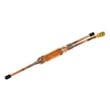

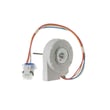

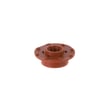
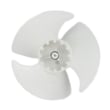
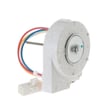
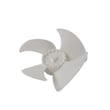
How to find GE refrigerator part number?
For your GE ZIR300NPKAII refrigerator, the fastest way to find the correct part number is to start with the model and serial label, then use the parts diagram list for that exact model so you match the right component version and revision.
Where to find the model and serial label
On built-in column refrigerator models like ZIR300NPKAII, the model and serial numbers are printed on a label on the hinge-side wall of the appliance (near the humidity control drawer area). Use that exact model number when looking up parts in the ZIR300NPKAII owner's manual.
How we recommend finding the correct part number
Use this process to avoid ordering a look-alike part that does not fit:
- Write down the full model number (ZIR300NPKAII) and serial number from the label.
- Identify the part by function and location (example: water filter, evaporator fan motor, door switch).
- Match the part name to the correct section in the parts list (cooling system, doors, controls, lighting).
- Confirm the part number and any notes about revisions or substitutions.
- Compare your old part to the listing (connectors, mounting points, and shape) before ordering.
Common examples (part name to part number)
Here are a few common items customers replace on this model family:
| What you need | What to look for | Example part listing |
|---|---|---|
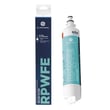
| Water filter | Filter ID printed on the filter or filter housing | GE refrigerator water filter RPWFE |
| Evaporator fan motor | Fan not running, warm temps, noise from freezer/rear panel | WR60X10284 or WR60X10185 (match by model) |
| Door switch | Lights not working correctly, door alarm issues | WR23X31507 |
Why it matters
GE refrigerators often use multiple versions of the “same” part across close model numbers. Using the exact ZIR300NPKAII model and serial helps ensure the part number you choose matches the correct wiring, fit, and control compatibility.
Last updated: February 2026
What number should my fridge be set at?
For your GE ZIR300NPKAII refrigerator, we recommend setting the fresh food temperature to 37°F (target range 33°F to 40°F) for safe food storage and good performance. Use the control panel to adjust, then give the unit time to stabilize; details are in the ZIR300NPKAII owner's manual.
Recommended settings (and what they mean)
- Fresh food (refrigerator): 37°F (ideal for most foods)
- Acceptable refrigerator range: 33°F to 40°F
- Avoid setting below 33°F; it can freeze produce and drinks
- If you store lots of dairy or deli items, stay close to 37°F
- If your kitchen is hot or doors open often, you may need a slightly colder setting
How to dial it in correctly
- Set the refrigerator to 37°F.
- Wait 24 hours for temperatures to stabilize.
- Check temperature with a thermometer in a glass of water on a middle shelf.
- Adjust in small steps (about 1°F at a time), then wait another 24 hours.
Quick guide: symptoms and the best adjustment
| What you notice | Likely condition | What to do |
|---|---|---|
| Milk spoils fast, food feels “soft cold” | Too warm | Lower set temp 1 to 2°F |
| Lettuce freezes, drinks slush | Too cold | Raise set temp 1 to 2°F |
| Temps swing a lot day to day | Airflow or door-opening issue | Reduce door openings; don’t block vents |
| Drawer items not holding expected temp | Drawer setting differs from fresh food set point | Adjust drawer setting; recheck after 24 hours |
Why it matters
Keeping the refrigerator near 37°F helps slow bacterial growth, protects food quality, and reduces issues like freezing in the humidity-controlled drawer. Your manual also notes that actual temperatures can vary with normal operation, door openings, and set point changes.
Last updated: February 2026
What is the average lifespan of ZIR300NPKAII?
A GE built-in refrigerator like model ZIR300NPKAII typically lasts 15 years with normal use and routine maintenance. Keeping airflow clear, maintaining stable temperatures, and staying current on filter changes helps the sealed system and fans run efficiently.
What affects lifespan most
- Condenser airflow and cleanliness (dust buildup makes the compressor work harder)
- Door sealing and door habits (warm air intrusion increases run time)
- Stable cabinet temperatures (avoid frequent warm-ups from long door openings)
- Water system maintenance (timely filter changes reduce flow restriction)
- Proper installation and clearances (helps cooling performance and prevents overheating)
Maintenance schedule we recommend
| Task | Typical frequency | Why it helps |
|---|---|---|
| Replace water filter | Every 6 months | Protects water flow and reduces strain on the water system |
| Clean condenser area | Every 6 to 12 months | Improves efficiency and reduces compressor run time |
| Check door seal and alignment | Every 6 months | Prevents temperature swings and frost issues |
| Verify temperatures | Monthly | Catches cooling problems early |
For filter guidance and specifications, use the ZIR300NPKAII owner’s manual. If you need a replacement cartridge, the GE refrigerator water filter RPWFE is a common maintenance item for this model.
Signs your refrigerator is nearing end-of-life
- Compressor runs almost constantly and temperatures still drift
- Repeated warm refrigerator section with a cold freezer (airflow or fan issues)
- Unusual grinding or squealing from fan areas
- Water leaks that return after basic drain and line checks
Why it matters
Most major-cost repairs involve the sealed refrigerating system (compressor, condenser, evaporator, and tubing). Extending lifespan through airflow, door sealing, and filter maintenance helps you avoid efficiency loss and premature component wear.
Last updated: March 2026