 Installation guide
 Owner’s manual
 Error Codes




How to reset Maytag wall oven?
To reset your Maytag CWE5800ACB wall oven, press CANCEL to clear the display and stop any beeping or fault code. If the control is unresponsive, turn the oven’s breaker OFF for 1 minute, then turn it back ON to reboot the control.
Quick reset steps (most common)
- Press CANCEL once to stop cooking, clear “End,” and silence beeps.
- If a fault code (example: E 2) is showing, press CANCEL to clear it.
- If the code returns, power-cycle the oven at the home electrical panel.
- If the oven is in a timed or delayed cook setting, press COOK TIME and OVEN STOP and reduce the time back to 0:00, then press CANCEL.
- If the door is locked from self-clean, let the oven cool fully before trying to use it.
If the display shows a fault code and beeps
The control is designed to beep and show a code when it detects a problem. Start with CANCEL, then move to a power reset.
| What you see | What to do | What it means |
|---|---|---|
| Beeping with a code (example: E 2) | Press CANCEL | Clears the active alarm condition |
| Code returns after CANCEL | Turn breaker OFF 1 minute, then ON | Reboots the electronic control |
| “door” or door won’t open after clean | Wait for cool-down | Lock releases after temperature drops |
Why it matters
A reset clears stuck keypad inputs, ends timed cooking modes, and stops nuisance beeping. A breaker reset also reboots the control board, which often restores normal operation after a power glitch.
Helpful reference
Use the control and troubleshooting steps in the CWE5800ACB owner’s manual.
Last updated: February 2026
What is the disadvantage of a wall oven?
A key disadvantage of a wall oven like the Maytag CWE5800ACB is service access: because it is built into cabinetry, repairs and troubleshooting often take longer and can require pulling the oven out of the cabinet, which adds labor and complexity.
Common disadvantages to plan for
- Harder access for repairs: Built-in placement can mean removing trim, loosening mounting screws, and sliding the oven out.
- More installation dependencies: Proper electrical hookup and cabinet cutout matter more than with a freestanding range.
- Potentially higher service cost: Extra time to remove and reinstall the unit can increase labor.
- Downtime during service: If the oven must be pulled, you may need to clear the area and protect flooring and cabinets.
- Heat management considerations: Venting and clearances are important to protect surrounding cabinetry.
What we recommend before scheduling a repair
Use the documentation to confirm safe access steps, clearances, and basic troubleshooting guidance.
- Review the safety and removal guidance in the installation guide.
- Check the troubleshooting section in the owner's manual for symptoms like no heat, uneven baking, or a door that will not close.
- If you suspect a heating problem, inspect for visible damage (blistering, breaks) on the bake element.
- If the oven is completely dead, check the home breaker first, then inspect wiring connections.
Quick comparison: wall oven vs. range
| Feature | Wall oven (built-in) | Freestanding range |
|---|---|---|
| Service access | Often requires pulling unit | Usually accessible from front/back |
| Installation impact | Cabinet cutout and mounting | Minimal cabinetry dependency |
| Typical repair labor | Higher | Lower |
Why it matters
Wall ovens deliver a clean built-in look and ergonomic height, but the same built-in design can make common repairs (like replacing a heating element or addressing wiring issues) more involved.
Last updated: February 2026
Why won't my Maytag wall oven light up?
If your Maytag wall oven model CWE5800ACB will not light up (no display, no beeps, no oven light), the most common cause is a power supply problem (tripped breaker, loose connection, or burned wiring). If power is present, the issue is typically in the control or wiring.
Quick checks we recommend first
- Reset the oven’s power at the home breaker (turn OFF then ON).
- Confirm the oven is on a dedicated 240V circuit (a partially tripped double breaker can leave the oven “dead”).
- If the display is flashing or blank after an outage, set the clock per the CWE5800ACB owner’s manual.
- Check for signs of overheating at the power connection area (burnt smell, discoloration).
- If the oven light is the only thing not working, replace the bulb with the correct type (see below).
If only the oven light does not work
This model uses a 40-watt appliance bulb for the oven light. Replace the bulb only after disconnecting power and letting the bulb cool.
| Symptom | Most likely cause | What to do |
|---|---|---|
| Oven heats but light stays off | Burned-out bulb | Replace with oven bulb 8009 |
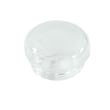
| Light cover damaged or missing | Broken lens/cover | Replace with cover bulb WP9781049 |
| New bulb still does not work | Switch, socket, or wiring issue | Inspect wiring and test with a meter |
If nothing works (no display and no heat)
Focus on the incoming power and connection points first; wall ovens commonly fail to power up when a connection overheats.
- Verify the junction box connections are tight (power off first).
- Inspect the terminal block area for heat damage; replace if burned or cracked.
- Check for damaged wires or loose spade connectors.
- If power is correct at the oven but the control stays blank, the electronic control or control panel is the next suspect.
A commonly replaced power-connection part is the terminal block WPW10245259.
Why it matters
A wall oven that will not light up is often a power-delivery issue, not a cooking-component issue like a bake element. Fixing the power connection first prevents repeat failures and reduces the risk of overheated wiring.
Last updated: February 2026
Why is my Maytag oven not working?
If your Maytag CWE5800ACB electric wall oven is not working, the most common causes are a tripped breaker or blown fuse, the oven control not being set correctly, or a failed heating component such as the bake element. Start with power checks, then confirm settings, then test heat parts.
Quick checks we recommend first
- Reset the household circuit breaker(s) for the oven; replace any blown fuses.
- Confirm the oven is connected to power and the display is on (the display can flash after a power failure until the clock is set).
- Verify the control is set to a cooking mode (Bake or Broil) and a temperature is selected.
- If the oven was left on, remember it can shut off automatically after 12 hours.
- If the oven light is out, check the bulb and socket, but treat that as a separate issue from heating.
What to check based on the symptom
| Symptom | Most likely causes | What to do next |
|---|---|---|
| No display, no heat | No power to oven | Check breaker/fuse, wiring connections, terminal block |
| Display works, no heat | Failed bake element, control setting issue | Try Broil; if Broil heats but Bake does not, suspect bake element |
| Heats sometimes or unevenly | Element weakening, rack/pan placement | Inspect element for damage; confirm rack position and pans |
| Light does not work | Bulb loose/burned out, no power | Tighten/replace bulb; confirm power |
Parts that commonly fix “not working” on this model
If power and settings are correct, these model-matched parts are common repair paths:
- Bake element WPY04000066 (if Bake will not heat)
- Terminal block WPW10245259 (if the oven has intermittent power or signs of overheating at the cord connection)
- Oven bulb 8009 (if only the light is out)
Why it matters
An oven that will not operate is often a simple power supply issue, but a failing heating element can also stop cooking performance. Checking power and control settings first prevents unnecessary parts replacement and helps you pinpoint whether the problem is electrical supply, controls, or heating.
Model-specific guidance
Use the troubleshooting and control-setting steps in the CWE5800ACB owner’s manual; it covers “Oven does not operate,” “Elements fail to turn on,” and other checks before service.
Last updated: February 2026





