 Installation guide
 Owner’s manual
 Error Codes



What model is my Jenn-Air stove?
Your Jenn-Air stove’s model number is printed on the appliance’s rating label; once you find it, match it exactly (letters and numbers) to identify the correct parts and manuals. If your label reads JES9750BAB, that is the model for this Jenn-Air electric slide-in downdraft range.
Where to find the model number on a Jenn-Air range
Check these common locations first (use a flashlight and look for a sticker or metal tag):
- Along the oven door frame when you open the oven door
- On the lower front frame near the storage drawer opening
- On the side trim or frame behind the storage drawer (remove the drawer to look)
- On the back panel of the range (if you can safely access it)
For diagrams and model-specific details, use the owner's manual.
How to read the label so you get the right parts
Model numbers must match exactly; one character off can change the wiring, control, or heating parts.
- Copy the full model number exactly as shown (example: JES9750BAB)
- Write down the serial number too (helpful for production variations)
- Avoid using only the brand name (Jenn-Air) or a partial model family
- If the label is worn, take a clear photo and zoom in to confirm characters
Quick check: model number vs. serial number
| Label item | What it does | Used for |
|---|---|---|
| Model number | Identifies the exact range design | Correct parts list, diagrams, manuals |
| Serial number | Identifies your specific unit | Production date/series matching |
Why it matters
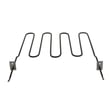
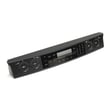
Using the exact model number ensures you order compatible parts for your Jenn-Air electric slide-in range, such as an oven temperature sensor, bake element, or control panel. It also helps you follow the correct safety and installation information for your specific configuration.
Last updated: February 2026
How long should a Jenn-Air oven last?
A Jenn-Air oven like the one in your JES9750BAB electric slide-in range typically lasts 15 years with normal household use. With consistent cleaning, proper ventilation, and timely replacement of wear parts, 10 to 20 years is a realistic lifespan range.
Typical lifespan for a Jenn-Air electric range oven
Most premium electric ovens fall into a predictable service-life window.
| Appliance type | Typical lifespan | What usually ends life first |
|---|---|---|
| Electric range oven (like JES9750BAB) | 10 to 20 years | Heating circuit, control, door seal/hinges |
| Heavy-use household oven | 10 to 15 years | Elements, sensor, control issues |
What makes an oven last longer
We see these habits extend the life of Jenn-Air ranges and reduce repeat repairs:
- Keep the oven cavity and door glass clean; avoid abrasive cleaners on the window.
- Make sure racks are fully in place before closing the door to reduce glass stress.
- Use the ventilation system correctly and keep airflow unobstructed.
- Avoid overheating oils and non-stick cookware; excessive fumes and heat stress components.
- Replace failing parts early (for example, a weak bake element or drifting temperature sensor).
For model-specific care and operating guidance, follow the cleaning and use recommendations in the owner's manual.
Parts that commonly affect longevity (and what they do)
When an older oven starts acting up, these parts are frequent causes of “it still works, but not well” symptoms:
- Oven temperature sensor: helps the control regulate temperature; a drifting sensor can cause overbaking or underbaking (see oven sensor 12001656).
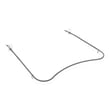
- Bake element: provides most of the heat for baking; a weakened element can cause long preheat times and uneven baking (see bake element WPW10310274).
- Door hardware and glass: hinges and glass take daily wear; damage can lead to heat loss and poor performance.
Why it matters
Knowing the expected lifespan helps you decide whether a repair is worth it. If your JES9750BAB is near the 15-year mark and you are seeing temperature swings, slow preheat, or uneven baking, replacing a key part (sensor or element) often restores performance without replacing the whole range.
Last updated: February 2026
What are common problems with Jenn-Air stoves?
Common problems we see with Jenn-Air stoves, including the Jenn-Air JES9750BAB electric slide-in range, are oven temperature issues, elements not heating, downdraft vent airflow problems, and control or indicator light failures. Many symptoms trace back to a failed heating component, a temperature sensor, or an installation or airflow restriction (for downdraft models).
Most common symptoms (and what they usually point to)
- Oven not heating or heats slowly: failed bake element, wiring issue, or control problem
- Oven temperature is inaccurate: drifting temperature sensor or airflow/door seal issues
- Uneven cooking or hot spots on the cooktop: warped cookware or incorrect pan size for the element
- Downdraft vent seems weak: grease filter clogged, ducting too small, too many elbows, or a blockage
- Indicator light or control behavior is erratic: failed indicator light, switch, or control
Quick checks you can do first (safe, no disassembly)
- Confirm the range has full power (a range typically needs both legs of the 240V supply; a tripped breaker can leave it partially powered).
- For glass cooktop performance, use flat, smooth-bottom cookware; the manual’s ruler and bubble tests help identify warped pans.
- If the downdraft is not capturing smoke well, check for obvious airflow restrictions and confirm the damper moves freely.
- During self-clean, ventilate the kitchen (open windows or a door) to reduce fumes.
- If a surface element seems “weak,” try a different pan before assuming the element is bad.
Parts that commonly solve these problems on JES9750BAB
| Symptom | Common fix | Example part for this model |
|---|---|---|
| Oven won’t reach set temp | Replace temperature sensor | Oven sensor 12001656 |
| No bake heat | Replace bake element | Bake element WPW10310274 |
| Downdraft airflow reduced | Clean or replace grease filter | Range downdraft vent grease filter WP71002111 |
| Cooktop element won’t regulate | Replace infinite switch | Range surface element control switch WP74011489 |
Why it matters
Catching the root cause early prevents repeat failures. For example, a weak downdraft is often ducting or a clogged filter (not the motor), and “uneven heating” is frequently cookware-related on a glass cooktop. Using the right diagnostic steps saves time and avoids replacing good parts.
For model-specific operating tips, cookware guidance, and ventilation notes, use the owner's manual.
Last updated: February 2026
What does F9 mean on a Jenn-Air oven?
On the Jenn-Air JES9750BAB electric slide-in range, an F9 code is treated as a door lock or latch circuit problem that often shows up during self-clean. The fastest path is to reset power, then check the door lock assembly and its wiring; use the JES9750BAB owner's manual for the model’s self-clean and door-lock operation.
What to do right away
- Press CANCEL/OFF and let the oven cool completely.
- If the door is locked, do not force it; wait for the lock to release after cooling.
- Reset power at the breaker for 1 minute, then restore power.
- Start a normal BAKE cycle (not self-clean) to see if the code returns.
- If F9 returns, inspect the latch area and wiring before replacing parts.
What usually causes F9 on this type of Jenn-Air range
| Likely cause | What you may notice | Typical next step |
|---|---|---|
| Door lock switch not changing state | F9 during self-clean start or cancel | Check latch alignment and switch actuation |
| Loose or damaged harness to latch | Intermittent F9, especially when door is moved | Reseat connectors; repair damaged wires |
| Failed latch/lock assembly | Door won’t lock or won’t unlock | Replace the lock assembly |
Parts commonly involved
- Range oven door lock assembly 74010819 (latch motor and switch assembly used to lock the door during self-clean)
If you also see heating problems or temperature-related symptoms, the temperature feedback circuit can be worth checking:
Why it matters
During self-clean, the control must confirm the door is safely locked. If the control cannot verify the lock position through the latch switches and wiring, it stops the cycle and displays an error to prevent unsafe operation.
Last updated: February 2026




