 Installation guide
 Owner’s manual
 Error Codes


What is the capacity of the wtw7500gc2?
The Whirlpool WTW7500GC2 washer is a large-capacity top-load model; its capacity is commonly listed as 4.8 cu. ft. For cycle and loading guidance specific to this washer, use the WTW7500GC2 use & care manual.
How to use that capacity effectively
To get the best cleaning and prevent off-balance issues on the WTW7500GC2, we recommend:
- Load items in loose heaps evenly around the washplate (impeller), not packed down
- Mix large and small items in the same load to reduce tangling
- Avoid washing single heavy items (balance with a few towels)
- Use HE (High Efficiency) detergent only; non-HE can cause excess suds and longer cycles
- Use Deep Water only when needed; it can increase fill time
Quick reference: capacity vs. what you can wash
These are practical examples (not strict limits); always allow items to move freely.
| Load type | Typical fit in a 4.8 cu. ft. top-load washer | Best practice |
|---|---|---|
| Everyday mixed laundry | Large family-sized load | Keep items below the top rim and don’t compress |
| Bedding/Bulky items | One bulky item plus a few smaller items | Distribute evenly around the washplate |
| Towels/denim | Medium-to-large load | Use higher spin when appropriate to reduce wet loads |
Why it matters
Capacity affects cleaning, rinsing, and spin balance. In HE low-water washers like the WTW7500GC2, you may not see a full tub of water; the washer senses the load and adds the right amount for performance.
Last updated: January 2026
How to do a hard reset on a Whirlpool washing machine?
For the Whirlpool WTW7500GC2 washer, the most reliable “hard reset” is removing power for about 5 minutes, then restoring power and starting a fresh cycle. This clears many temporary control glitches without changing any permanent settings; see the WTW7500GC2 use & care manual for control-panel behavior and troubleshooting.
Hard reset steps (WTW7500GC2)
- Press POWER to cancel the current cycle.
- Unplug the washer (or switch the breaker OFF) for 5 minutes.
- Restore power.
- Press POWER, select a cycle, then touch and hold START/PAUSE.
- If an error code returns, write it down before trying more steps.
If the washer shows an error code after the reset
Some codes clear with a power reset, but others point to a condition that needs correction (like a fill, drain, or lid-lock issue).
- If the washer will not fill, confirm both faucets are fully open and hoses are not kinked.
- If the washer will not drain or is stuck mid-cycle, check for a drain restriction.
- If the lid will not lock/unlock, remove items pressing on the lid and try again.
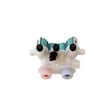
If you suspect a fill problem after resetting, the washer water inlet valve W11165546 is the component that opens to let hot/cold water into the washer.
Quick comparison: reset vs. what it fixes
| Action | What it does | Best for |
|---|---|---|
| Power reset (5 minutes) | Fully powers down the control | Random stopping, unresponsive buttons, some communication errors |
| Cancel cycle (POWER) | Stops the current cycle | Wrong cycle selected, need to restart |
| Rinse & Spin / Drain & Spin | Clears water from the tub | After a power interruption or standing water |
Why it matters
A true power reset helps the WTW7500GC2 control board recover from a “hung” state. If the same symptom repeats right after a reset, that usually points to an underlying issue (water supply, drain path, lid lock, or a failing component) rather than a one-time glitch.
Last updated: January 2026
What is the most common problem with Whirlpool washers?
For Whirlpool washers like model WTW7500GC2, the most common service complaint is a no-start or won’t-run condition, often tied to lid-locking, power, or control issues. Close behind are drain/spin problems (loads still wet) caused by suds, drain restrictions, or pump-related issues. See the WTW7500GC2 use & care manual for model-specific troubleshooting steps.
Most common issues we see (and what to check first)
- Washer won’t start or stops mid-cycle: confirm the lid is fully closed and the outlet has power.
- Won’t drain or won’t spin (clothes still wet): reduce oversudsing (use HE detergent only) and check the drain hose for kinks or clogs.
- Off-balance or “walking”: redistribute the load; avoid washing single heavy items.
- Filling problems (slow fill / no fill): verify both faucets are on and inlet screens are not clogged.
- Odors: run the Clean Washer cycle regularly and leave the lid open between loads.
Quick model-specific tips for WTW7500GC2
This Whirlpool top-load, low-water washer uses load sensing and a lid lock; that means some “symptoms” are normal (like sensing spins and the lid locking early).
| Symptom | Common cause | First action |
|---|---|---|
| Won’t run/fill | Lid not closed, power issue, excessive suds | Close lid, verify outlet/breaker, run Rinse & Spin |
| Long drain / still wet | Drain hose issue, oversudsing, pump restriction | Check hose routing, use HE detergent, run Drain & Spin |
| Loud clicking/humming | Lid lock self-test or drain pump running | Listen for normal cycle changes; check pockets |
When a part is likely involved
If basic checks don’t help, these model-compatible parts are commonly involved in the “most common” complaints:
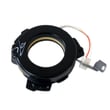
- Lid adapter W10861642 (lid lock assembly): can prevent starting or cause stopping if the lid won’t lock/unlock.
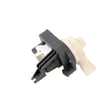
- Washer drain pump W10876600: can contribute to long drain or no-drain symptoms.
- Washer water inlet valve W11165546: can cause slow fill or no fill.
Why it matters
Catching a no-start, drain/spin, or fill issue early helps prevent repeat cycle interruptions, oversudsing errors, and unnecessary wear on the drive system. It also helps you avoid replacing parts that aren’t actually causing the problem.
Last updated: January 2026
What is the average lifespan of a Whirlpool washing machine?
Whirlpool doesn’t publish an “expected lifespan” for the Whirlpool WTW7500GC2 washer in the product documentation we have; in real homes, many washers reach roughly a decade or more when they’re installed correctly and maintained, but actual life varies widely by use and care. See the WTW7500GC2 use & care guide for model-specific maintenance and troubleshooting.
What we can confirm for WTW7500GC2 from Whirlpool documentation
The WTW7500GC2 manual and installation instructions focus on operation, maintenance, and troubleshooting rather than a set service-life number. They do include practices that help reduce premature wear:
- Use only High Efficiency (HE) detergent; non-HE or too much detergent can cause excess suds and performance issues
- Run the Clean Washer cycle every 30 washes (or monthly) to reduce residue and odors
- Leave the lid open between uses to help the interior dry
- Keep the washer level to reduce vibration and “walking”
- Inspect inlet hoses and replace them about every 5 years to reduce risk of hose failure
Habits that most often shorten washer life
- Overloading or tightly packing loads (more strain on suspension and drive components)
- Chronic off-balance spinning and heavy vibration
- Skipping monthly cleaning (buildup, odors, dispenser residue)
- Using the wrong detergent type or overdosing detergent
- Ignoring small leaks or slow-drain symptoms until they become bigger failures
Quick check: normal behavior vs. a sign to troubleshoot
| What you notice | Often normal on HE top-loaders | Usually worth troubleshooting soon |
|---|---|---|
| Water level looks “low” | Yes; low-water design | Won’t fill, long fill, inconsistent fills |
| Sounds during sensing/spin | Clicking, humming, brief pauses | Grinding, repeated banging, frequent off-balance stops |
| Cycle time changes | Yes; load sensing adjusts | Stops mid-cycle, frequent error codes |
Why it matters
Because WTW7500GC2 is a low-water, load-sensing HE washer, correct detergent use, leveling, and routine cleaning are the biggest controllable factors that help you get the longest practical service life.
Last updated: January 2026





