Installation guide
 Owner’s manual
 Error Codes


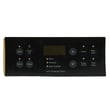
How do I reset my Kenmore oven control board?
To reset the oven control on your Kenmore 79095661100 electric range, we recommend doing a full power reset: turn the range off at the breaker (or unplug it) for 1 to 5 minutes, then restore power and reset the clock. This clears many temporary control glitches.
Quick reset steps (power reset)
- Turn OFF the range circuit breaker (or unplug the power cord if accessible).
- Wait 1 to 5 minutes.
- Turn the breaker ON (or plug the range back in).
- Set the time of day using the clock steps in the 79095661100 owner's manual.
- Test Bake and Broil to confirm normal operation.
If the control is “locked” (Loc)
Your range can be put into an oven lockout mode that makes the controls seem unresponsive.
- Press and hold the oven lockout pad for about 3 seconds.
- Wait about 15 seconds for the door lock motor to finish moving.
- If “Loc” appears when you press keys, keep holding the lockout pad to cancel lockout.
When a reset does not fix it
If the display comes back but the oven still will not heat or the keypad acts erratically, the issue is usually in one of these areas:
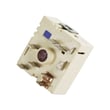
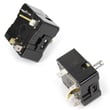
- A stuck or failed surface element control such as the oven switch 316436000
- A temperature sensing problem (sensor/probe circuit)
- A wiring connection issue at the power cord terminal block
- A failed electronic oven control (clock/control board)
What to check first
| What you notice | Most likely area to inspect | What to do next |
|---|---|---|
| Display is blank after reset | Power supply, breaker, terminal connections | Verify breaker is on; inspect cord/terminal block wiring |
| “Loc” shows on display | Control lockout is enabled | Cancel lockout (hold lockout pad 3 seconds) |
| Oven heats poorly or not at all | Bake or broil heating circuit, sensor | Test Bake and Broil separately; inspect elements and sensor wiring |
Why it matters
A power reset restores the control to a known state and forces the clock to be set again, which is required before normal oven operation on this model. It also helps you separate a temporary software glitch from a true part failure.
Last updated: February 2026
What causes a Kenmore oven to stop working?
On the Kenmore 79095661100 electric range, an oven that “stops working” is usually caused by a power interruption, a control fault (often with beeping and an F-code), or a failed heating circuit part such as the bake element, broil element, or temperature sensor. Start with power and any displayed error.
Quick checks first (fastest fixes)
- If there was a power failure or flicker, turn the oven off; when power returns, reset the clock and reselect the cooking mode (the range can resume operation when power comes back). See the 79095661100 owner's manual.
- Press CANCEL/OFF to stop beeping and clear the display; then try setting BAKE again.
- Confirm the range has 240V power: check the house breaker (often a double breaker) and that the cord connection is secure.
- If the cooktop works but the oven will not heat, focus on oven heating components.
- If the control beeps continuously and shows an F-code, record the code before resetting.
Most common part-related causes on electric ranges
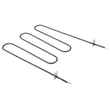
- Burned-out bake element: oven will not heat or heats very slowly; inspect for blisters or breaks. Consider the frigidaire range bake element 316202200.
- Failed broil element: broil does not heat; sometimes affects preheat performance. Consider the frigidaire range broil element 316203301.
- Bad temperature sensor (probe): erratic temps, overheating, or no heat if the control detects a fault. Consider the oven probe 316233903.
- Control or keypad issue: continuous beeping with F1, F3, or F9 indicates the electronic oven control detected a fault condition.
What the symptoms usually mean
| Symptom | Most likely direction | What to do next |
|---|---|---|
| No display, no oven functions | Power supply issue | Check breaker, terminal block, cord connection |
| Display on, oven will not heat | Heating circuit problem | Inspect/test bake and broil elements, sensor |
| Continuous beeping, F1/F3/F9 | Control detected a fault | Press CANCEL, retry; if it returns, service is needed |
Why it matters
An oven can look “dead” from a simple power event, but repeated beeping or no-heat symptoms usually point to a failed heating component or an electronic control fault. Correct diagnosis prevents replacing the wrong part.
Last updated: February 2026
Where can I find my Kenmore electric range model number?
On Kenmore electric range model 79095661100, the model and serial number are printed on the serial plate located on the right-hand surface of the oven front frame, typically behind the storage drawer or warmer drawer. Confirm the exact spot using the 79095661100 owner's manual.
Where to look on the range
Check these common label locations on model 79095661100:
- Open the storage drawer or warmer drawer and look along the right side of the oven front frame
- Look at the lower front panel area near the drawer opening
- Use a flashlight and look for a metal or foil serial plate, not a paper sticker
- Write down the model number, serial number, and any lot number/letter shown
What the serial plate tells you (and why to record it)
The serial plate is more than just the model number. It also helps us match the correct Kenmore range parts and electrical specs.
| On the serial plate | Why it matters |
|---|---|
| Model number | Ensures you get the correct parts list for your exact range |
| Serial number | Helps confirm production details when ordering parts |
| Lot number/letter | Useful for parts lookups and service inquiries |
| Voltage and kilowatt rating | Confirms power requirements for safe installation and troubleshooting |
Tips for reading the label
- Pull the drawer fully out for better visibility
- Wipe grease or dust off the plate gently so numbers are readable
- Take a clear photo before you start ordering parts or scheduling service
Why it matters
Kenmore ranges often share similar styling across multiple model series, so the serial plate is the fastest way to match the correct wiring, controls, and heating components for 79095661100.
Last updated: February 2026
Who makes Kenmore 79095661100?
Kenmore model 79095661100 is made by Frigidaire (Electrolux/Frigidaire-built). Kenmore is a brand name, and the manufacturer is identified by the model number prefix; ranges with a 790 prefix are Frigidaire-built.
How to confirm on your range
We recommend matching the model and serial information on the appliance ID plate to ensure you are ordering the right Kenmore electric range parts.
- Pull out the storage or warmer drawer
- Look on the right side of the oven front frame for the identification plate
- Confirm the full model number is 79095661100
- Record the serial number for service history and parts matching
For the exact ID plate location and product record details, use the 79095661100 owner's manual.
Why the manufacturer matters for parts
Knowing Frigidaire built this Kenmore 790 model helps us match the correct component design (wiring connectors, mounting style, and control compatibility) when you replace parts like a bake element, broil element, or surface element control switch.
| What you see | What it means | Why you care |
|---|---|---|
| Kenmore nameplate | Retail brand | Parts are sourced by model, not just brand |
| Model prefix 790 | Frigidaire-built range | Use Frigidaire-style parts and diagrams |
| Full model 79095661100 | Exact configuration | Ensures correct fit and electrical match |
Related help for troubleshooting
If you are asking because the oven is not heating or the control is showing a fault, use an error code reference to narrow the failure to a sensor, control, or wiring issue.
- Write down the exact code (letters and numbers)
- Reset power for 1 minute and recheck
- If the code returns, troubleshoot by code family
A good starting point is Kenmore 790 range 4-digit error codes.
Why it matters
Kenmore ranges can be built by different manufacturers; using the 790 prefix keeps you from ordering the wrong style of heating element, control, or harness for your specific range.
Last updated: February 2026
Why is my Kenmore electric oven not getting hot?
If your Kenmore electric range model 79095661100 isn’t getting hot, the most common causes are a failed bake element, a bad oven temperature sensor, or an electronic control fault. Start with a visual check of the heating elements, then verify temperature sensing and error codes using the 79095661100 owner's manual.
Quick checks we recommend first
- Make sure the range has full power (a tripped double breaker can leave the oven weak or dead).
- Confirm you selected Bake (not Broil or a timed feature) and set a temperature.
- Look for an error code and constant beeping; the control may stop heating when it detects a fault.
- During preheat, check whether the bake element glows red at the bottom of the oven.
- If Broil heats but Bake does not, the bake circuit is the likely problem.
Most likely failed parts (and what they do)
| Symptom | Likely cause | What to check next |
|---|---|---|
| Oven won’t heat on Bake | Burned-out bake element | Inspect for blisters, cracks; test continuity; consider replacing frigidaire range bake element 316202200 |
| Oven heats poorly or temps are erratic | Temperature sensor out of range | Test sensor resistance at room temp; replace if out of spec; consider oven probe 316233903 |
| Beeping with F1, F3, or F9 | Control detected a fault | Press CANCEL to stop beeping, retry; if it returns, service the control circuit per the manual |
| Broil works, Bake doesn’t | Bake element or wiring issue | Check element terminals and wiring connections for heat damage |
Why it matters
An electric oven relies on accurate temperature feedback and a working bake circuit to reach and hold set temperature. When the sensor, element, or control logic fails, the oven may underheat, never preheat, or shut down to protect the appliance.
Safety notes before testing
- Turn off power at the breaker before removing panels or testing continuity.
- Heating elements and interior surfaces can stay hot after use; allow time to cool.
- If you experienced a power failure, turn the range off; when power returns, reset the clock and oven function.
Helpful troubleshooting reference
For fault code meaning and next steps, use Kenmore 790 self-cleaning range error codes.
Last updated: February 2026