 Installation guide
 Owner’s manual
 Error Codes



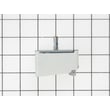
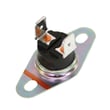
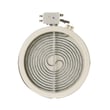

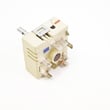
How do I find the right GE part number?
For your GE PD900DP1BB electric range, the most reliable way to get the right part number is to match the model number exactly, then use the parts list and diagrams for PD900DP1BB to identify the correct part by name and ID before ordering.
- Locate the model tag and confirm the model number is PD900DP1BB (match every letter and number).
- Use the exploded-view diagrams and parts list for PD900DP1BB to find the part you need.
- Match by part name + part ID (this prevents ordering a similar-looking but incorrect part).
- If multiple versions are listed (size, wattage, color), match what is installed on your range.
- Cross-check symptoms to the likely part (for example, no oven light vs. oven not heating).
| What you are fixing | Part to look up | Example from this model’s parts list |
|---|---|---|
| Oven light not working | Oven lamp | Oven lamp 40A15 |
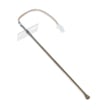
| Oven temperature seems off | Oven temperature sensor | Wall oven temperature sensor WB23T10015 |
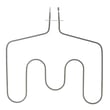
| Oven will not bake | Bake element | GE range bake element WB44T10018 |
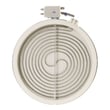
| One radiant burner not heating | Radiant surface element | Range radiant surface element, 8-in WB30T10132 |
GE ranges often use similar parts across different models, but mounting, wiring connectors, wattage, and trim can vary. Matching the PD900DP1BB model and then selecting the part by ID helps ensure fit and proper operation.
- Use the PD900DP1BB owner’s manual to confirm feature names and accessories (for example, elements, racks, light bulbs) so you search the correct part category.
- If you want to search beyond the parts shown here, we also support model-based search on Sears PartsDirect.
Last updated: February 2026
How do I tell what model my GE stove is?
Your GE stove model number is printed on a rating label attached to the range. On a GE electric range like model PD900DP1BB, the label is most often found around the oven door frame area, on the back panel, or under the cooktop edge. Use the exact model number when ordering parts.
Check these common label locations first:
- Open the oven door and look along the frame (left or right side) and the front lip
- Look on the back of the range near the power cord area
- Check under the cooktop edge (lift-up access varies by design)
- Look inside the storage drawer or warming drawer area (if equipped)
- Check the side panel near the lower front corner
The model number is usually a short mix of letters and numbers (for example, PD900DP1BB). We use it to match the correct wiring, control board programming, surface elements, and oven parts for your exact configuration.
| Label item | What it tells us | Used for |
|---|---|---|
| Model number | The exact product design | Correct parts lookup and diagrams |
| Serial number | Production run details | Manufacturing date and version tracking |
- Copy the model number exactly, including all letters at the end
- Take a clear photo of the label before you start shopping
- If the label is worn, try a flashlight at an angle to make the print easier to read
- Use the model number to confirm parts like the oven lamp 40A15 or wall oven temperature sensor WB23T10015
GE ranges can look identical but use different radiant surface elements, control switches, or oven sensors depending on the exact model suffix. Using the correct model number prevents fit and wiring mismatches.
For step-by-step help identifying features and label locations for your range, use the PD900DP1BB owner's manual. You can also search by model number on this page or on Sears PartsDirect.
Last updated: February 2026
How to order GE appliance parts?
You can order replacement parts for your GE PD900DP1BB electric range directly from the parts list for this model, using the model number to match the correct components. For diagrams, part locations, and verified part names, use the owner's manual.
- Find your exact model number on the range ID tag and match it to PD900DP1BB.
- Identify the failed system (surface element, oven heating, door, control panel, light).
- Use the parts list to select the exact replacement by part name and part ID.
- Order the part, then follow the manual steps for safe access and reassembly.
- If you are ordering multiple items, add common hardware (screws, retainers, gaskets) as needed.
| Symptom | Likely part to check | Example part on this model page |
|---|---|---|
| Oven will not heat or heats unevenly | Bake element or temperature sensor | GE range bake element WB44T10018, wall oven temperature sensor WB23T10015 |
| Surface element not heating | Radiant element or control switch | Range radiant surface element, 8-in WB30T10132, range surface element control switch WB24T10012 |
| Oven light out | Bulb or lamp holder | Oven lamp 40A15, oven lamp holder WB08T10002 |
- Compare the part description and ID to your appliance section (cooktop vs oven).
- Confirm the symptom matches the part function (for example, a sensor issue vs a heating element issue).
- Check for visible damage: breaks, blisters, burn marks, or loose wiring at terminals.
- Plan for basic tools and safe shutoff (unplug the range or switch off the breaker before service).
Ordering by the exact PD900DP1BB model and matching the correct part ID helps ensure fit, wiring compatibility, and proper heating performance. It also speeds up repairs for common electric range issues like no-bake, weak broil, or a dead surface element.
For additional model lookups and parts search by model number, use Sears PartsDirect.
Last updated: February 2026




