 Owner’s manual
 Error Codes







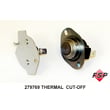

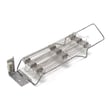

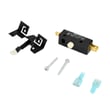
How do I know if my Kenmore dryer thermal fuse is blown?
A blown thermal fuse on your Kenmore dryer model 11096264100 typically shows up as a dryer that will not run at all, or runs but will not heat (depending on the exact wiring). The sure way to know is a continuity test with a multimeter after you unplug the dryer.
- Dryer will not start even though the outlet has power
- Motor hums briefly, then stops
- Drum tumbles but there is no heat (electric or gas models can differ)
- Cycle ends early or heat shuts off repeatedly
- Burning smell or very hot cabinet before the failure (often tied to restricted airflow)
- Unplug the dryer (or switch off the breaker) and let it cool.
- Access the fuse (commonly on the blower housing or exhaust duct inside the cabinet).
- Pull the wire connectors off the fuse terminals (grab the connector, not the wire).
- Set your meter to continuity or ohms.
- Touch one probe to each terminal.
Results:
| Meter result | What it means | What to do next |
|---|---|---|
| Beep or near 0 Ω | Fuse is good | Check venting, thermostat, timer, or motor circuit |
| No beep or OL/infinite | Fuse is blown | Replace the fuse and correct the airflow problem |
For cabinet access steps and the wiring diagram location, follow the 11096264100 owner's manual.
A thermal fuse is a one-time safety device; it opens when temperatures get unsafe. The most common cause is poor airflow.
- Clean the lint screen every load
- Clear lint from the lint chute and blower area
- Inspect the vent hose for kinks or crushing
- Keep the outside vent hood opening freely
- Avoid long vent runs; most dryers perform best with short, smooth metal ducting
If your dryer overheated, we often see customers also inspect the cycling thermostat because it controls normal operating temperature. For this model, that part is the dryer operating thermostat WP3387134.
Last updated: February 2026
How do I tell what model my Kenmore dryer is?
Your Kenmore dryer’s model number is printed on the appliance ID label (not the control panel name). On most Kenmore dryers, you’ll find it in the door opening on the cabinet frame; match that number exactly (for example, 11096264100) when ordering parts or checking specs in the 11096264100 owner’s manual.
Check these common locations in this order:
- Inside the dryer door opening on the front frame (most common)
- On the back panel of the dryer cabinet
- Near the lint screen housing area (depending on lint screen style)
- On the side or rear of the cabinet behind the lower access panel (some designs)
Kenmore model numbers are usually all digits and are often 11 characters long. The full model number is what we use to match the correct Kenmore parts diagrams, wiring information, and fit-tested replacement parts.
| What you see | What it means | What to do |
|---|---|---|
| 11096264100 | Full model number | Use it exactly for parts lookup and manuals |
| A shorter “stock” or “catalog” number | Marketing or retail identifier | Keep looking for the full model number label |
| A serial number | Production tracking | Do not use it to order parts |
- Copy the model number character-for-character (no spaces)
- Write down the serial number too; it helps confirm production series
- Use the model number before choosing common wear items like a belt or thermostat
- If your dryer won’t run or won’t heat, confirm the model before testing electrical parts
Kenmore dryers can share similar styling across years, but internal components can differ. Using the exact model number ensures the right fit for parts like the drum belt 341241 or the dryer operating thermostat WP3387134, and it keeps troubleshooting steps aligned with your wiring and cycle design.
Last updated: February 2026
What is the average lifespan of 11096264100?
A Kenmore dryer like model 11096264100 typically lasts 13 years with normal household use and good airflow maintenance. Keeping the lint system clean and fixing wear items early (belt, idler pulley, thermal fuse) helps you reach that lifespan.
- Airflow and venting: restricted venting overheats the heater and safety thermostats
- Lint buildup: clogs the lint screen housing and blower area, increasing heat and run time
- Load size: frequent overloading strains the drum support, belt, and motor
- Heat stress: repeated overheating shortens the life of thermostats and the thermal fuse
- Wear parts: belt and idler pulley wear is normal over time
- Clean the lint screen every load; wash it with mild soap monthly to remove residue.
- Check the outside vent hood for strong airflow while running.
- Keep the vent run short and smooth; avoid crushed or kinked ducting.
- Vacuum lint around the lint chute and blower area periodically.
- If drying times increase, correct airflow first before replacing heating parts.
| Symptom | Most common cause | What we usually check first |
|---|---|---|
| Long dry times | Vent restriction, lint blockage | Lint screen housing and vent run |
| No heat | Blown safety device, heater circuit issue | Dryer thermal fuse WP3392519 and thermostats |
| Loud squeal or thump | Belt or pulley wear | Drum belt 341241 and dryer idler pulley WP691366 |
| Drum not turning | Broken belt, drive issue | Belt condition and drum movement |
A dryer can keep running past its average lifespan, but overheating and restricted airflow can cause repeated shutdowns (thermal fuse trips) and expensive component failures. Preventive cleaning and timely replacement of wear parts keeps the 11096264100 drying safely and efficiently.
For model-specific features and specifications (including the 29-inch width and large-capacity design), use the 11096264100 owner's manual.
Last updated: March 2026









