 Error Codes





How do you reset the heating on a GE dryer?
On the GE DDE7209RALWW dryer, there is no separate “heat reset” button; we reset the heating system by resetting power, then checking airflow and the heating safety devices. Unplug the dryer (or switch the breaker off) for 1 minute, restore power, and run a timed dry heat cycle.
Quick reset steps (safe and effective)
- Turn the dryer OFF.
- Unplug the power cord (or turn both dryer breakers OFF if it is electric).
- Wait 60 seconds.
- Restore power.
- Run Timed Dry with High Heat for 5 to 10 minutes.
- Confirm strong airflow at the outside vent.
If it still will not heat: what to check next
Most “no heat” complaints are caused by a vent restriction or a failed heating safety part.
- Airflow first: clean the lint screen, check the vent hose for kinks, and clear the wall vent.
- Electric supply: an electric dryer can run but not heat if it is missing one leg of 240V (a tripped breaker can look “half on”).
- Heating circuit parts: a failed heater, thermostat, or motor can stop heat.
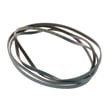
- Drum not turning: if the drum is not turning, many models will not heat; inspect belt and idler system.
Common parts involved (for this model)
| Symptom | Most likely area | Example part for DDE7209RALWW |
|---|---|---|
| Runs, no heat | Heater or safety thermostat | Htr asm 240v WE11X103, t'stat safe WE4X800 |
| Loud squeal, drum hard to turn | Idler or support | Dryer idler pulley WE12X83 |
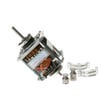
| Hums, won’t start or weak tumble | Drive motor | Motor WE17X10010 |
Why it matters
A dryer that “won’t heat” often is protecting itself from overheating due to poor airflow. Restoring proper venting helps drying performance, prevents repeated thermostat trips, and reduces strain on the heater and motor.
Last updated: February 2026
Where to find part number on GE dryer?
On a GE dryer like model DDE7209RALWW, the identifying tag you need is the model and serial number label (not a single “parts label”). We use that model number to match the correct replacement parts for your exact dryer.
Where to look on the dryer
Check these common GE dryer locations first:
- Inside the dryer door opening on the door frame
- On the inside face of the door
- Behind the lower front access panel (if your design has one)
- On the back panel near the power cord entry
- Along the cabinet edge near the lint screen housing (on some designs)
What to write down (and why)
For accurate parts matching, record:
- Model number (example: DDE7209RALWW)
- Serial number (helps confirm production run details)
- Any revision/suffix characters shown on the tag
Why it matters
GE often uses similar-looking dryers across multiple production runs; the model and serial tag prevents ordering a motor, heater, or pulley that looks right but does not fit.
Quick guide: model/serial vs. part number
| You’re looking for | Where it’s found | What it’s used for |
|---|---|---|
| Model/serial number | Dryer ID tag on the cabinet/door area | Selecting the correct parts list |
| Part number | Printed on the individual part or its packaging | Ordering that specific replacement |
Example: once you have the model number
After you confirm DDE7209RALWW, you can confidently choose parts such as the dryer idler pulley WE12X83 that match this model’s parts list.
Last updated: February 2026
What is the average lifespan of DDE7209RALWW?
A GE dryer like model DDE7209RALWW typically lasts 13 years with normal household use. Keeping airflow clear, avoiding overloads, and replacing wear parts when symptoms start (squealing, thumping, weak heat) helps you reach that lifespan.
What affects lifespan most
- Vent restriction (long runs, crushed flex duct, lint buildup) increases heat and wear
- Overloading strains the motor, drum support, and belt system
- Worn drum support parts can cause drag and premature motor failure
- High-heat cycles used constantly can shorten heater and thermostat life
- Delayed repairs (running with noise or poor airflow) accelerates damage
Common wear parts to watch on this model
If your DDE7209RALWW is noisy, slow to dry, or intermittently stops, these parts are frequent culprits:
- Dryer idler pulley WE12X83 (squealing, belt slack)
- Dryer blower wheel WE16X16 (rumbling, weak airflow)
- Motor WE17X10010 (humming, no-start, overheating shutdown)
- Htr asm 240v WE11X103 (no heat on electric models)
Quick symptom-to-part guide
| Symptom | Most likely area | Example part on this model |
|---|---|---|
| Squealing or chirping | Belt tension system | Idler pulley |
| Thumping or rumbling | Airflow wheel or drum support | Blower wheel, bearing |
| Runs but no heat | Heating circuit | Heater assembly, thermostat |
| Stops mid-cycle | Overheat from poor airflow or motor issue | Motor, venting |
Why it matters
A dryer can keep tumbling for years while slowly losing airflow or developing friction. Fixing the first signs of noise or long dry times protects the motor, heater, and wiring, and it reduces energy use.
Last updated: March 2026





