Error Codes




Are JennAir ovens gas or electric?
Jenn-Air ovens come in gas, electric, and dual-fuel configurations, depending on the model. Your JES1450FS1 is an electric range, so its oven uses electric heating elements for baking and broiling.
Quick answer by type
- Electric range (like JES1450FS1): electric bake and broil elements heat the oven
- Gas range: a gas burner heats the oven cavity
- Dual-fuel range: gas cooktop with an electric oven
How to tell what you have at home
Use these checks to confirm whether a Jenn-Air oven is gas or electric:
- Model number label: usually inside the oven frame or storage drawer area
- Power connection: electric ranges typically use a heavy 240V cord/terminal block; gas ranges use a standard outlet for controls plus a gas line
- Oven heat source: electric ovens use visible heating elements; gas ovens use a burner and igniter system
- Cooktop clues: radiant glass-top elements are electric; sealed burners indicate gas
Parts clues for JES1450FS1 (electric)
On this model, electric-oven parts are a strong indicator of the oven type:
| What you see | What it usually means | Example part for JES1450FS1 |
|---|---|---|
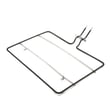
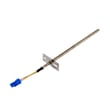
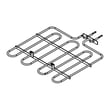
| Bake element in the oven bottom | Electric oven | Bake element W10779716 |
| 240V power connection hardware | Electric range | Range terminal block WPW10245259 |
Why it matters
Gas vs. electric affects installation requirements, troubleshooting steps, and which replacement parts fit (for example, an electric bake element vs. a gas igniter). Matching parts to the exact model number prevents ordering the wrong component.
Last updated: February 2026
What are common problems with JennAir stoves?
Common problems we see with Jenn-Air electric ranges like model JES1450FS1 include an oven that will not heat or heats unevenly, surface elements that do not turn on or cycle correctly, and control or display issues. Many symptoms trace back to a failed heating element, a bad infinite switch, or a loose power connection.
Most common symptoms and likely causes
- Oven not heating: failed bake element, wiring issue, or control problem (start by inspecting the bake element W10779716).
- Uneven baking or slow preheat: weakened bake element, temperature sensor drift, or poor door seal.
- One surface burner not working: failed radiant element (see range radiant surface element W11171119) or a bad burner control switch.
- Burner stuck on high or won’t change heat: failed infinite switch (common on electric cooktops).
- Display or keypad not responding: keypad or console-related failure, or a power reset issue.
Quick checks we recommend before replacing parts
- Reset power: turn the range breaker off for 1 minute, then back on.
- Confirm proper power supply: electric ranges typically need 240 VAC; a partial power loss can leave lights working but heating dead.
- Look for visible damage:
- blistering or breaks on the bake element
- burned wiring at the rear connection area
- a surface element that shows hot spots or does not glow evenly
- Test heating performance: if broil works but bake does not, the bake element is the top suspect.
Parts that commonly fix these issues (examples)
| Symptom | Common fix | Example part for JES1450FS1 |
|---|---|---|
| Oven won’t bake | Replace bake element | Bake element W10779716 |
| One burner dead | Replace radiant element | Radiant surface element W11171119 |
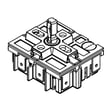
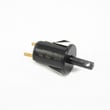
| Burner heat won’t adjust | Replace infinite switch | Range infinite switch W10917724 |
| Range completely dead or intermittent | Check/replace terminal block | Range terminal block WPW10245259 |
Why it matters
Heating and control problems can look similar, but the right first check saves time and prevents replacing good parts. For example, a loose connection at the terminal block can mimic a failed oven element.
Last updated: February 2026
How do I find the model number on my JES1450FS1?
The model number for your Jenn-Air range is printed on the appliance’s rating label. On most slide-in and freestanding electric ranges like JES1450FS1, that label is typically found around the oven door frame or on the storage or warming drawer frame.
Where to look on a range like JES1450FS1
Check these common label locations first:
- Open the oven door; look along the left or right door frame (front frame of the oven cavity)
- Look along the bottom edge of the oven door opening
- Pull out the storage drawer; check the frame behind the drawer front
- If your model has a warming drawer, check the frame around that drawer opening
- Look on the back panel near the power cord connection area (less common, but possible)
What to write down (and why)
Copy the information exactly as shown on the label:
- Model number (example: JES1450FS1)
- Serial number (helps confirm production run and correct revisions)
- Any suffixes after the model number (they can affect part fit)
Why it matters
Parts like a surface element switch, control board, or oven component can vary by revision. Using the exact model number helps us match the correct diagrams and parts for your range.
Quick checklist: label tips
- Use a flashlight; labels are often low and hard to read
- Wipe dust or grease gently; do not scrub the label
- Take a clear photo so you can zoom in
- Match the model number exactly when ordering parts
Example parts that depend on the exact model match
| Part type | Example from this model’s parts list | What it affects |
|---|---|---|
| Oven heating | Bake element W10779716 | Baking temperature and heat-up |
| Cooktop heating | Range radiant surface element W11171119 | Burner heat output |
| Power connection | Range terminal block WPW10245259 | Safe, solid power supply |
If you are still not seeing the label, use our guide: how to find your appliance model number (and what it means for parts).
Last updated: March 2026