Installation guide
 Owner’s manual
 Error Codes




Do electric wall ovens need 220?
Yes. The GE ZEK958SM5SS electric wall oven uses a dedicated high-voltage circuit (commonly called “220V” or “240V”) and it must be hard-wired (direct-wired) into an approved junction box; a standard 120V plug-in outlet is not permitted.
What to expect for power and wiring
Most electric wall ovens like the ZEK958SM5SS are supplied by a 120/240V or 120/208V circuit (depending on your home’s service). The installation instructions also require a direct-wire connection.
- Plan for a dedicated breaker and correctly sized wire for the oven’s load
- Use an approved junction box (not a receptacle/outlet)
- Install a strain relief clamp on the conduit at the junction box
- Keep the flexible conduit full length (do not shorten it)
- Have a qualified electrician make the final connections
For the exact electrical requirements and connection method, follow the ZEK958SM5SS installation guide.
Quick comparison: 120V vs “220V/240V” appliances
| Item | Typical 120V appliance | Typical electric wall oven (like ZEK958SM5SS) |
|---|---|---|
| Voltage | 120V | 240V (often called 220V), sometimes 208V |
| Connection | Plug and receptacle | Hard-wired to junction box |
| Common use | Small appliances, microwaves | Bake and broil heating elements |
Why it matters
Using the correct voltage and a proper hard-wire junction box connection prevents nuisance tripping, slow preheat, error codes, and overheating at the wiring connections. It also ensures the bake and broil elements can reach and hold temperature correctly.
If you are pairing it with another built-in appliance
If you install this wall oven with a built-in microwave/Advantium unit, the installation guidance commonly calls for separate electrical junction boxes for each product. Confirm the layout and electrical plan in the ZEK958SM5SS installation guide.
Last updated: February 2026
How do I reset the error code on my GE oven?
To reset an error code on your GE ZEK958SM5SS wall oven, we recommend doing a power reset at the circuit breaker: turn the breaker OFF for 1 minute, then turn it back ON and let the control restart. After it powers up, reset the clock and test Bake or Broil.
Quick reset steps (most common)
- Turn the oven OFF at the control panel.
- Switch the wall oven circuit breaker to OFF.
- Wait 60 seconds (this clears the control’s temporary memory).
- Switch the breaker back to ON.
- Set the clock, then run a short Bake test.
If the code comes back right away
An error code that returns immediately usually points to a heat-sensing, wiring, or control issue rather than a one-time glitch.
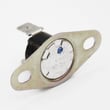
- If the oven overheats or shuts down during cooking, check the wall oven high-limit thermostat WB24T10081.
- If temperatures are inaccurate or the oven won’t regulate heat, the sensor WB21X22134 is a common cause.
- If the display is erratic or multiple functions fail, inspect connections and consider the electronic control.
Common symptoms and what they suggest
| What you notice | What it often means | What to check first |
|---|---|---|
| Code clears, then returns during preheat | Heat protection opened | High-limit thermostat, cooling airflow |
| Oven heats poorly or swings hot/cold | Temperature feedback problem | Temperature sensor, wiring |
| Random codes or dead keys | Control or harness issue | Harness connections, control panel |
Why it matters
Resetting clears a temporary control fault, but repeated error codes help prevent unsafe overheating and protect components like the bake element, broil element, and control board.
Where to find model-specific guidance
Your ZEK958SM5SS owner’s manual lists the exact error code meanings and the recommended checks for your specific control.
Last updated: February 2026
How long do GE wall ovens last?
Most GE wall ovens last 12 to 15 years with normal home use. For the GE ZEK958SM5SS electric wall oven, lifespan depends most on heat exposure, self-clean frequency, and keeping airflow and electrical connections in good condition (see the ZEK958SM5SS owner's manual for care guidance).
Typical lifespan and what affects it
A wall oven’s service life is usually limited by high-heat components such as the bake element, temperature sensor, control board, and door hardware.
- Usage frequency: daily baking shortens life compared to occasional use
- Self-clean cycles: frequent high-heat cleaning accelerates wear on sensors and controls
- Ventilation and cabinet cutout: proper clearances reduce heat stress on wiring and electronics
- Power quality: loose connections or voltage issues can damage controls
- Maintenance: keeping the door seal area clean and racks moving freely reduces strain
What “end of life” usually looks like
Many ovens reach 12 to 15 years but start needing more frequent repairs. Common symptoms include temperature swings, slow preheat, or error codes.
| Symptom | Common cause | Often involves |
|---|---|---|
| Oven won’t hold temp | Sensor drifting | Sensor WB21X22134 |
| Oven shuts off or won’t heat | Overheat protection opening | Wall oven high-limit thermostat WB24T10081 |
| Uneven baking in convection | Fan motor or blade issue | Convection fan motor, fan blade |
| Error codes on display | Control or sensor feedback issue | Control, sensor, wiring |
How we recommend extending the life of your ZEK958SM5SS
- Use self-clean only when needed; wipe spills sooner instead
- Avoid blocking vents; keep cookware from touching the back wall
- Preheat only as long as needed; don’t run empty at high temp
- If temps seem off, verify with an oven thermometer and adjust calibration per the manual
- Address repeated overheating or shutdowns promptly to protect the control
Why it matters
A wall oven is hard-wired and built into cabinetry; reducing heat stress and catching temperature-control problems early helps prevent costly control and wiring damage and keeps baking results consistent.
For installation-related clearances and hard-wiring requirements that protect long-term reliability, follow the ZEK958SM5SS installation guide.
Last updated: February 2026
How to order GE appliance parts?
To order parts for your GE ZEK958SM5SS electric wall oven, we recommend using the complete model number and your oven’s serial number to match the exact replacement part, then ordering the part you need. Your ZEK958SM5SS owner’s manual also helps you identify features and components.
What we need from you to get the right part
- Full model number: ZEK958SM5SS
- Serial number (from the rating plate on the oven frame)
- A short symptom description (for example: “not heating,” “overheats,” “error code,” “fan noisy”)
- The part name if you know it (for example: bake element, temperature sensor, control)
- Whether the oven is a 27-inch or 30-inch built-in configuration (installation requirements differ)
Common parts customers order for this model
If you are troubleshooting heat or temperature problems, these are frequent replacements for the ZEK958SM5SS:
| Symptom | Part to check first | Example part for this model |
|---|---|---|
| Oven temperature seems inaccurate | Temperature sensor | Sensor WB21X22134 |
| Oven shuts down or won’t heat after getting hot | High-limit thermostat | Wall oven high-limit thermostat WB24T10081 |
| Convection bake not working or fan not running | Convection fan motor | Wall oven convection fan motor WB26T10043 |
Tips to avoid ordering the wrong part
- Match by model number first, then confirm the part ID on the listing.
- Compare the old part’s markings to the replacement (when accessible and safe).
- If you are ordering for a heating issue, check for a tripped breaker first; wall ovens use a dedicated circuit and the rating plate determines the correct circuit size.
- For installation-related parts or wiring questions, follow the grounding and hard-wiring requirements in the installation guide.
Why it matters
Wall ovens like the GE ZEK958SM5SS are hard-wired and use dedicated circuit protection based on the oven’s KW rating. Correct part matching and correct installation practices prevent repeat failures and help restore normal bake, broil, and convection performance.
Last updated: February 2026
What are the parts of an electric oven?
An electric wall oven like the GE ZEK958SM5SS is built around heating, airflow, temperature sensing, and safety controls. The core parts you will see most often are the bake and broil elements, oven temperature sensor, control board, convection fan system (if equipped), and door and vent components.
Main electric oven parts (what they do)
- Bake element: primary heat source for baking and roasting.
- Broil element: high radiant heat from the top for broiling and browning.
- Oven temperature sensor: tells the control how hot the oven is so it can regulate heat.
- Electronic oven control (control board): manages temperature, timing, and cooking modes.
- Convection fan system (fan motor, blade, cover): circulates hot air for more even cooking.
- High-limit thermostat: safety device that helps prevent overheating.
- Oven vent: routes heat and moisture out of the oven cavity.
Parts you can replace on the GE ZEK958SM5SS
These are common service parts listed for this model:
| Part type | What you may notice when it fails | Example model part |
|---|---|---|
| Temperature sensing | Oven temp swings, under/overcooks, error codes | Sensor WB21X22134 |
| Overheat protection | Oven stops heating, trips during high heat | Wall oven high-limit thermostat WB24T10081 |
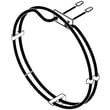
| Baking heat | No heat in Bake, slow preheat | Wall oven bake element WB44T10109 |
| Convection airflow | No fan, uneven baking in convection | Wall oven convection fan motor WB26T10043 |
| Convection heat | Convection runs but food browns poorly | Range convection element WB44X45496 |
How we recommend identifying the right part
- Match the symptom (no heat, wrong temp, no fan, error code) to a system (heat, sensor, airflow, control).
- Confirm whether the issue happens in Bake, Broil, and Convection (if used).
- Check the wiring connections for heat damage before replacing parts.
- Use the wiring and component locations shown in the ZEK958SM5SS owner’s manual.
- If the oven is dead or intermittent, verify the dedicated circuit and hard-wire connection per the ZEK958SM5SS installation guide.
Why it matters
Knowing the major components helps you troubleshoot faster and avoid replacing the wrong part. For example, a bad sensor can mimic a weak bake element, and an open high-limit thermostat can stop heating even when the control is working.
Last updated: February 2026
What is the code F97 on a GE double oven?
On a GE double wall oven, an F97 error code points to a cooling fan speed problem (most often the lower oven cooling fan is not reaching the required RPM). When the control does not sense proper airflow, it can stop heating to protect the oven.
What to check first (safe, quick steps)
- Cancel the cycle and let the oven cool completely.
- Reset power at the breaker for 1 minute, then restore power.
- Listen for the cooling fan after starting Bake; it should run and sound steady.
- Check the vent area for blockage (foil, insulation, cabinet debris).
- If the code appears after Self-Clean, wait for full cool-down; the fan may run longer than normal.
Likely causes and common fixes
F97 is usually caused by a fan system issue or the control not getting the right feedback.
| What’s happening | Common cause | Typical fix |
|---|---|---|
| Fan runs slow or noisy | Worn fan motor or blade rubbing | Inspect fan area; replace motor if needed |
| Fan does not run | Failed motor, wiring issue, or control output issue | Check harness connections; test/replace failed part |
| Oven overheats then faults | Over-temp protection opening | Check high-limit thermostat and airflow |
| Code returns immediately | Sensor/control feedback problem | Diagnose sensor circuit and control inputs |
Parts that often relate to this symptom on model ZEK958SM5SS
If troubleshooting points to temperature protection or sensing, these model-matched parts are commonly involved:
Why it matters
The cooling fan protects the electronic control and surrounding cabinetry from excessive heat. If the fan is slow or not moving enough air, the oven may shut down and display F97 to prevent overheating damage.
Helpful references
- Use the wiring, diagnostics, and error-code notes in the ZEK958SM5SS installation guide.
- For GE-specific code meanings and symptom-based checks, use GE double wall oven error codes.
Last updated: February 2026
Where is the model number on a GE wall oven?
On a GE wall oven like model ZEK958SM5SS, the model number is typically on the oven’s identification label. For this series, GE notes the label can be located on top of the oven, which you can usually see once the unit is partially pulled forward from the cabinet (power off first). See the ZEK958SM5SS installation guide for label-location notes used during installation.
Common places to check first
We recommend checking these spots in order (most common to least common):
- Top of the oven chassis (often visible only after loosening mounting screws and sliding the oven forward)
- Oven frame/trim area behind the door (around the front frame opening)
- Side frame near the door hinge area
- Lower oven frame (for double-oven configurations)
- Behind the control panel (less common; requires disassembly)
Safe way to access the label (built-in wall oven)
Built-in electric wall ovens are hard-wired, so treat this as an electrical safety task.
- Turn OFF the breaker to the wall oven (confirm the display is dark).
- Open the door and remove racks for clearance.
- Remove the mounting screws that secure the oven to the cabinet.
- Carefully slide the oven forward a few inches (use a helper; wall ovens are heavy).
- Look along the top surface and front frame for the ID label.
What to write down (so you order the right parts)
Record these exactly as shown on the label:
| Label item | Why it matters |
|---|---|
| Model number | Matches parts to your exact oven configuration |
| Serial number | Helps date the unit and confirm production run |
| Electrical rating | Helps verify correct installation and troubleshooting |
Why it matters
GE wall ovens can look similar across multiple series, but parts like the sensor, control, and door components can vary by model. Using the exact model number prevents ordering the wrong replacement part and avoids fit or wiring mismatches.
Last updated: February 2026