Owner’s manual
 Error Codes



What is the life expectancy of a JennAir refrigerator?
A Jenn-Air side-by-side refrigerator like model JCB2280HES typically lasts 12 to 18 years. With consistent cleaning, correct temperature settings, and timely replacement of wear items (like ice maker and control components), it’s common to reach the upper end of that range.
Typical lifespan and what affects it
Most refrigerators fail early due to heat buildup, airflow problems, or component wear. These factors have the biggest impact on life expectancy:
- Condenser cleanliness (dust and pet hair raise compressor temperatures)
- Door seal condition (warm air leaks increase run time)
- Ice maker and water system upkeep (clogs, leaks, and freezing issues)
- Stable temperatures (avoids overworking the compressor)
- Prompt repair of small issues (fan noise, warm spots, intermittent cooling)
Quick “repair vs. replace” guideline
Use this as a practical decision tool for a JCB2280HES:
| Refrigerator age | What we typically recommend | Why |
|---|---|---|
| 0 to 8 years | Repair is usually worthwhile | Plenty of remaining service life |
| 9 to 14 years | Repair if the fix is targeted | Costs can still make sense |
| 15+ years | Replace unless repair is minor | Efficiency and major-part risk increase |
Parts that commonly drive service calls
If performance drops, these are common suspects on side-by-side designs:
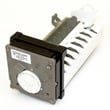
- Ice production problems: refrigerator ice maker D7824706Q
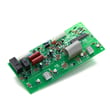
- Intermittent cooling or odd behavior: refrigerator control board WPW10503278
- Warm fresh food section: damper issues, airflow restrictions, or sensor problems
- Noisy operation: evaporator fan motor/blade wear, ice buildup, or vibration
Why it matters
Knowing the typical lifespan helps you plan: if your JCB2280HES is already in the 12 to 18 year window, a cooling or compressor-related repair can be a turning point decision, while smaller fixes (switches, gaskets, ice maker components) often extend usable life.
For model-specific care, cleaning, and troubleshooting steps, follow the JCB2280HES owner’s manual.
Last updated: January 2026
How do I reset a JennAir refrigerator?
To reset your Jenn-Air JCB2280HES refrigerator, we recommend doing a simple power reset (unplug or switch the breaker off briefly), then restoring power and confirming cooling is turned on. If the controls are unresponsive, cycling power often restores normal operation.
Reset options for JCB2280HES
1) Power reset (most common)
- Unplug the refrigerator, or turn OFF the circuit breaker.
- Wait about 1 minute.
- Restore power.
- Confirm the refrigerator is set to cool (not set to OFF).
2) Turn cooling OFF and back ON at the controls
This model can be turned OFF at the temperature controls.
- Press the freezer temperature pad until OFF appears in the display.
- Press either the freezer or refrigerator temperature pad to turn cooling back ON.
- After changing settings, allow 24 hours for temperatures to stabilize before making another adjustment.
3) Reset the water filter indicator (if equipped)
If the “Order” or “Replace” filter light is on after installing a new filter:
- Press and hold the Reset Filter pad for about 3 seconds.
- Verify the indicator lights go out.
Quick checks after a reset
- Make sure the doors are closing fully and sealing.
- Avoid frequent door openings for the next few hours.
- If the refrigerator was off for a while, run and discard the first ice batches after restarting the ice maker.
| What you are trying to fix | Best reset to try | What to expect |
|---|---|---|
| Control panel not responding | Power reset | Controls typically return after power is restored |
| Cooling seems off or set wrong | Control OFF then ON | Temperatures stabilize over 24 hours |
| Filter light stays on | Filter indicator reset | Light turns off after 3-second hold |
Why it matters
A reset clears minor control glitches and ensures cooling is actually enabled. On JCB2280HES, the temperature controls can place the refrigerator in an OFF state, which looks like a failure but is a setting.
For control locations and exact button names on your unit, use the JCB2280HES owner's manual.
Last updated: January 2026
What are common problems with JennAir refrigerators?
Common problems we see with the Jenn-Air JCB2280HES side-by-side refrigerator include warm temperatures (fridge or freezer), the unit running too often, unusual humming noises, ice maker issues, and doors or drawers not closing smoothly. Many of these trace back to dirty condenser coils, airflow blockages, or sealing and control-setting problems.
Most common symptoms and what they usually point to
- Fridge warm but freezer cold: blocked vents, rear air grille blocked, or a damper/airflow problem
- Unit runs too frequently: dirty condenser coils, doors opened often, warm room conditions, or door gasket sealing issues
- Humming or louder-than-expected sounds: compressor hum, ice auger activity, or ice maker left ON without a water connection
- Ice maker not working or acting up: ice maker switched ON with no water supply, ice chute/auger activity, or an ice maker component issue
- Drawers not closing freely: drawer not positioned correctly, refrigerator not level, or dirty drawer channels
Quick checks we recommend first
- Confirm temperature controls are set correctly (controls set too low or too high can cause temperature complaints).
- Clean the condenser coils; dirty coils are a top cause of poor cooling and frequent running.
- Check airflow: keep food from blocking air inlets and make sure the rear air grille is not blocked.
- Inspect door sealing: clean the gasket surfaces and confirm doors close fully.
- Listen for “normal” hum sources: compressor hum and ice system sounds are often expected during operation.
Parts that commonly relate to these complaints
If troubleshooting points to a failed component, these model-matched parts are often involved:
| Symptom | Part that may be involved | Example part for JCB2280HES |
|---|---|---|
| No ice or inconsistent ice | Ice maker assembly | Refrigerator ice maker D7824706Q |
| Warm temps or unstable temps | Temperature sensing/control | Refrigerator temperature sensor 12002355 |
| Cooling issues with airflow noise | Evaporator fan system | Refrigerator evaporator motor 12002744 |
Why it matters
Cooling and ice complaints often start as airflow or maintenance issues (like dirty coils or blocked vents). Fixing those early helps protect food temperatures, reduces run time, and can prevent bigger failures.
For model-specific troubleshooting steps and control-setting guidance, use the JCB2280HES owner's manual.
Last updated: January 2026
Why is my JennAir refrigerator not getting cold?
If your Jenn-Air JCB2280HES refrigerator is not getting cold, the most common causes are incorrect temperature control settings, dirty condenser coils, or airflow problems from blocked vents or a door not sealing. Start by verifying the touch temperature controls and then check for basic airflow and maintenance issues using the JCB2280HES owner's manual.
Quick checks we recommend first
- Confirm the refrigerator is plugged in and has power.
- Verify the touch temperature controls are not set too warm; a common starting point is freezer 4 and refrigerator 4.
- Allow 8 to 12 hours after setting controls for temperatures to pull down before judging cooling.
- Clean condenser coils; dust buildup can prevent heat from leaving the system.
- Make sure the rear air grille and compartment air inlets are not blocked by food packages.
- Check that doors close fully and the gasket is sealing all the way around.
Temperature controls and stabilization time (model-specific)
Your JCB2280HES uses touch temperature controls located at the top front of the refrigerator compartment. After changing settings, allow time for temperatures to stabilize.
| What you change | What to do | How long to wait |
|---|---|---|
| Initial setup | Set freezer to 4 and refrigerator to 4 | 8 to 12 hours |
| Fine-tuning after food is added | Change only one number at a time | About 24 hours |
| Suspected defrost cycle | Wait to see if it restarts cooling | About 40 minutes |
When a part problem is likely
If the coils are clean, vents are clear, and settings are correct but cooling is still poor, a failed cooling-system or control component becomes more likely.
Common part areas to consider for this model:
- Electronic control issues: refrigerator control board WPW10503278
- Temperature feedback issues: refrigerator temperature sensor 12002355
- Air circulation issues (freezer side): evaporator fan motor or fan blade
- Sealing issues: door gasket damage or gaps
Why it matters
A refrigerator that is not cooling can be as simple as a control setting or blocked airflow, but it can also lead to food spoilage quickly. Starting with settings, coil cleaning, and airflow checks helps you avoid unnecessary part replacement.
Last updated: January 2026