Owner’s manual
 Error Codes


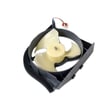
Why is my refrigerator running but not cooling on my Samsung?
If your Samsung refrigerator model RH22H9010SR is running (lights on, fans or compressor sound) but not cooling, the most common causes are restricted airflow, a defrost/ice buildup problem, dirty condenser area, or a failed cooling component such as a fan motor or control board. Use the checks below, then confirm model-specific steps in the RH22H9010SR owner's manual.
Quick checks we recommend first
- Make sure the refrigerator is not in Demo/Cooling Off mode (common after a power outage or button press).
- Set temps to typical targets: 37°F fresh food and 0°F freezer.
- Confirm air vents are not blocked by food packages.
- Check doors close fully; look for gaps, torn gasket areas, or a door that bounces open.
- Pull the unit slightly forward and verify the condenser area is not packed with dust.
What to do based on what you see
| What you notice | Likely cause | What we do next |
|---|---|---|
| Freezer cold, fridge warm | Airflow/damper issue | Check for blocked vents; suspect the Samsung refrigerator air damper control assembly DA97-13749D if airflow never changes |
| Frost/ice on rear freezer panel | Defrost problem or evaporator fan issue | Do a full manual defrost (unplug, doors open, towels) and recheck cooling |
| Both sections warm, unit runs a lot | Dirty condenser, condenser fan issue, sealed system issue | Clean condenser area; listen for condenser fan; service may be needed |
| Intermittent cooling, odd behavior | Control or sensor issue | Power reset; if symptoms return, suspect a board such as refrigerator electronic control board DA92-00715A |
Step-by-step: safe reset and airflow test
- Power reset: unplug for 5 minutes, then restore power.
- After 10 to 15 minutes, listen for air movement inside and feel for airflow at vents.
- Check temps again after 4 to 6 hours (full stabilization can take 24 hours).
Why it matters
A refrigerator can “run” while not cooling if cold air cannot move (blocked vents or damper), if frost blocks the evaporator, or if heat cannot be rejected at the condenser. Catching airflow and frost symptoms early helps prevent food loss and reduces strain on the compressor.
For more Samsung-specific cooling and ice-related troubleshooting, we also use guidance from why your Samsung fridge stopped making ice and how to fix it because ice and cooling problems often share the same airflow and temperature causes.
Last updated: January 2026
How do you change the temperature on a Samsung RH22H9010SR?
To change the temperature on your Samsung RH22H9010SR refrigerator, use the temperature controls on the door control panel to adjust the Fridge and Freezer settings. Most households run best at 37°F for the fresh food section and 0°F for the freezer; confirm the exact button sequence in the RH22H9010SR owner's manual.
Steps to adjust the fridge and freezer temperatures
- Tap Fridge to cycle the fresh food temperature to your preferred setting.
- Tap Freezer to cycle the freezer temperature to your preferred setting.
- Wait a few seconds for the display to stop flashing (if it flashes) and save the setting.
- Give the refrigerator 24 hours to fully stabilize after a change.
- If temperatures still seem off, make sure vents are not blocked by food packages.
Recommended settings and what to expect
| Compartment | Typical target | What you may notice after changing it |
|---|---|---|
| Fresh food (Fridge) | 37°F | Drinks and dairy cool more consistently |
| Freezer | 0°F | Ice cream stays firm; ice production is steadier |
If the temperature will not change or will not hold
These issues are common on side-by-side refrigerators and usually point to airflow, sensor, or control problems:
- Door not sealing well (warm air leaks in)
- Overpacked shelves blocking return vents
- Frost buildup restricting airflow
- Control not responding (keypad or user interface issue)
- Cooling system problem (fan, compressor, or control board)
If you also see an error code on the display, use our Samsung rh22 and rh29 models side by side refrigerator error codes guide to narrow the cause before replacing parts.
Why it matters
Correct temperature settings protect food safety and help the compressor and fans run efficiently. Setting the freezer too warm can reduce ice production; setting the fresh food section too cold can freeze produce and cause excess frost.
Last updated: January 2026
How to fix Samsung refrigerator error code 22C?
Error code 22C on your Samsung RH22H9010SR side-by-side refrigerator points to a problem with the refrigerator fan circuit, most often caused by airflow being blocked by frost or the door being left open long enough to warm the compartment and create icing. A full power reset and defrost typically clears the condition.
Quick fix steps (most common)
- Unplug the refrigerator (or turn off power at the breaker).
- Open both doors to let warm air melt any frost buildup.
- Wait 2 to 3 hours (longer if you see heavy frost inside).
- Restore power and close the doors firmly.
- Give the refrigerator up to 24 hours to fully stabilize temperatures.
For model-specific button locations and any diagnostic mode steps, follow the RH22H9010SR owner's manual.
What to check if 22C comes back
If the code returns after a reset/defrost, we focus on airflow and fan operation.
- Make sure the doors fully close and seal (no bins or food packages holding them open).
- Confirm vents are not blocked by items pushed against the back wall.
- Listen for the evaporator fan running (a steady fan sound when cooling is called for).
- Look for recurring frost buildup on the freezer back panel (a sign of a defrost issue).
- Check for dispenser area icing that can restrict airflow in some side-by-side designs.
Common causes and what they usually mean
| What you notice | Likely cause | Typical next step |
|---|---|---|
| Code appeared after door was left open | Warm air intrusion, frost buildup | Power reset and defrost |
| Loud rubbing or ticking from freezer | Fan hitting ice | Defrost, then recheck |
| Frost keeps returning quickly | Defrost system or airflow problem | Inspect airflow, consider service |
| Temps rising in fresh food section | Damper or fan airflow issue | Check vents, damper operation |
Why it matters
When the fan cannot move cold air correctly, temperatures drift and food quality and ice production can suffer. Clearing frost and restoring airflow quickly helps protect the compressor and keeps the refrigerator cooling efficiently.
Helpful related guidance
For additional troubleshooting patterns and display behavior, use Samsung rh22 and rh29 models side by side refrigerator error codes.
Last updated: January 2026
What are the dimensions of the Samsung model RH22H9010SR?
The Samsung RH22H9010SR side-by-side refrigerator is about 35 7/8 inches wide and about 69 3/4 inches tall; depth depends on whether you measure the cabinet only or include the doors, hinges, and handles. For the exact measurement definitions, use the RH22H9010SR owner's manual.
Dimensions (common measurement styles)
Use these as your planning numbers, then confirm your exact configuration in the manual:
- Overall (installed footprint): width 35 7/8 in; height about 69 3/4 in; depth varies by handles/hinges
- Cabinet-only comparison: measure without doors/handles when checking tight depth spaces
- Moving/transport: measure without doors and hinges if you plan to remove doors
| What you are measuring | What it includes | When to use it |
|---|---|---|
| Installed footprint | Doors, hinges, handles | Kitchen fit and door swing planning |
| No handles | Doors and hinges, no handles | Tight depth installations |
| Cabinet-only | No doors/hinges (cabinet) | Moving, doorway clearance, tight turns |
How to measure for a correct fit
We recommend measuring these spots before moving the refrigerator or planning a cutout:
- Opening width at the front and back (walls are not always square)
- Height to the lowest cabinet, soffit, or trim
- Depth to the wall plus room for the power cord and water line
- Door swing clearance on the hinge side
- Pathway clearance (doorways, hallways, and turns)
Why the depth number changes
Depth changes because handles and hinges add to the front-to-back footprint, and doors need clearance to open. Counter-depth models often look much shallower on paper when measured as cabinet-only.
Related parts planning tip
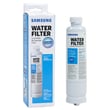
If you are changing the water filter, leave enough room to remove and insert it straight. This model commonly uses the refrigerator water filter DA29-00020B.
Why it matters
Accurate width, height, and depth measurements prevent clearance problems, reduce door-swing interference, and help avoid kinks in the water supply line.
Last updated: January 2026