 Installation guide
 Owner’s manual
 Error Codes





Why does my dishwasher keep having power failure?
On the Frigidaire FGID2479SF7A dishwasher, repeated “power failure” is most often the PF (power failure) condition caused by an actual outage, a loose power connection, or the cycle being interrupted and not restarted correctly. If PF keeps returning without a real outage, focus on the power supply and the control electronics.
What “PF” means on FGID2479SF7A
Your dishwasher can show PF for two situations:
- Soft power failure: power dropped during a wash; the cycle pauses and can resume when power returns (if the door was not opened).
- Hard power failure: the dishwasher will not operate until power is restored; pressing START within about 18 hours can resume where it left off.
- If the door is opened during a cycle, you typically must press START and close the door to continue.
For the exact display behavior and restart steps, see the FGID2479SF7A use & care manual.
Quick checks we recommend first (no parts)
- Reset the dishwasher by turning the breaker OFF for 5 minutes, then back ON.
- Make sure the door is fully closed and latched; a door that is not latched can stop the cycle.
- If the dishwasher is plugged into an outlet, confirm the plug is fully seated and the outlet is not loose.
- Avoid rapidly pressing START multiple times; select the cycle, press START, then close the door immediately.
- If you use a garbage disposer, avoid running it on the same circuit while the dishwasher is running (shared loads can cause voltage drop).
When it points to a control or keypad issue
If your home power is stable but PF happens frequently, the issue is often in the user interface or main control.
- Intermittent touchpad response, random beeps, or lights flickering can indicate a failing interface.
- PF that appears at the same point in the cycle can indicate a control reset.
Common model-compatible parts to consider:
| Symptom you notice | More likely area | Example part for this model |
|---|---|---|
| Buttons act erratic, cycle won’t reliably start | User interface/touch board | User interface,assembly ,w/board-touch 5304528982 |
| Random resets mid-cycle, PF returns repeatedly | Main control board | Control assembly,main ,configured 117518751 |
Why it matters
Power interruptions can leave dishes dirty, stop heating, and in some cases prevent the dishwasher from draining properly. Fixing the root cause also helps protect the control board from repeated resets.
Last updated: January 2026
Why is my Frigidaire dishwasher not air drying?
For Frigidaire model FGID2479SF7A, poor air drying is usually caused by settings (Heat Dry not selected), low rinse aid, low incoming water temperature, or restricted venting and airflow. If those basics check out, a failed drying fan or vent assembly can also leave dishes wet.
Quick checks that fix most “not air drying” complaints
- Make sure Heat Dry is selected (Air Dry will leave more moisture behind).
- Fill the rinse aid dispenser and increase the rinse aid level if spotting and wet dishes continue.
- Run the hot water at the sink until it is hot before starting; this model expects at least 120°F incoming water for best drying.
- Avoid overloading; leave space so water can drain off dishes and out of cups.
- Load plastics on the top rack and expect to towel-dry some plastics.
Settings and conditions that affect drying on FGID2479SF7A
Use this as a fast comparison when diagnosing what you are seeing.
| What you notice | Most likely cause | What to do |
|---|---|---|
| Dishes clean but wet, little heat | Heat Dry not used | Select Heat Dry; confirm cycle options in the FGID2479SF7A use & care manual |
| Water droplets on door and tub | Low rinse aid or low water temp | Fill rinse aid; run hot water first; verify 120°F+ |
| Plastics stay wet | Plastic retains moisture | Reposition plastics; use Heat Dry; towel-dry plastics |
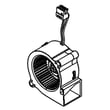
| Everything wet, no improvement with settings | Venting or fan issue | Inspect vent area; consider replacing the crosley dishwasher blower assembly A05660402 |
When it points to a part problem
If you consistently use Heat Dry and rinse aid, and the dishwasher still finishes with heavy moisture, focus on airflow and venting.
- Check for anything blocking the vent path (items leaning against the inner door, heavy steam trapped after cycle).
- Listen for fan operation during the dry portion of the cycle.
- If the fan is not running or airflow is weak, the blower assembly is a common fix on models that use fan-assisted drying.
Why it matters
Drying performance is tied to water temperature, rinse aid sheeting action, and air movement. When any one of those is missing, water stays in droplets instead of draining and evaporating, so dishes come out wet even if washing performance is fine.
Last updated: January 2026
What is the most common problem with the Frigidaire dishwasher?
For the Frigidaire FGID2479SF7A dishwasher, the most common service issue we see is a drain problem: water left in the bottom of the tub after the cycle. In many cases, it traces back to a clogged filter/sump area, a restricted drain hose, or a failing drain pump. See the FGID2479SF7A use & care manual for model-specific troubleshooting steps.
Most common symptoms (and what they usually point to)
- Water in bottom of tub: clogged filters, blocked drain hose, or drain pump issue
- Not cleaning well: dirty filter, spray arm blockage, low water temperature, or circulation problem
- Leaking: door seal wear, loose hose connections, or unit not level
- Won’t start or stops mid-cycle: door not latched, power interruption, or control/interface issue
- Error codes (i20/i40/iF0, i30, i50, i60, iC0): often related to draining, leaks, motor, heating, or control faults
Quick checks we recommend first (5 to 10 minutes)
- Clean the filter area and remove debris from the sump
- Confirm the drain hose is not kinked or pinched
- Run hot water at the sink until it is hot before starting a cycle
- Make sure racks and tall items are not blocking spray arm rotation
- Use fresh automatic dishwasher detergent and fill rinse aid if drying is poor
Parts that commonly solve these problems on FGID2479SF7A
If cleaning and hose checks do not fix a drain issue, the next most common repair is replacing the drain pump.
| Symptom | Common fix | Example compatible part |
|---|---|---|
| Won’t drain / water left in tub | Replace drain pump | Crosley dishwasher drain pump A00044328 |
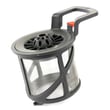
| Poor wash performance | Check circulation and filtration | Dishwasher filter A00201409 |
| Leaks at the door | Replace door seal | Crosley dishwasher door seal 117158011 |
Why it matters
Drain and filtration problems can cause odors, poor cleaning, and standing water that triggers error codes. Keeping the filter clean and the drain path clear helps protect the wash motor, improves cycle results, and reduces repeat clogs.
Last updated: January 2026
What are the commonly replaced parts in a dishwasher?
In the Frigidaire FGID2479SF7A dishwasher, the parts we most often see replaced are the ones tied to leaks, poor cleaning, draining problems, and control issues, such as the door seal, spray components, filters, inlet and drain parts, and user interface controls. Use the FGID2479SF7A dishwasher use & care manual to match symptoms to the right area.
Commonly replaced parts (and what they affect)
- Door sealing and leaks: door seal/tub gasket area
- Cleaning performance: spray arms, spray arm bearings/hardware, circulation components
- Drain problems: drain pump, drain path check/flapper valve, sump and screens
- Filling problems: water inlet valve, float switch, water-level pressure switch
- Control problems: control panel, user interface, main control
- Drying/venting issues: blower and venting components
Model-relevant examples for FGID2479SF7A
These are examples of compatible parts we commonly see replaced on this model when symptoms point to them:
- Dishwasher filter A00201409 (helps prevent clogs that can reduce wash and drain performance)
- Dishwasher water inlet valve 807445905 (often involved when the dishwasher will not fill or fills slowly)
- Crosley dishwasher drain pump A00044328 (often involved when the dishwasher will not drain)
- Crosley dishwasher door seal 117158011 (often involved when water leaks around the door)
- User interface,assembly ,w/board-touch 5304528982 (often involved when buttons do not respond)
Quick symptom-to-part cheat sheet
| Symptom | Parts to check first | Notes |
|---|---|---|
| Leaking at the door | Door seal, tub gasket area | Also confirm the unit is level |
| Not cleaning well | Filter, spray arms, circulation pump | Clogged filters are a common root cause |
| Won’t drain | Filter/sump screen, drain pump, flapper valve | Check for kinks or restrictions in the drain path |
| Won’t fill | Inlet valve, float switch, pressure switch | Verify the water supply is on |
| Buttons not working | User interface, control panel, main control | Power reset can help confirm an intermittent issue |
Why it matters
Replacing the correct part the first time saves time and prevents repeat issues. For example, a clogged filter can mimic a bad pump, and a worn door seal can look like a plumbing leak.
Last updated: January 2026
Can you buy parts for a dishwasher?
Yes. For the Frigidaire dishwasher model FGID2479SF7A, you can buy replacement parts such as filters, spray arms, pumps, valves, door seals, and electronic controls. Using the exact model number helps ensure the part fits, installs correctly, and restores proper wash and drain performance.
How we recommend choosing the right part for FGID2479SF7A
Start by matching the symptom to the system involved, then confirm the part by name and ID.
- Not draining: check the drain path and consider the crosley dishwasher drain pump A00044328
- Not filling or low fill: inspect the supply line and consider the dishwasher water inlet valve 807445905
- Poor cleaning: clean or replace the dishwasher filter A00201409
- Leaking at the door: inspect the crosley dishwasher door seal 117158011
- Dead or unresponsive controls: check the user interface,assembly ,w/board-touch 5304528982
Common dishwasher parts customers replace
These are the most frequently replaced items on dishwashers like FGID2479SF7A:
| Part type | What it affects | Typical signs it needs attention |
|---|---|---|
| Filter and sump area | Cleaning and draining | Grit on dishes, standing water, odor |
| Water inlet valve | Filling | Won’t fill, low fill errors, weak wash |
| Drain pump | Draining | Water left in tub, humming, slow drain |
| Door seal | Leaks | Water at the front corners or under door |
| User interface/control | Starting and cycle selection | Buttons not responding, won’t start |
Where to confirm operating and care steps
Before ordering parts, we recommend checking the cleaning schedule, loading guidance, and troubleshooting steps in the FGID2479SF7A use & care manual. That often points you to the exact component to inspect first (filter, spray arms, drain hose, or inlet valve).
Why it matters
Buying the correct dishwasher part for FGID2479SF7A helps you avoid returns, prevents leaks or electrical issues from mismatched components, and can extend the life of the dishwasher at a much lower cost than replacement.
Last updated: January 2026
Can I look up Frigidaire parts by model number?
Yes. For Frigidaire dishwasher model FGID2479SF7A, looking up parts by the exact model number is the most reliable way to match the correct fit and electrical connections, especially for items like the control panel, drain pump, and water inlet valve. See the FGID2479SF7A use & care manual for model-specific component names and locations.
How to look up parts by model number (FGID2479SF7A)
Use the full model number exactly as shown on the serial label (typically on the right side of the door). Then narrow results by the system you are repairing.
- Confirm the model number is FGID2479SF7A (letters and numbers matter).
- Use the parts diagrams to identify the correct component group (door, sump, controls, racks).
- Match by part name and part ID/part number (not just appearance).
- If multiple versions appear, compare notes like “configured” or “assembly” to your original part.
- When in doubt, cross-check the symptom with the related component (for example, “won’t fill” often points to the inlet valve).
Common FGID2479SF7A parts customers search by name
These are examples of model-matched parts that are commonly identified by model number lookup:
| What you’re fixing | Part to look for | Example from this model’s parts list |
|---|---|---|
| Dishwasher won’t fill | Water inlet valve | Dishwasher water inlet valve 807445905 |
| Dishwasher won’t drain | Drain pump | Crosley dishwasher drain pump A00044328 |
| Buttons not responding | User interface / touch control | User interface,assembly ,w/board-touch 5304528982 |
| Leaking at the door | Door seal | Crosley dishwasher door seal 117158011 |
Why it matters
Model-number lookup prevents ordering a part that looks similar but mounts differently, uses a different connector, or is programmed differently. That saves time, avoids repeat repairs, and helps your FGID2479SF7A dishwasher run as designed.
Last updated: January 2026





