 Installation guide
 Owner’s manual


How do I reset my Whirlpool microwave?
To reset your Whirlpool GMH5205XVS1 microwave/hood combo, we recommend a power reset: unplug the unit (or switch the breaker off) for 1 to 5 minutes, then restore power and test heating and the vent fan. This clears most control glitches and frozen keypads.
Quick reset steps (recommended)
- Press Cancel/Off once to stop any active cycle.
- Unplug the microwave or turn OFF the circuit breaker.
- Wait 1 to 5 minutes.
- Restore power.
- Heat 1 cup of water for 1 minute at 100% power to confirm operation.
- Turn the vent fan on and off to confirm hood functions.
If it still will not run after a reset
A reset will not fix a no-power condition caused by a tripped breaker, blown house fuse, or a door safety circuit problem.
- Check the home breaker or fuse and reset/replace as needed.
- Confirm the cord is fully seated in a grounded 3-prong outlet.
- Firmly close the door; the microwave will not run if the door interlock system is not made.
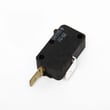
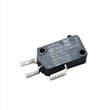
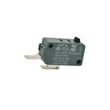
- If the display is on but it will not start, the door interlock switches are a common cause; see microwave door interlock switch W10269458.
Why the reset works
The control board can lock up after a power fluctuation or an interrupted cycle. Removing power briefly forces the control to reboot and reload its normal settings.
Reset vs. repair: what to expect
| Symptom | What a reset usually fixes | What it usually indicates |
|---|---|---|
| Keypad frozen, odd display | Control glitch | Intermittent control issue if it returns |
| Runs but will not heat | Rarely fixed by reset | Magnetron/inverter or safety circuit issue |
| Completely dead (no display) | Sometimes | House power issue, fuse, or wiring problem |
For model-specific operating checks and troubleshooting steps, follow the GMH5205XVS1 owner's manual.
Last updated: February 2026
How can I tell what size my microwave is?
For your Whirlpool GMH5205XVS1 microwave/hood combo, “size” usually means two things: the interior cooking capacity (this model is a 2.0 cubic foot unit) and the exterior dimensions needed to fit your cabinet space. Use the owner's manual and a quick tape-measure check to confirm what matters for your installation.
What to measure (and why)
- Width (outside): Determines whether it fits between cabinets and over your range.
- Height (outside): Affects clearance to the cooktop and upper cabinet.
- Depth (outside): Impacts how far the unit projects from the wall and cabinet face.
- Interior capacity (cubic feet): Tells you how much food fits inside (cooking volume).
- Door swing clearance: You need room for the door to open fully.
Installation fit checks for GMH5205XVS1
Because GMH5205XVS1 is an over-the-range microwave/hood combination, the cabinet and wall setup matters as much as the microwave’s outer dimensions.
- Plan for proper support in the cabinet and wall; the installation guidance calls for support for 150 lb (microwave plus items placed inside).
- If the microwave is near a left sidewall, allow at least 6 inches of clearance so the door can open fully.
- This microwave/hood combo is intended for use above ranges up to 36 inches wide.
Quick reference: “size” terms
| What you’re trying to confirm | What to use | What it tells you |
|---|---|---|
| Cooking space | Capacity rating | Interior volume (GMH5205XVS1 is 2.0 cu. ft.) |
| Will it physically fit | Tape measure + cabinet opening | Outside width, height, depth |
| Will it install correctly | Installation guide | Clearances, mounting, venting requirements |
Why it matters
Getting the “size” right prevents cabinet fit problems, door clearance issues, and venting or mounting headaches. For over-the-range models like GMH5205XVS1, correct clearances and solid mounting support are just as important as the cubic-foot rating.
Last updated: February 2026
What is the lifespan of a whirlpool microwave?
Most Whirlpool microwaves, including the Whirlpool GMH5205XVS1 microwave/hood combo, typically last 7 to 10 years with normal household use. Heavy daily use, poor ventilation, and repeated door slamming shorten life; regular cleaning and keeping the vent path clear helps it reach the high end of that range.
What affects lifespan the most
- Daily run time (multiple long heat cycles per day wears components faster)
- Ventilation and grease buildup (restricted airflow raises internal heat)
- Door use (misaligned door or worn interlock parts can stop operation)
- Power quality (frequent breaker trips or surges stress the fuse and electronics)
- Cleaning habits (steam and grease left inside can damage surfaces and controls)
Signs your microwave is nearing end of life
- Heats slowly or unevenly (for example, water does not heat normally on a 2-minute high-power test)
- Runs but will not start cooking unless you push or lift the door
- Randomly goes dead, then comes back on (often tied to heat or an intermittent electrical connection)
- Loud buzzing, burning smell, or arcing inside the cavity
- Hood fan or cooktop lights stop working repeatedly
Quick checks you can do before replacing it
Always unplug power before any inspection.
- Confirm the household breaker is not tripping
- Clean the grease filters and vent grille area to improve airflow
- If the unit is completely dead, a blown fuse is common; see the owner's manual
- Door-related no-start symptoms often point to an interlock issue such as the microwave door interlock switch W10269458
Common “no power” vs “won’t start” causes
| Symptom | Most common cause | Typical next step |
|---|---|---|
| Display is blank, no lights | Blown fuse or power supply issue | Check fuse and wiring; follow the owner's manual |
| Display works, will not run | Door not fully latching or interlock problem | Inspect latch alignment; test/replace interlock switch |
| Runs but does not heat | High-voltage system issue | Professional diagnosis recommended |
Why it matters
Microwaves rely on door interlocks, fuses, and high-voltage components to operate safely. Catching airflow problems, door wear, or intermittent power early can prevent repeat failures and extend the service life of your GMH5205XVS1.
Last updated: February 2026
What are common problems with whirlpool microwaves?
Common problems we see with Whirlpool microwaves like model GMH5205XVS1 include a unit that will not run, a microwave that runs but does not heat, a door that will not latch correctly, vent fan or light issues, and keypad or display problems. Many “no power” or “won’t start” complaints trace back to the door interlock system, a blown fuse, or a tripped breaker (see the GMH5205XVS1 owner's manual).
Most common symptoms (and what they usually point to)
- Microwave will not operate at all: house breaker/fuse, power cord not fully seated, door not fully closed, or a failed interlock circuit
- Runs but does not heat: heating circuit issue (often requires advanced electrical diagnosis)
- Stops when you open or close the door: worn or misaligned door switches or latch components
- Vent fan works poorly: grease filter clogged, venting restriction, or damper/ducting issue
- Lights not working: failed bulb or lamp assembly
Quick checks we recommend first (safe, no disassembly)
- Confirm power: verify the outlet is a grounded 3-prong outlet and reset the breaker if needed.
- Test heating: heat 1 cup of water for 2 minutes at 100% power; if it does not heat, move to deeper troubleshooting.
- Check the door: close it firmly; a door that is not fully latched can prevent operation.
- Check venting basics (microwave/hood combos): avoid flexible metal venting and make sure the damper can open freely.
Parts that commonly solve these problems on GMH5205XVS1
If your symptoms match, these model-specific parts are commonly involved:
| Symptom | Common part involved | Example part on this model |
|---|---|---|
| Won’t start, intermittent start | Door interlock switch | Microwave door interlock switch W10269458 |
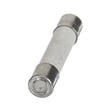
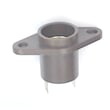
| Completely dead (no display) | Internal fuse (after power is confirmed) | Microwave fuse W11707984 |
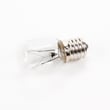
| Cooktop light out | Lamp assembly | Lamp assembly 8206232A |
| Poor venting, greasy airflow | Grease filter | Filter W10208631A |
Why it matters
Microwave/hood combos use a door interlock safety circuit to prevent operation with the door open. When an interlock switch or related hardware fails, the microwave may not run, may run intermittently, or may blow a fuse. Using the correct Whirlpool parts for GMH5205XVS1 helps restore safe, reliable operation.
Last updated: February 2026
What is the error code f1 e4?
On the Whirlpool GMH5205XVS1 microwave/hood combo, an “F1 E4” style code is treated as an electronic control error indicator (a letter followed by a number). We address it by resetting power, confirming the door is closing and latching correctly, and checking for keypad or control issues using the owner's manual.
What to do first (safe checks)
- Unplug the microwave (or switch off the breaker) for 5 minutes, then restore power.
- If the display shows “PF” or a flashing “:”, reset the clock (power interruption indicator).
- Open and close the door firmly; then try a simple 30-second cook cycle.
- Make sure Control Lock is off and Demo Mode (if present) is off.
- If the code returns immediately, stop the cycle and move to the checks below.
What the manual tells us about codes
The GMH5205XVS1 manual explains two key display messages:
| Display message | Meaning | What to do |
|---|---|---|
| PF or flashing “:” | Power failure occurred | Reset the clock and retest |
| Letter + number | Error indicator | Service-level troubleshooting is needed |
Common causes on a microwave/hood combo
These issues most often trigger control-related error indicators:
- Stuck or shorted keypad input (random beeping, keys not responding)
- Door not fully closing or an interlock sensing problem
- Power interruption or surge leaving the control in a fault state
- Loose wiring connection at the control or door switch circuit
Parts that often relate to door-sensing and “won’t start” symptoms
If the error appears when you move the door, or the unit will not start reliably, the door-interlock circuit is a common place to inspect.
| Symptom you notice | Most likely area | Example part for GMH5205XVS1 |
|---|---|---|
| Error appears when door is moved | Door interlock switches | Microwave door interlock switch W10269458 |
| Unit goes dead (no display) | Fuse or fuse holder (after diagnosing the cause) | Microwave fuse W11707984 |
Why it matters
An error indicator means the control is not seeing a safe, expected input. Correcting the underlying door-sensing or control issue prevents repeated shutdowns and no-start problems.
Last updated: February 2026


