 Installation guide
 Owner’s manual






Can a clogged drain cause an FTD error?
Yes. On the GE GDT580SGF2WW dishwasher, an FTD (fail to drain) error commonly happens when water cannot pump out because the drain path is restricted, such as a clogged air gap, disposer connection, filter area, or a kinked/blocked drain hose. See the GDT580SGF2WW owner’s manual for drain checks and care steps.
What to check first (fast, common fixes)
- Cancel the cycle and wait for the drain pump to run; listen for the pump sound during “pump out.”
- Check the kitchen sink drain; if the sink is slow, the dishwasher often will not drain well.
- If the dishwasher drains into a garbage disposer, run the disposer to clear it.
- If you have an air gap, clean it (a clogged air gap can leave water standing in the tub).
- Inspect the drain hose routing for kinks and confirm it is secured properly.
Drain hose and installation details that matter
A drain restriction is not always inside the dishwasher. Installation issues can create an FTD condition even when the pump is good.
| Item to verify | What “good” looks like | What can trigger FTD |
|---|---|---|
| Total drain hose length | 15 ft max for proper drain operation | Extra-long hose run slows draining |
| Drain method | Air gap or high drain loop to waste tee/disposer | No high loop, poor routing, or loose connection |
| Hose condition | Smooth flow, no crushed sections | Kinked hose or blocked inlet at tee/disposer |
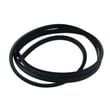
If the hose itself is damaged, replacing it is often the most reliable fix; use the model-matched dishwasher drain hose WD24X10062.
Why it matters
FTD is the dishwasher protecting itself. If water cannot leave the tub, the cycle can stop, dishes stay dirty, and standing water can lead to odors and poor wash performance.
When a part is more likely than a clog
If the drain path is clear (air gap, disposer, hose) but the unit still will not pump out, the issue is often in the drain pump or an internal obstruction at the pump.
- Hums but does not move water: pump impeller jam or failing pump
- Intermittent draining: partial blockage or weak pump
- No pump sound at all: control or wiring issue (less common)
For a no-drain condition after clearing clogs, the next common replacement is the drain pump WD19X25187.
Last updated: January 2026
How old is my GE Nautilus dishwasher?
Your dishwasher’s age is determined from the serial number date code on the rating label, not from the model name “Nautilus.” On a GE dishwasher, the rating label is typically on the tub rim or door edge; use the date code chart in the GDT580SGF2WW owner’s manual to translate the serial number into a month and year.
How to find the serial number and date code
- Open the door and look along the left or right tub rim (the frame the door closes against).
- If you do not see it there, check the door edge itself.
- Write down both the model number and serial number exactly as shown.
Most GE serial numbers include a date code (often the first 2 characters) that maps to a production month and year.
Quick checklist before you decode it
- Confirm the model number on the label matches GDT580SGF2WW (letters and numbers matter).
- Copy the serial number carefully; confusing 0/O or 1/I is common.
- If the label is worn, take a clear photo and zoom in.
- Keep the information with your paperwork for future service.
What the date code tells you (and what it does not)
| Item | What it helps with | What it does not guarantee |
|---|---|---|
| Serial number date code | Approximate manufacture month and year | Exact purchase date |
| Purchase receipt | Warranty start date | Manufacture date |
Why it matters
Knowing the manufacture date helps us match the right GE dishwasher parts (like a control board, door latch, or spray arm) and can speed up troubleshooting when symptoms point to age-related wear.
Last updated: January 2026
What is the most common problem with a GE dishwasher?
On the GE GDT580SGF2WW dishwasher, the most common issues we see are poor cleaning from clogged filters or spray arms, draining problems from a blocked drain path, and “won’t start” symptoms tied to the door not latching or the cycle being interrupted. Use the GDT580SGF2WW owner’s manual troubleshooting tips to narrow it down fast.
Most common symptoms and what they usually mean
- Dishes feel gritty or wash performance drops: filters need cleaning; spray arm holes may be plugged.
- Won’t start or beeps with the door closed: door may not be fully latched; cycle may have been interrupted.
- Not draining: drain hose, air gap (if installed), or sink/disposal connection may be restricted.
- Leaks or “LEAK DETECTED” message: some models cancel the cycle when leak detection senses water.
- Cloudy glassware or suds: detergent type/amount or water temperature issues.
Quick checks you can do first (no parts needed)
- Clean the filters: GE recommends inspecting and cleaning periodically (about every other month, depending on use), especially if wash performance drops.
- Confirm the Start sequence: if the door was opened mid-cycle, press Start and close the door to resume.
- Check the air gap (if you have one): clean the cap and passage if draining is slow.
- Use the right detergent: only automatic dishwasher detergent; too much or the wrong type can cause suds and poor results.
Common fixes and related parts for this model
| Symptom | Likely area | Example part for GDT580SGF2WW |
|---|---|---|
| Poor cleaning on lower rack | Lower spray coverage | Dishwasher spray arm, lower WD22X33499 |
| Won’t start, door won’t “click” | Door latch system | GE dishwasher door latch lock WD21X10490 |
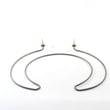
| Not drying well | Heating circuit | Dishwasher heater element WD05X30818 |
Why it matters
Most “GE dishwasher problems” start as airflow, water flow, or drain flow restrictions. Cleaning filters and confirming the door latch and Start sequence often restores normal washing without a service call.
Last updated: January 2026





