 Installation guide
 Owner’s manual
 Error Codes










Where can I find my Kenmore electric range model number?
For Kenmore electric range model 79092903010, the model and serial number are printed on the identification (serial) plate. On this model, you access it by opening the warmer drawer or storage drawer; the plate is attached to the lower right oven frame. See the owner's manual for the exact location details.
Quick steps to find the model number
- Turn the range off and let it cool completely.
- Pull open the warmer drawer (or storage drawer, depending on your configuration).
- Look along the lower right oven frame for the identification plate.
- Write down the model number and serial number exactly as shown.
- Take a clear photo of the plate; it helps when ordering parts like an oven temperature sensor or bake element.
Common label locations (what to check first)
| Location | What you will see | Best for |
|---|---|---|
| Warmer drawer opening | Identification plate on lower right oven frame | Confirming model and serial number |
| Storage drawer opening | Identification plate on lower right oven frame | Confirming model and serial number |
| Oven door area (varies by range) | Sometimes a rating label | Quick double-check if present |
Why it matters
We use the exact model number to match the correct Kenmore parts and diagrams for your electric range, especially for model-specific items like the oven control board, surface element switches, and indicator lights.
Last updated: February 2026
What are the parts of an electric oven?
An electric oven in your Kenmore 79092903010 range is built around heating elements, temperature sensing, airflow, lighting, and racks that position food for even cooking. The exact layout and features vary by model, so we recommend confirming locations and use details in the 79092903010 owner's manual.
Main electric oven parts (what they do)
- Bake element: bottom heating element used for most baking and roasting (see frigidaire range bake element 316563600).
- Broil element: top heating element that provides intense radiant heat for broiling (see frigidaire range broil element 316203301).
- Oven temperature sensor: tells the control how hot the oven is so it can regulate heat (see frigidaire range oven temperature sensor 316490000).
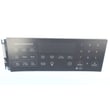
- Oven control board: the “brain” that runs bake, broil, timing, and temperature control (see frigidaire range oven control board 316462807).
- Oven racks: hold cookware at different heights for baking and broiling (see range oven rack 316496201).
- Oven vent and venting path: lets hot air and moisture escape; keeping it unblocked helps baking results.
- Oven light system: bulb, lens, and socket that illuminate the cavity (see appliance light bulb, 40-watt 316538904 and range light socket 316116400).
- Door seal (gasket): helps keep heat inside the oven for stable temperatures (see frigidaire range oven door seal 316405000).
Quick “part to symptom” guide
| If you notice this | Common oven-related part to check | Example part on this model page |
|---|---|---|
| Oven not heating or heats poorly | Bake element, control board | 316563600, 316462807 |
| Broil not working | Broil element, control board | 316203301, 316462807 |
| Temperature swings or food under/overcooks | Temperature sensor, door seal | 316490000, 316405000 |
| Oven light not working | Light bulb, socket, lens | 316538904, 316116400, 5304524341 |
Why it matters
Knowing which part does what helps you troubleshoot faster and avoid replacing the wrong component. It also helps you use the oven correctly, such as placing racks before preheating and keeping the oven vent clear for proper airflow.
Last updated: February 2026
How do you reset a Kenmore 79092903010 oven?
To reset your Kenmore 79092903010 electric range oven, we use two reliable methods: a power reset (breaker off, then back on) to clear a glitch, or cancel/lockout key sequences on the control panel. The exact key steps are listed in the 79092903010 owner's manual.
Reset options that work on this model
- Power reset (best first step): Turn the range circuit breaker OFF for 1 minute, then turn it ON.
- Cancel a cycle: Press STOP to end an active bake, broil, or timed cycle.
- Control lockout toggle (if keys seem disabled): Close the oven door, then press and hold STOP for 3 seconds to turn lockout on or off.
If the oven is locked (Loc or DOOR LOCKED)
The lockout feature can make it seem like the oven will not respond.
- Keep the oven door fully closed.
- Press and hold STOP for 3 seconds.
- Wait about 15 seconds for the door latch to finish locking or unlocking.
- Do not try to open or close the door while DOOR LOCKED is flashing.
“Factory reset” versus “power reset”
This model supports resetting certain control preferences through its control features; a power reset only reboots the electronics.
| Reset method | What it does | When to use it |
|---|---|---|
| Breaker power reset | Reboots the control | Frozen display, random beeping, after a power surge |
| STOP key cancel | Stops a cooking program | Wrong mode running, timer/cook time needs canceling |
| Lockout toggle | Enables/disables keypad and door lockout | Keys do not respond, Loc/DOOR LOCKED shows |
When a reset does not solve it
If the oven still will not heat or keeps showing an error code after resetting, focus on the failure area the code points to.
- Look up the code in Kenmore 790 self-cleaning range error codes
- Check the oven temperature sensor connection; replace if failed (example: oven temperature sensor 316490000)
- Inspect heating elements for visible damage (example: bake element 316563600, broil element 316203301)
Why it matters
Using the correct reset prevents unnecessary part replacement; many “dead control” complaints are actually lockout mode, a stuck cycle that needs STOP, or a temporary control glitch fixed by a breaker reset.
Last updated: February 2026






