 Installation guide
 Owner’s manual
 Error Codes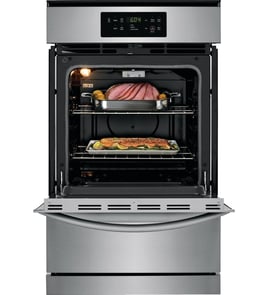





How do I know what model my Kenmore oven is?
For Kenmore wall oven model 79030522801, the model number is printed on the serial plate inside the oven. Open the oven door and look along the left interior side trim (door opening area) to find the model and serial number.
Where to look on your Kenmore wall oven
Check these common label locations first:
- Left interior side trim (visible when the oven door is open)
- Interior side trim along the door opening (serial plate area)
- Frame area just inside the door opening (around the oven cavity)
- Installation paperwork that came with the oven (if you still have it)
For the exact label location and what the plate looks like, use the owner's manual.
What to write down (and why)
When you find the serial plate, record these details:
- Model number (for example, 79030522801)
- Serial number
- Lot number or letter (often shown on the same plate)
- Fuel type and pressure rating (helpful for gas setup and service)
Why it matters
The model number ensures we match the correct Kenmore wall oven parts and diagrams. On gas wall ovens, the serial plate information also helps confirm the oven’s fuel setup so you get compatible components.
Quick ID checklist
| What you need | Where it’s found | What it’s used for |
|---|---|---|
| Model number | Serial plate inside door opening | Correct parts lookup |
| Serial number | Serial plate inside door opening | Version and production details |
| Lot number/letter | Serial plate inside door opening | Narrowing exact build |
Last updated: February 2026
How do you reset a wall oven?
To reset your Kenmore 79030522801 wall oven, turn the house circuit breaker for the oven OFF (or remove the fuse) for about 1 minute, then restore power. This power reset clears many control glitches and restores normal operation.
Quick reset steps
- Set the oven controls to OFF.
- Turn the oven’s circuit breaker OFF (or remove the fuse).
- Wait 60 seconds.
- Turn the breaker ON (or reinstall the fuse).
- Re-set the clock and try Bake or Broil again.
If the oven still will not power up or heat
A reset helps only if the control is “hung up.” If the oven is still dead or not heating, these checks usually find the cause:
- Confirm the breaker is fully engaged (not tripped halfway).
- Make sure the oven is connected to power and the cord/plug is secure (if applicable).
- Verify the gas shut-off valve is open (gas models).
- Check for a failed hot-surface igniter if the burner will not light.
- If the display is on but temperatures are off, test the oven temperature sensor.
| Symptom after reset | Most likely area to check | Common related part on this model |
|---|---|---|
| No display, no response | Power supply, breaker, wiring | (Power related, see owner's manual) |
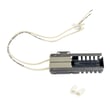
| Clicking but no ignition | Igniter not heating enough | Frigidaire range oven burner igniter 5303935066 |
| Heats inconsistently or wrong temp | Temperature sensing/control | Frigidaire range oven temperature sensor 316217002 |
Why it matters
A breaker reset is the fastest way to clear a temporary electronic control fault. If the problem comes right back, the symptom pattern (no power vs. no ignition vs. bad temperature control) points to the next correct troubleshooting step and helps avoid replacing the wrong part.
For model-specific operating and troubleshooting guidance, follow the steps in the owner's manual.
Last updated: February 2026
What are the parts of a gas oven?
A Kenmore gas wall oven like model 79030522801 is built around a gas burner system (valve, burner, igniter), temperature control and sensing, airflow and venting, and the door, racks, and lighting that make it usable and safe. See the owner's manual for the feature layout and operating details.
Main parts you will find in a gas wall oven
- Gas burner and burner tube: produces heat for baking.
- Glow bar igniter: heats up and lights the gas; it typically glows bright orange when operating.
- Gas valve/regulator: controls gas flow to the burner.
- Oven temperature sensor/thermostat control: monitors and regulates oven temperature.
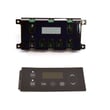
- Electronic oven controls: clock, timer, and bake/broil functions (varies by model).
- Oven vent and blower (some models): vents warm air through the upper control panel trim; a blower may run during and after baking to cool components.
- Door and hinges: seals heat in and supports safe opening/closing.
- Oven racks and rack supports: position cookware for proper air circulation.
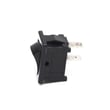
- Oven light system: light bulb, socket, and switch.
Parts on this model that commonly get replaced
If you are troubleshooting heat, lighting, or temperature issues on model 79030522801, these parts are frequent suspects:
| Symptom | Common part involved | Example part for this model |
|---|---|---|
| Oven will not ignite or takes too long to light | Igniter | Frigidaire range oven burner igniter 5303935066 |
| Oven temperature seems off | Temperature sensor | Frigidaire range oven temperature sensor 316217002 |
| Oven light does not work | Bulb or socket | Range oven light bulb 316538904, range oven light socket 316116400 |
| No bake heat even though igniter glows | Burner or gas flow issue | Range bake burner 5303210787, white-westinghouse wall oven gas valve 3203702 |
Why it matters
Knowing the major components helps you diagnose faster. For example, if the igniter does not glow, the burner will not light; if the igniter glows but the oven will not heat, the igniter can still be weak and fail to open the gas valve reliably.
Quick safety and setup notes (gas-specific)
- Do not attempt to light the oven burners during a power failure.
- If the oven is being converted between Natural Gas and LP, the regulator and orifice settings must be changed; follow the installation guide and use a qualified service agent.
- A steady blue flame indicates proper air-to-gas mix; yellow tipping or soot points to an air shutter adjustment issue.
Last updated: February 2026





