Get free shipping on your order, with any water filter subscription. Find my filter

Open Hamburger Menu
Sears Parts Direct
Tips to find your model number
Jenn-Air PRG4810LP gas freestanding range

Jenn-Air PRG4810LP gas freestanding range Parts

Here are the diagrams and repair parts for Jenn-Air PRG4810LP gas freestanding range, as well as links to manuals and error code tables, if available.

By Schematic
By Part
SELECT DIAGRAM
?

This is the number corresponding to the part on the diagram / schematic

Browse Parts for PRG4810LP Ranges

  • Dryer Screw for Jenn-Air PRG4810LP - Part WP3387230

    Burner Screw

    Part #73001131

    Replaced by #WP3387230

    Info Icon
    Manufacturer substitution
    This part replaces 73001131. Substitute parts can look different from the original.
    This item is not returnable
    In Stock
    $5.23
    16% OFF Phone Price : $6.23Info Icon
    Minus Item
    Qty
    Plus Item
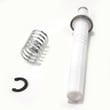
  • Range Surface Burner Igniter for Jenn-Air PRG4810LP - Part WP73001283

    Surface burner assembly diagram

    Igniter Spring

    Part #73001283

    Replaced by #WP73001283

    Info Icon
    Manufacturer substitution
    This part replaces 73001283. Substitute parts can look different from the original.
    In Stock
    $109.89
    10% OFF Phone Price : $121.89Info Icon
    Minus Item
    Qty
    Plus Item
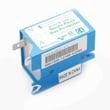
  • Range Re-ignition Spark Module for Jenn-Air PRG4810LP - Part WP73001323

    Top/burner valves diagram

    Reignition Module

    Part #73001323

    Replaced by #WP73001323

    Info Icon
    Manufacturer substitution
    This part replaces 73001323. Substitute parts can look different from the original.
    In Stock
    $166.46
    17% OFF Was : $201.01Info Icon
    Minus Item
    Qty
    Plus Item
  • Range Surface Burner Igniter for Jenn-Air PRG4810LP - Part WP73001283

    Surface burner assembly diagram

    Igniter

    Part #73001282

    Replaced by #WP73001283

    Info Icon
    Manufacturer substitution
    This part replaces 73001282. Substitute parts can look different from the original.
    In Stock
    $109.89
    10% OFF Phone Price : $121.89Info Icon
    Minus Item
    Qty
    Plus Item
  • Hinge Screw for Jenn-Air PRG4810LP - Part 73001229

    Body diagram

    Hinge Screw

    Part #73001229

    The manufacturer no longer makes this part, and there's no substitute part

  • Air Channel for Jenn-Air PRG4810LP - Part 73001459

    Oven assembly (large) diagram

    Air Channel

    In Stock
    $217.60
    Minus Item
    Qty
    Plus Item
  • Cover for Jenn-Air PRG4810LP - Part 73001508

    Oven assembly (large) diagram

    Cover

    In Stock
    $57.32
    Minus Item
    Qty
    Plus Item
  • Washer (toot for Jenn-Air PRG4810LP - Part 73001595

    Washer (toot

    In Stock
    $146.80
    Minus Item
    Qty
    Plus Item
  • Retainer Insert for Jenn-Air PRG4810LP - Part 73001487

    Door assembly (small) diagram

  • Air Channel for Jenn-Air PRG4810LP - Part 73001438

    Oven assembly (small) diagram

    Air Channel

    In Stock
    $45.91
    Minus Item
    Qty
    Plus Item

Jenn-Air Gas Freestanding Range PRG4810LP FAQs

On your Jenn-Air PRG4810LP gas freestanding range, the oven uses a pilotless electric glow igniter and safety system; if the igniter is not heating properly or the range has no power, the bake or broil burner will not light (it normally lights within about 30 seconds). Use the checks below to pinpoint whether this is a power, ignition, or gas-supply issue.

Quick checks we recommend first

  • Confirm the range is plugged in and has power; this oven will not operate during a power failure.
  • Set the oven control fully to OFF, then try again.
  • Wait up to 30 seconds after turning the oven on; glow-igniter systems do not light instantly.
  • If you smell gas, turn the oven OFF and wait 5 minutes for the odor to clear before trying again.
  • If the range was recently installed, disconnected, or unused for several days, air in the gas line can delay ignition.

Most common causes (and what to do)

Symptom Most likely cause What we do next
No heat, no ignition, display or controls dead No power to range Check breaker, outlet, and cord connection
Oven won’t light but range has power Weak or failed glow igniter Inspect igniter operation; replace if not heating correctly
Repeated clicking or ignition issues on top burners too Ignition circuit issue Check/replace ignition components
Delayed ignition after gas work or long downtime Air in gas line Purge air per safe lighting guidance in the owner's manual

Parts that commonly fix ignition problems

If troubleshooting points to an ignition failure, these model-matched parts are commonly involved:

Why it matters

A glow-igniter safety system is designed to prevent gas flow unless ignition conditions are correct. When the igniter is weak or power is interrupted, the safety system keeps the gas valve from opening, so the oven will not light.

Last updated: February 2026

To turn on the gas burners on your Jenn-Air PRG4810LP range, make sure the range is connected to the gas supply, then push in the burner knob and turn it to the Lite/ignite position until the burner lights; adjust the flame to fit the pan.

Steps to light a surface burner

  • Place cookware on the grate before lighting.
  • Push the burner control knob in.
  • Turn the knob to the Lite/ignite position to start sparking.
  • When the burner lights, turn the knob to your desired flame setting.
  • Adjust the flame so it does not extend beyond the edge of the cookware.
  • If the burner does not light within a few seconds, turn the knob Off, wait for gas to clear, then try again.

If you smell gas

If you smell gas, do not try to light any appliance and do not touch electrical switches. Follow the safety instructions in the installation guide for what to do next.

Common “won’t light” causes on PRG4810LP

If the knob is turned correctly but the burner will not ignite, these are the most common issues we see:

  • Food spill or moisture blocking the burner ports
  • Burner cap not seated correctly after cleaning
  • Weak or no spark from a failed igniter
  • A problem in the ignition circuit (switch or module)
  • Gas supply shutoff valve not fully open

Parts that often fix ignition problems

Symptom What to check Example part for PRG4810LP
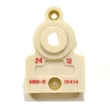
No clicking/sparking on any burner Ignition power and ignition module Reignition module WP73001323
Clicking but one burner will not light Burner igniter and switch Igniter WP73001283
Spark happens only when knob is in certain spots Switch behind the knob Range igniter switch WP73001321

Why it matters

Correct lighting and flame adjustment helps prevent soot, reduces wasted fuel, and avoids overheating cookware and grates. The manual also notes that flames should be adjusted so they do not extend beyond the cookware edge.

Last updated: February 2026

No. On the Jenn-Air PRG4810LP gas range, the oven uses a pilotless (electric) glow ignitor and safety system, so the oven will not operate during a power failure or if it is unplugged. Do not attempt to manually light the oven; use the surface burners only if you can light them safely.

What to do during a power outage

  • Keep the oven control in OFF.
  • Do not try to bypass the ignition system with a match or lighter.
  • If you smell gas, turn all knobs OFF, ventilate the area, and do not create sparks.
  • If you need to cook, use an alternate safe method until power is restored.
  • Review the safety and operation notes in the PRG4810LP owner's manual.

Why the oven cannot be match-lit on this model

Your PRG4810LP oven is designed to light gas through an electric glow ignitor and a safety system. Without electricity, the ignitor and safety controls do not function, so the oven is designed to stay off.

Parts that commonly affect oven ignition (when power is available)

If the oven will not ignite even with power on, these parts are commonly involved:

Quick comparison: symptom vs likely area to check

Symptom What it often points to Example part on this model
No clicking or ignition activity Ignition circuit or switch issue Range igniter switch
Weak or no ignition at burner Failed igniter Igniter
Multiple burners/oven ignition problems Control module issue Reignition module

Why it matters

Trying to manually light an oven that is designed for electronic ignition can allow unburned gas to accumulate and create a flash or fire risk. Using the built-in safety design protects your home and helps prevent damage to the range.

Last updated: February 2026

Most common symptoms to help you fix your ranges

Choose a symptom to see related range repairs.

Main causes: power supply failure, blown thermal fuse, bad relay control board, damaged terminal block, wiring failure…

Main causes: broken broiler element, weak or broken broil burner igniter, control system failure, faulty temperature sen…

Main causes: power supply problem, control thermostat or electronic control board failure, broken element, bad burner ig…

Main causes: broken oven door lock assembly, wiring failure, electronic control board problem…

Main causes: faulty temperature sensor, electronic control board problem, control thermostat failure, weak burner ignite…

Main causes: bad bake element, broken burner igniter, control system failure, blown thermal fuse, faulty temperature sen…

Main causes: food splatters, spilling food on the oven door, allowing liquid to drip through oven door vent when cleanin…

Most common repair guides to help fix your ranges

These step-by-step repair guides will help you safely fix what’s broken on your range.

How to replace a range oven door switch

How to replace a range oven door switch

The oven door switch detects whether the oven door is closed and helps control the oven light. Replace the switch if it …

Repair time and Difficulty

 30 minutes or less
How to replace a range oven door lock assembly

How to replace a range oven door lock assembly

Oven door not locking? You can replace the lock assembly in less than 30 minutes. Here's how.…

Repair time and Difficulty

 15 minutes or less

Effective articles & videos to help repair your ranges

Use the advice and tips in these articles and videos to get the most out of your range.

4 things you're doing wrong with your oven

4 things you're doing wrong with your oven

You might be surprised by these 4 tips for using your oven better.…

How to correct an oven's temperature setting

How to correct an oven's temperature setting

If your oven consistently undercooks or overcooks, it might need recalibration. You can reset it yourself.…

Quiz: Are you abusing your appliances?

Quiz: Are you abusing your appliances?

Take our quiz to see how well you treat your appliances. Then, find out what you can do to help them last longer.…

Parts & More

Bottom-Mount Refrigerator
Dishwasher
Dryer
Elliptical Machine
Front-Engine Lawn Tractor
Microwave/Hood Combo
Parts
Range
Refrigerator
Washer
Water Softener