Installation guide
 Owner’s manual
 Error Codes





How do I know what model my Kenmore oven is?
Your Kenmore oven’s model number is printed on the model and serial tag. For Kenmore model 91149033100, the tag is located on the front frame behind the oven door (often behind the upper oven door on double wall ovens). Use that exact number when ordering parts or checking instructions in the owner's manual.
Where to look on model 91149033100
Check these common label locations in this order:
- Front frame behind the oven door (most common for this model)
- Behind the upper oven door on double ovens
- Door jamb area around the opening
- Lower frame area near the bottom edge of the oven opening
What to write down (and why)
Record both numbers exactly as shown:
- Model number (example: 91149033100)
- Serial number (unique to your oven)
- Any revision or suffix characters if present
Why it matters
The model number ensures you get the correct Kenmore wall oven parts and the right wiring diagrams, control settings, and installation requirements. Even small model differences can change which bake element, temperature sensor, or cooling fan fits.
Quick check: model vs. serial
| Item | What it tells you | Used for |
|---|---|---|
| Model number | The exact oven design and parts match | Parts lookup, manuals, compatibility |
| Serial number | When your specific unit was built | Service history, identifying your unit |
If the label is hard to read
Try these safe steps:
- Turn off power at the breaker before reaching around the frame
- Wipe the tag gently with a damp cloth, then dry it
- Use a flashlight and take a close-up photo to zoom in
- Compare what you see to the model format shown in the installation guide
Last updated: February 2026
How to calibrate a Kenmore wall oven?
To calibrate (temperature-adjust) a Kenmore wall oven like model 91149033100, we change the oven control offset so it bakes hotter or cooler than the displayed set temperature. This corrects consistent overbaking or underbaking without replacing parts; each oven cavity is adjusted separately.
How to adjust the oven temperature (control calibration)
- Touch and hold BAKE and BROIL together for about 3 seconds until the display shows "SF".
- Touch BAKE for the oven you want to adjust (upper or lower).
- Use the TEMP UP arrow to increase the offset (up to +35°F) or the TEMP DOWN arrow to decrease the offset (down to -35°F).
- Touch START to save.
How much should I change it?
We recommend using real cooking results to decide the adjustment. Oven thermometers often read 20°F to 40°F off, and opening the door to check them changes the temperature.
- If foods are undercooked, raise the set temperature by 25°F for a test bake.
- If foods are burning, lower the set temperature by 25°F for a test bake.
- Use the results to pick an offset (in 5°F steps) that matches how your oven performs.
- Make only one change at a time, then retest.
- Repeat the steps above to fine-tune if needed.
Quick reference: offset settings
| What you notice | What to do in calibration | Example offset |
|---|---|---|
| Oven runs hot | Decrease temperature | -10°F to -25°F |
| Oven runs cool | Increase temperature | +10°F to +25°F |
| Only one cavity is off | Adjust that cavity only | Upper or lower only |
Why it matters
Correct calibration helps your Kenmore electric built-in double oven hit the right baking temperature, improves consistency between racks, and reduces overbrowning. If temperature problems are sudden or extreme, a failed sensor is also common; the wall oven temperature sensor WB23T10015 is a key part in temperature regulation.
For control features and exact button sequences for your configuration, follow the 91149033100 owner's manual.
Last updated: February 2026
How to unlock old Kenmore oven door?
If your Kenmore 91149033100 oven door is locked, it is usually locked by the self-clean cycle. The door unlocks only after the oven cools below the lock temperature and the LOCKED light turns off; pressing CLEAR/OFF stops the cycle but you still must wait for cooldown.
Quick unlock steps (most common)
- Touch CLEAR/OFF to cancel the clean cycle.
- Wait for the oven to cool; the lock typically releases after cooldown (often about 1 hour).
- Watch the display: when the LOCKED light goes off, open the door.
- If you see an F error code, press CLEAR/OFF, let the oven cool for 1 hour, then try a bake or clean function again.
- Do not force the door handle; forcing can damage the latch or door frame.
What’s happening and what to check
During self-clean, the control locks the door for safety. The lock stays engaged until temperature drops below the lock threshold.
| Symptom | Likely cause | What we do |
|---|---|---|
| LOCKED light is on | Oven is still too hot | Wait for cooldown; door unlocks when LOCKED turns off |
| LOCKED flashes and beeps | Clean was set but door not fully closed | Close door fully, then press CLEAR/OFF |
| Door won’t unlock after cooldown | Latch/lock circuit issue | Check for error codes; inspect door alignment and latch area |
If the door is stuck after it should be unlocked
- Make sure the door is fully seated and not sagging on the hinges.
- Power-cycle the oven at the breaker for 1 minute, then restore power and recheck.
- If the oven overheats or won’t regulate temperature, a failed sensor can contribute to lock issues; test/replace the wall oven temperature sensor WB23T10015 if diagnostics point there.
- Use the door removal and hinge “broil stop position” procedure in the owner's manual if you need to remove and reinstall the door safely.
Why it matters
A locked door is a safety feature tied to high temperatures during self-clean. Waiting for proper cooldown prevents burns and avoids damaging the door latch, hinges, or porcelain frame.
Last updated: February 2026
What are the parts of an electric oven?
An electric oven like the Kenmore 91149033100 uses heating elements, temperature sensing and safety controls, airflow parts, lighting, and door sealing parts to cook evenly and safely. In this model, the manual calls out key items such as the hidden bake element, broil element, convection bake fan, oven vent, racks, and door gasket (for both ovens). See the owner's manual for the full feature and parts layout.
Main parts you will find in most electric wall ovens
- Bake element (often hidden under the oven floor) for everyday baking
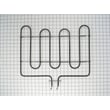
- Broil element at the top for high-heat browning
- Oven temperature sensor to help the control maintain set temperature
- Safety thermostat to help prevent overheating
- Convection fan (on convection models) to circulate hot air
- Oven light and cover for visibility inside the cavity
- Oven racks and rack supports for positioning cookware
- Door gasket to seal heat in during baking and self-clean
- Cooling fan/air deflector to move heat away from controls and cabinetry
Common Kenmore 91149033100 components (examples of replaceable parts)
These are some parts we commonly see customers replace when symptoms point to them:
- Wall oven temperature sensor WB23T10015 (temperature accuracy issues)
- Wall oven safety thermostat WB24T10060 (overheat protection trips)
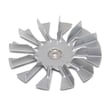
- Wall oven cooling fan assembly WB26K5061 (cooling fan noise or no cooling airflow)
- Oven door gasket WB04T10008 (heat leaking around the door)
- Oven rack WB48X21508 (bent or missing rack)
Quick “part to symptom” guide
| Part | What it does | Common symptom when it fails |
|---|---|---|
| Bake element / broil element | Creates heat | Slow heat, uneven browning, no heat in a mode |
| Temperature sensor | Reports oven temperature | Oven too hot or too cool |
| Safety thermostat | Limits unsafe temperatures | Oven shuts off or will not heat after overheating |
| Convection fan | Circulates air | Uneven baking, fan noise, no convection airflow |
| Door gasket | Seals the cavity | Heat escaping, poor temperature stability |
| Oven light | Illuminates cavity | Light out (bulb or cover issue) |
Why it matters
Knowing the major oven parts helps you troubleshoot faster. For example, temperature swings often point to a sensor or door seal, while weak broiling usually points to the broil element or a control issue.
Last updated: February 2026