Installation guide
 Owner’s manual
 Error Codes



How do you reset a Whirlpool gas oven?
To reset a Whirlpool gas oven like model WFG715H0ES0, we recommend doing a safe power reset: turn the range off, disconnect power for a few minutes, then restore power and set the clock. This clears many temporary control glitches and error conditions.
Quick reset steps (power reset)
- Turn all oven and surface burner knobs to OFF.
- If the oven is running, let it cool and cancel any active cycle.
- Unplug the range or switch OFF the circuit breaker.
- Wait 2 to 5 minutes.
- Restore power, then set the clock and try Bake again.
- If an error code returns immediately, the issue is not a simple glitch.
If the display is blank or the oven still will not heat
These checks help separate a power issue from an ignition or control problem.
- Confirm the breaker is fully reset (OFF, then ON).
- Verify the outlet has power (try a small appliance or lamp).
- Make sure the gas shutoff valve is open.
- Listen for ignition: a healthy oven typically clicks or you may hear the igniter energize.
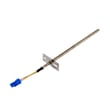
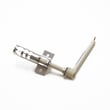
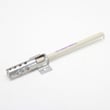
- If the oven will not ignite or takes a long time to light, the igniter is a common suspect; see range oven igniter WPW10324262.
What “reset” can and cannot fix
| Symptom | Reset helps? | What to check next |
|---|---|---|
| Random beeping or frozen keypad | Often | Power reset, then inspect control panel area |
| Error code returns right away | Rarely | Wiring connections, control board, keypad |
| Oven will not ignite | No | Igniter, gas supply, burner, wiring |
| No display at all | Sometimes | House power, cord/outlet, internal wiring |
Why it matters
A power reset is the safest first step because it can clear a temporary electronic lockup without disassembling the range. If the problem comes back, focusing on ignition parts (like an igniter) or the electronic controls prevents repeated no-heat and nuisance error conditions.
For model-specific operating details and control functions, follow the WFG715H0ES0 owner's manual.
Last updated: February 2026
Why is my Whirlpool gas oven not getting hot?
If your Whirlpool WFG715H0ES0 gas range oven is not getting hot, the most common cause is a weak or failed bake igniter that glows but does not pull enough current to open the gas safety valve. We also see heating failures from a bad gas valve, wiring issue, or control problem; use the checks below and confirm settings in the WFG715H0ES0 owner's manual.
Quick checks we recommend first
- Make sure you are using Bake (not Broil) and the temperature is set above room temp.
- Confirm the oven is getting power (clock/display on); the igniter needs electricity.
- Start Bake and watch through the oven bottom vents: does the igniter glow?
- Smell for gas only briefly; if you smell strong gas, stop and ventilate.
- If the range was recently installed or moved, confirm the shutoff valve is fully open and review the WFG715H0ES0 installation guide.
What the igniter behavior tells you
| What you see/hear | Most likely cause | What to do next |
|---|---|---|
| No glow at all | Open igniter, no power to igniter, wiring/control issue | Check wiring connections; test igniter continuity |
| Glows weak/dull orange, no flame | Igniter too weak to open valve | Replace the igniter |
| Glows bright, clicks, still no flame | Gas valve issue, restricted burner, or control/wiring | Inspect burner; test valve circuit |
| Flame lights but oven stays cool | Burner not spreading flame, sensor/control issue | Check flame pattern; verify temp accuracy |
Parts that commonly fix “won’t heat” on this model
- Bake igniter: Range oven igniter WPW10324262
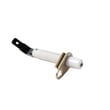
- Alternate igniter listing: Range oven burner igniter WPW10333842
- If the igniter tests good: gas safety valve circuit, harness connections, or the electronic control can be next.
Why it matters
A gas oven can look like it is “trying” to heat (glowing igniter, faint clicking) but still never reach temperature if the igniter is weak. Replacing the correct igniter restores reliable ignition and helps prevent long preheat times and uneven baking.
Last updated: February 2026
How do I find the model number on my WFG715H0ES0?
Your Whirlpool gas range model number is printed on the appliance’s model and serial tag; on ranges like the WFG715H0ES0, it’s most often found around the oven door frame area. Use the exact model number to match diagrams and order the correct parts.
Where to look on a Whirlpool gas range
Check these common locations first (in order):
- Open the oven door and look along the frame (front edge of the oven cavity).
- Look on the left or right side trim of the oven opening.
- Check the storage drawer area; pull the drawer out and look on the frame behind it.
- Look behind the control panel area (less common; usually not needed).
- If the range is built into a tight space, avoid pulling it out unless necessary.
For illustrations and model tag details specific to this appliance family, use the owner's manual.
What the model tag looks like and what to copy
The tag usually includes a model number and a serial number.
| Item | Example format | Why we need it |
|---|---|---|
| Model number | WFG715H0ES0 | Ensures correct part fit and diagrams |
| Serial number | Letters and numbers | Helps identify production series for some parts |
Copy tips
- Write it exactly as shown, including all letters and numbers.
- Use uppercase letters (for example, WFG715H0ES0).
- If a character is unclear, take a photo and zoom in.
Why it matters
Whirlpool ranges often have multiple versions that look similar but use different igniters, burner parts, or control components. Using the correct model number helps us match the right replacement part the first time.
Last updated: March 2026