Installation guide
 Owner’s manual
 Error Codes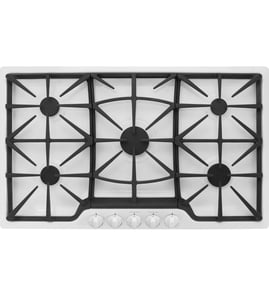



Why does my Jenn-Air gas cooktop igniter keep clicking?
On the Jenn-Air JGD8130ADS gas cooktop, an igniter that keeps clicking usually means the burner is not sensing a steady flame. The most common causes are moisture or soil around the igniter electrode, a burner cap/head that is not seated correctly, or a failing spark module.
Quick checks to stop the clicking
- Turn the burner knob to OFF and let the area cool.
- Remove the grate and make sure the burner cap/head is seated flat and centered.
- Dry the igniter area thoroughly (after boilovers or cleaning, moisture can keep the igniter sparking).
- Clean the burner ports and the small port near the igniter using a straight pin; do not enlarge the holes.
- Restore power and try lighting again; on this model, multiple igniters may spark when any knob is turned to LITE.
For cleaning and ignition details specific to this cooktop, follow the guidance in the JGD8130ADS use & care manual.
When a part is likely involved
If the burner lights but clicking continues, or if clicking is erratic across multiple burners, the issue is often in the ignition circuit.
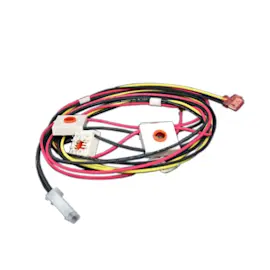
- If one burner is the problem: inspect the electrode tip and ceramic for cracks and check the wire connection.
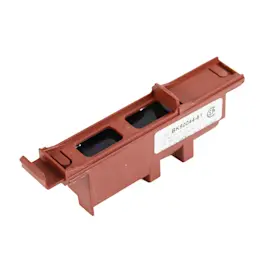
- If several burners act up: suspect the spark module or a short caused by moisture/grease.
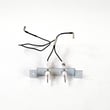
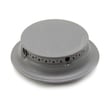
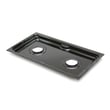
Model-compatible parts to consider:
Symptoms and what they usually mean
| Symptom | Most likely cause | What we recommend |
|---|---|---|
| Clicks after a boilover | Moisture/soil at electrode | Dry and clean electrode and burner ports |
| Clicks until knob is turned past LITE | Normal operation | Turn knob past LITE after ignition |
| Clicks even with a steady flame | Weak flame sensing or misalignment | Reseat cap, clean ports, inspect electrode |
| Multiple burners click or misfire | Spark module issue or short | Inspect wiring, replace module if needed |
Why it matters
Continuous sparking can prevent reliable ignition, cause nuisance clicking, and can indicate a weak ignition component that may fail completely. Fixing alignment, cleaning burner ports, and addressing a failing module helps restore normal lighting and flame stability.
Last updated: January 2026
How to clean a Jenn-Air igniter?
On the Jenn-Air JGD8130ADS gas cooktop, we clean the igniter by turning power off, letting everything cool, then gently removing food residue and moisture from the igniter tip and the small burner ports near it. A clean, dry igniter sparks reliably and lights the burner faster.
Safe cleaning steps (JGD8130ADS)
- Turn all knobs to OFF and let the cooktop cool completely.
- Disconnect electrical power to the cooktop (important because it uses spark ignition).
- Remove grates and any removable burner pieces so you can access the igniter area.
- Wipe around the igniter with a soft cloth or soft brush; avoid snagging the igniter.
- Clear clogged burner ports, especially the small port below the igniter, using a straight pin (do not enlarge the holes).
- Dry everything fully before restoring power and testing ignition.
What to avoid
- Do not soak the igniter or flood the burner area with water; a wet igniter often will not spark.
- Do not use abrasive pads or metal brushes on the igniter electrode.
- Do not pull or pry on the igniter; it can crack.
Quick troubleshooting after cleaning
| Symptom | Most likely cause | What we do next |
|---|---|---|
| Clicking but no flame | Wet/dirty ports or cap not seated | Dry parts, reseat burner pieces, clear ports |
| No clicking | No power or failed ignition part | Check power; inspect ignition components |
| Sparks but lights slowly | Partial clog or moisture | Re-clean ports; dry thoroughly |
If cleaning does not restore reliable sparking, the igniter or ignition circuit may need attention. For this model, compatible ignition parts include the range surface burner igniter 74004053 and the igniter assembly WP74005890.
Why it matters
A dirty igniter area can cause delayed ignition, uneven flame, and repeated clicking. Keeping the burner ports and igniter dry and clear helps the cooktop light safely and consistently.
For model-specific care and cleaning details, follow the JGD8130ADS use & care manual.
Last updated: January 2026
How do I reset a Jenn-Air cooktop?
On the Jenn-Air JGD8130ADS gas cooktop, there is no manufacturer-defined “reset” button or standard reset procedure in the model documentation. For most “not lighting” or clicking issues, the recommended approach is to verify power and gas supply, then clean and dry the ignitor and burner ports.
What we recommend for JGD8130ADS (manufacturer-style checks)
- Turn all burner knobs to OFF.
- Confirm the cooktop has power (pilotless ignition needs electricity for sparking).
- Check for a tripped breaker or blown fuse supplying the cooktop.
- Make sure the gas shutoff valve is open.
- If a burner will not light, check whether the ignitor is wet, soiled, or damaged.
- If ports are clogged, clean the small port beneath the ignitor using a straight pin (do not enlarge the holes).
When power cycling can help (and when it will not)
Power cycling at the breaker is sometimes used as a general electronics step, but it is not listed as a model-specific reset in the JGD8130ADS documentation. If the problem is caused by moisture, debris, or a failing ignition component, restoring power will not correct the root cause.
| Symptom | More likely cause | What to check next |
|---|---|---|
| One burner will not spark | Local ignitor/electrode issue | Clean and dry the ignitor area; inspect the electrode |
| Multiple burners have no spark | Ignition control issue or no power | Verify power supply; consider ignition control diagnosis |
| Burner clicks but will not light | Gas flow or clogged ports | Confirm gas supply; clean burner ports |
Parts that may be involved if cleaning and checks do not solve it
If you confirm power and gas are OK and the ignitor area is clean and dry, an ignition part may be worn.
- Cooktop burner igniter electrode WP74006072 (electrode at the burner that creates the spark)
- Spark module 8215557 (controls spark to one or more burners)
- Igniter assembly WP74005890 (ignition component assembly used in the spark system)
Why it matters
Following the model’s documented checks helps you avoid unnecessary downtime and focuses on the most common causes of ignition trouble: loss of power to the spark system, moisture, and clogged burner ports.
For operating and troubleshooting details specific to this model, use the JGD8130ADS use & care manual.
Last updated: January 2026
Why is my Jenn-Air gas Range oven not igniting?
The JENN-AIR JGD8130ADS is a gas downdraft cooktop, not a range with an oven; so an “oven not igniting” issue would be on a different appliance. If you meant a JGD8130ADS surface burner not igniting, the most common causes are a wet/soiled igniter area, clogged burner ports, or a failed ignition component.
First, confirm which appliance you are troubleshooting
Because model numbers are often similar across cooktops and ranges, we recommend verifying the model tag on the appliance that has the oven.
- If the model tag says JGD8130ADS, you have a cooktop (no oven)
- If you have an oven, the model number will be different (often on the oven frame or storage drawer area)
- Use the correct manual for the exact model to match ignition steps and parts
If you meant a JGD8130ADS surface burner will not ignite
The cooktop uses pilotless spark ignition. The manual notes a burner may not light if the ignitor is broken, soiled, or wet, or if ports are clogged; see JGD8130ADS use & care manual.
Quick checks (fastest fixes first)
- Confirm the cooktop has power; no power often means no clicking/sparking
- Turn the knob to LITE and listen for clicking
- If it clicks but will not light, clean burner ports and the small port near the ignitor
- If the igniter area is wet (after cleaning or boilover), let it dry completely
- Verify the gas shutoff valve is open
What you observe vs. what it usually means
| What you see/hear | Most likely cause | What to do next |
|---|---|---|
| No clicking on any burner | Power issue, spark module issue | Check outlet/breaker, then ignition system diagnosis |
| Clicking but no flame | Clogged ports, wet ignitor area, gas supply issue | Clean/dry, confirm gas supply |
| One burner won’t spark | Burner-specific electrode or switch issue | Inspect burner ignition parts for that position |
Parts that commonly fix “won’t ignite” on this cooktop
If cleaning and drying do not restore ignition, these model-compatible parts are common suspects:
- Cooktop burner igniter electrode WP74006072 (creates the spark at the burner)
- Range spark module 8215557 (distributes spark to the igniters)
- Valve switch WP74006955 (signals the spark system when the knob is turned)
Why it matters
Misidentifying the appliance can lead to the wrong troubleshooting steps and parts. For ignition problems, correct diagnosis helps restore reliable lighting and reduces the chance of unburned gas at the burner.
Last updated: January 2026