 Installation guide
 Owner’s manual




What is the average lifespan of a GE dishwasher?
A GE dishwasher typically lasts about 10 years with normal household use. For your specific model GSD2100V35WW, lifespan depends most on water quality, how often it runs, and routine maintenance like keeping the spray arms and sump area clear (see the owner's manual).
Most dishwashers reach end-of-life due to wear in the pump, motor, seals, or controls rather than the tub itself.
- Usage frequency: 1 load per day wears parts faster than a few loads per week
- Water hardness: hard water accelerates mineral buildup and valve wear
- Detergent and rinse aid habits: correct dosing helps prevent residue and etching
- Cleaning and maintenance: clogged filters/sump areas strain the circulation system
- Installation quality: proper leveling and secure mounting reduce leaks and vibration
If your GSD2100V35WW is near the 10-year mark, these are the most common symptoms that signal major wear:
- Not draining consistently (standing water in the bottom)
- Poor cleaning (grit left on dishes, weak spray)
- Leaks at the door or underneath
- Loud grinding or humming during wash
- Cycles that stall or do not advance
| Symptom | Often a maintenance/medium repair | Often a major repair |
|---|---|---|
| Not draining | Drain hose routing/clog, drain solenoid | Pump/motor issues |
| Not cleaning | Spray arm blockage, loading issues | Circulation pump wear |
| Leaking | Door seal wear | Sump or pump seal leaks |
Knowing the typical 10-year lifespan helps you decide whether to repair or replace. If the dishwasher is older and needs a high-cost component, it can be smarter to address simpler issues first (clogs, seals, spray arms) before investing in a motor or timer.
Last updated: February 2026
How to do a hard reset on a GE dishwasher?
To hard reset a GE dishwasher like model GSD2100V35WW, we cancel the current cycle using the control’s reset function. On many GE electronic-control models, pressing START/RESET twice starts a pump-out (drain) and then turns the dishwasher off; on dial models, we rotate the dial to Off.
- Electronic controls:
- Press START/RESET once.
- Wait about 10 seconds.
- Press START/RESET again to pump out (drain) and turn off.
- Dial (timer) controls:
- Unlatch the door.
- Slowly rotate the dial until you reach a drain portion to pump out.
- Rotate the dial to Off.
For the exact button names and sequence used on your control panel, follow the control-settings section in the owner's manual.
The installation instructions for some GE models note that after the second drain, you can push the reset pad on electronic models; for dial models, rotate the dial to Off. Use the installation guide if you are finishing an install or verifying drain performance.
- Confirm the dishwasher has power (breaker not tripped).
- Make sure the door is fully latched.
- If your setup uses a wall switch (often near the disposer switch), make sure it is on.
- If the unit is not draining, check that the disposer inlet plug was removed (new disposer installs) and the air gap is clear.
- If you suspect a control issue, review GE dishwasher error codes.
| Control type | “Hard reset” action | What it does |
|---|---|---|
| Electronic keypad | START/RESET twice (with a short wait) | Cancels cycle, pumps out, turns off |
| Dial/timer | Turn dial to drain, then Off | Pumps out, ends cycle |
A proper reset clears a stuck cycle and forces a drain, which helps prevent standing water, odor, and false “won’t start” symptoms after a power glitch or interrupted wash.
Last updated: February 2026
What is the most common problem with GE dishwashers?
The most common issue we see with GE dishwashers like model GSD2100V35WW is a no-start or won’t-run complaint. In many cases it comes down to a power interruption (tripped breaker or wall switch), a door not latching, or a start/reset sequence that needs to be re-entered; see the owner's manual for model-specific checks.
- Confirm the kitchen circuit breaker is on (or replace a blown fuse if applicable).
- Check for a wall switch that controls dishwasher power (often near the disposer switch) and turn it on.
- Make sure the door is fully closed and latched.
- Try the START/RESET procedure listed for your control style in the owner's manual.
- Listen for normal cycle sounds (timer advancing, detergent cup opening, drain valve) to confirm the cycle is progressing.
Even when the unit starts, these are frequent complaints on GE dishwashers:
| Symptom | Most common causes | Parts that often relate (for this model) |
|---|---|---|
| Not draining | Clogged air gap, disposer plug, drain path restriction | Dishwasher drain hose WD24X10014, GE dishwasher drain solenoid assembly WD21X10268 |
| Not cleaning well | Spray arm blockage, low circulation, loading issues | Dishwasher spray arm, lower WD12X10244, dishwasher circulation pump WD19X10020 |
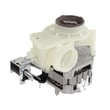
| Unusual noise | Normal shredding/drain sounds, or worn pump components | GE dishwasher pump and motor assembly WD26X10051 |
A “won’t start” problem is often electrical or door-latch related, so quick power and latch checks can save time and prevent unnecessary part replacement. For draining and cleaning complaints, clearing restrictions and confirming strong spray action helps protect the pump and improves wash results.
Last updated: February 2026
Is GE GSD2100V35WW considered high end?
GE GSD2100V35WW is typically considered a standard, mid-range built-in dishwasher rather than a “high-end” model. It supports practical, serviceable features (like optional custom door panel kits) but it is not positioned like premium dishwashers that emphasize ultra-quiet operation and advanced wash systems.
High-end models usually stand out in several areas at once. Use this checklist to compare what you have to what “premium” typically means:
- Very low noise ratings (often marketed heavily as a key feature)
- More wash zones and advanced soil sensing
- Stainless tub and upgraded drying systems
- More flexible racks and premium rack hardware
- More electronic diagnostics and feature-rich cycles
For model-specific features, cycle options, and any optional accessories, use the owner's manual.
Your manual highlights optional appearance upgrades, including custom panel trim kits and mounting accessories. That points to a practical, mainstream design that can be dressed up to match cabinetry, not a premium platform built around top-tier performance features.
| Feature type | What it affects | What it does not necessarily mean |
|---|---|---|
| Custom panel trim kits | Appearance | Higher wash performance |
| Countertop bracket kit options | Installation flexibility | Quieter operation |
| Standard safety and use guidance | Everyday operation | Premium feature set |
Knowing whether a dishwasher is “high end” helps set expectations for noise, cycle length, and repair decisions. With a standard, serviceable design like GSD2100V35WW, repairs often focus on core wash and drain components.
- Poor cleaning: check spray arms and circulation
- Not draining: check drain path and drain components
- Leaks: inspect door sealing surfaces and gasket condition
- No wash action: inspect pump and motor function
If you are troubleshooting cleaning or draining problems, parts commonly replaced on this model include the dishwasher spray arm WD22X10055, dishwasher drain hose WD24X10014, and the GE dishwasher pump and motor assembly WD26X10051.
Last updated: February 2026





