Owner’s manual
 Error Codes





What is the average lifespan of a GE refrigerator?
A GE refrigerator typically lasts about 12 years on average, and many units run 10 to 20 years with normal use and good maintenance. For your GE GZS22IYNSHFS side-by-side refrigerator, following the care and operating guidance in the GZS22IYNSHFS owner's manual helps you get the longest service life.
Typical lifespan range (what to expect)
Most modern full-size refrigerators, including GE side-by-side models, fall into this range:
| Usage and care level | Typical lifespan | What usually ends the run |
|---|---|---|
| Light use, good airflow, clean coils | 15 to 20 years | Sealed system wear, control issues |
| Average household use | About 12 years | Ice maker, fan motor, defrost problems |
| Heavy use, poor ventilation, dirty coils | 8 to 12 years | Compressor strain, overheating, leaks |
What extends the life of a GE side-by-side refrigerator
We see these maintenance habits make the biggest difference:
- Keep condenser and ventilation areas clean and unobstructed
- Set stable temperatures (avoid frequent extreme adjustments)
- Replace the water filter on schedule to protect water flow and components
- Keep door gaskets clean so the compressor does not run excessively
- Address unusual noises early (fan motors and ice maker issues can snowball)
Parts that commonly affect “how long it lasts”
A refrigerator can still be worth keeping if a common wear part fails. These are frequent service items on many GE designs:
- Evaporator fan motor (air circulation and even cooling)
- Defrost heater (prevents frost buildup that blocks airflow)
- Ice maker components (jams, leaks, no-ice complaints)
- Water inlet valve and filter system parts (slow water, no water, leaks)
If you are troubleshooting water quality or flow, the GE refrigerator water filter XWFE is the model-matched filter option listed for this unit.
Why it matters
Knowing the typical lifespan helps you decide whether to repair or replace. If your GZS22IYNSHFS is under about 12 years old and the issue is a single component (ice maker, fan, defrost, water system), repair is often the practical path.
Last updated: February 2026
How do I reset my GE refrigerator circuit board?
To reset the control (circuit) board on your GE GZS22IYNSHFS refrigerator, we recommend doing a power reset: unplug the refrigerator (or switch the breaker OFF) for about 2 minutes, then restore power and allow the controls to reboot. This clears many temporary control glitches.
Recommended reset steps (safe and effective)
- Unplug the refrigerator from the wall outlet, or turn the circuit breaker OFF.
- Wait 2 minutes (this lets the control board fully power down).
- Restore power.
- Wait 5 minutes before pressing dispenser or temperature buttons.
- Allow 24 hours for temperatures to fully stabilize after any reset or power interruption.
What to expect after a reset
| What you notice | What it usually means | What to do |
|---|---|---|
| Clicking sounds | Control relays activating | Normal during restart |
| Fans change speed | Adaptive cooling adjusting | Normal |
| Compressor delay up to ~5 minutes | Restart protection | Wait; do not cycle power repeatedly |
| Temps not perfect right away | System rebalancing | Give it up to 24 hours |
If the refrigerator still will not run
These checks solve most “dead” refrigerator complaints after a reset:
- Confirm the outlet has power (try a lamp).
- Make sure the plug is fully seated.
- Check the home breaker or fuse and reset if needed.
- If the unit is in showroom mode, unplug and plug back in (a power reset often exits this mode).
- If it starts but cools poorly, check for airflow issues and listen for the evaporator fan.
Why it matters
A power reset is the fastest way to clear a temporary software lockup or relay state on the main control board without replacing parts. It also helps after a tripped breaker, power outage, or control panel odd behavior.
Helpful references
- Use the reset and troubleshooting guidance in the GZS22IYNSHFS owner’s manual.
- If the issue involves alarms, follow how to reset the door alarm on a GE refrigerator.
Last updated: February 2026
What is the most common problem with a GE refrigerator?
The most common GE refrigerator complaint is not cooling properly (fresh food warm, freezer warming, or temperatures swinging). On the GE GZS22IYNSHFS side-by-side, the fastest way to narrow it down is to confirm actual temperatures and then check airflow, frost buildup, and dispenser or ice maker symptoms using the GZS22IYNSHFS owner's manual.
Most common issues we see (and what to check first)
- Not cooling or weak cooling: verify settings, door closure, and that vents are not blocked by food.
- Frost buildup on the back wall or poor airflow: points to a defrost or fan issue.
- Strange noises (buzzing, clicking, rattling): often tied to the evaporator fan area or ice maker components.
- Ice maker not making ice or dispenser issues: check for a jam in the ice storage area and proper use at the chute.
- Water leaking or dispenser dripping: wipe the dispenser drip area; mineral deposits can form if water sits.
Quick symptom-to-part map (common culprits)
| Symptom | What it usually means | Parts often involved on GZS22IYNSHFS |
|---|---|---|
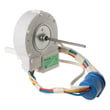
| Fresh food warm, freezer OK | Air not moving to refrigerator side | Motor dc evap fan asm WR60X10307, temperature sensing |
| Heavy frost, warming temps | Defrost system not clearing frost | Refrigerator defrost heater WR51X10055 |
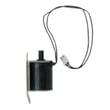
| No water at dispenser, no ice | Water supply not entering unit | Refrigerator water inlet valve WR57X30890 |
| Ice clumps, chute won’t close well | Chute door not sealing or mechanism sticking | Refrigerator dispenser ice chute door kit WR17X11653 |
| Temps inaccurate or erratic | Sensor reading off | GE profile refrigerator temperature sensor WR55X10025 |
Model-specific tips from the manual (ice and dispenser)
The manual notes that items in the ice storage drawer can jam the icemaker or auger, and that a small mound of “snow” on the ice chute door can be normal after repeated crushed-ice use. Keeping the glass close to the opening also helps reduce spills and stray ice.
Why it matters
Cooling and airflow problems can quickly lead to food spoilage, and dispenser or ice maker issues can create leaks, jams, and nuisance messes. A quick symptom check helps you choose the right repair path and the right GE parts the first time.
Last updated: February 2026