 Owner’s manual




Why does my vacuum have power but no suction?
If your Kenmore Elite vacuum cleaner model 11631150310 turns on but has little or no suction, airflow is being blocked or diverted. Start by checking the dust bag and filters, then clear clogs in the hose and clean-out port; the by-pass valve and thermal protector can also change performance when airflow is restricted.
Quick checks that fix most “no suction” problems
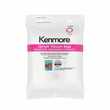
- Replace a full dust bag (a packed bag can look “not full” but still block airflow).
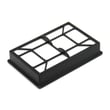
- Check and replace clogged filters, including the exhaust HEPA media filter cartridge.
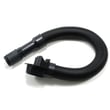
- Inspect the hose, wand, and floor nozzle for a blockage.
- Make sure the suction control is fully closed for maximum suction.
- Listen for a sudden change in sound; that can indicate the by-pass valve is opening due to restricted airflow.
Clear a clog safely (hose and airflow path)
Follow the safety steps and the “Removing clogs” procedure in the 11631150310 owner’s manual.
What we do in order:
- Unplug the vacuum.
- Check the bag and filter areas first.
- Check the clean-out port and extension hose for obstructions.
- Reassemble and test suction again.
When the vacuum runs but the brush stops
This model uses an agitator overload protector: the suction motor can keep running even if the agitator motor shuts off due to a jam. Clear hair, string, or debris from the brush area, then wait at least 20 seconds before pressing the reset.
| Symptom | Most likely cause | What to do |
|---|---|---|
| Motor runs, suction is weak | Clog or full bag | Clear clogs; replace bag |
| Motor runs, suction changes suddenly | By-pass valve opening | Remove restriction; close suction control |
| Motor runs, brush stops | Agitator jam/overload | Clear jam; reset overload |
| Motor shuts off after a while | Thermal protector tripped | Unplug; clear clogs; wait about 50 minutes |
Why it matters
A clog forces the vacuum to pull less air at the nozzle and can trigger the by-pass valve or thermal protectors. Restoring normal airflow protects the suction motor and gets cleaning performance back.
Last updated: January 2026
Are upright vacuums heavy?
Yes. Most upright vacuums feel heavier than stick vacuums because they combine the motor, brushroll area, and dust collection into one larger body. For the Kenmore Elite 11631150310, expect a bulkier, heavier feel that cleans large areas well but can be harder to carry up stairs (see the 11631150310 owner's manual).
What “heavy” usually means for an upright vacuum
Most uprights weigh about 12 to 18 lb, with many models landing around 15 lb. Weight is only part of the story; how the vacuum is balanced and how easily it rolls matters just as much.
Common situations where uprights feel heavy:
- Carrying the vacuum up or down stairs
- Lifting it into a closet or vehicle
- Cleaning tight rooms with lots of furniture
- Using the hose while the vacuum body stays behind you
Tips to make an upright easier to handle
We recommend these habits to reduce strain and improve control:
- Use the handle release pedal to switch between normal and low positions for reach under furniture.
- For above-floor cleaning, return the vacuum to the upright lock position before using the hose.
- Avoid overextending the stretch hose; reaching too far can tip the vacuum.
- Keep airflow strong (replace the bag and clear clogs) so you do not have to “fight” the vacuum.
- Store it with the handle locked upright and wrap the cord loosely to prevent cord damage.
Quick comparison: upright vs. stick
| Feature | Upright vacuum | Stick vacuum |
|---|---|---|
| Typical weight | 12 to 18 lb | 5 to 8 lb |
| Best for | Whole-room carpet and large areas | Quick pickups, small spaces |
| Handling | Rolls well, harder to carry | Easy to carry, smaller cleaning path |
Why it matters
A heavier upright can deliver strong carpet cleaning because it supports a full-size agitator and airflow path, but the tradeoff is portability. If your home has stairs or tight spaces, handling and storage become just as important as suction.
Last updated: January 2026
What is the suction power of the Kenmore Elite vacuum?
The Kenmore Elite upright vacuum model 11631150310 does not list a specific suction-power rating (watts, kPa, or air watts) in the provided Use & Care Guide excerpts; in practice, suction performance is best judged by airflow at the nozzle and whether the vacuum is free of clogs and leaks. See the 11631150310 use & care guide for model-specific operation and troubleshooting details.
How we recommend checking real-world suction on this model
- Confirm the hose is fully seated and not cracked; a leak reduces suction at the wand.
- Check for clogs in the hose, wand, and floor nozzle; clogs can also trigger the thermal protector.
- Empty the bag or dust container (depending on configuration) before testing suction.
- Inspect the brush path and nozzle opening for hair and debris buildup.
- If suction drops and the motor shuts off, let it cool and reset by turning it off and unplugging it.
Common causes of “low suction” (and what to do)
| Symptom | Most likely cause | What to do next |
|---|---|---|
| Weak suction at hose/wand | Hose leak or blockage | Inspect/clear the hose; replace if split using vacuum hose KC84PDWFZV07 |
| Suction fades, then motor stops | Thermal protector tripped from restricted airflow | Remove clogs, allow cool-down, then restart |
| Good suction at hose, poor pickup on carpet | Nozzle restriction or brush path packed | Clear nozzle and brush area; re-test |
Why it matters
Suction “power” numbers can vary by test method, but airflow restrictions are always measurable in the home. Keeping the air path sealed and clear helps the suction motor run cooler, prevents thermal shutoffs, and restores cleaning performance on carpet and hard floors.
Last updated: January 2026
How to change the belt on a Kenmore vacuum?
The Kenmore Elite upright vacuum model 11631150310 uses a beltless brush system, so there is no drive belt to replace. When the brush is not spinning, the fix is cleaning a jam, resetting brush protection, or servicing the brush roll or motorized nozzle components; follow the 11631150310 owner's manual for your model’s access and safety steps.
What to do instead (beltless brush troubleshooting)
- Unplug the vacuum and set it on a stable surface.
- Check the brush roll area for hair, string, or debris; cut and remove buildup.
- Clear clogs in the nozzle opening and air path.
- Confirm the height setting is appropriate for the carpet; too low can stall the brush.
- If your model has a brush on/off switch, make sure it is turned on.
- Inspect the hose for blockages or splits that reduce airflow; replace if damaged (see vacuum hose KC84PDWFZV07).
Quick symptom guide
| Symptom | Most common cause on beltless uprights | What we recommend |
|---|---|---|
| Brush stops while vacuuming | Brush roll jam or overload protection | Clean brush area; let it cool; restart |
| Loud rattling at nozzle | Debris in brush roll or end caps | Remove debris; check end caps for damage |
| Poor pickup with brush running | Clog or air leak | Check nozzle, hose, and dust compartment seating |
| No brush action at all | Switch setting, wiring, or nozzle drive issue | Verify settings; inspect connections; service as needed |
Why it matters
On a beltless design, brush performance depends on a clear brush roll and a healthy nozzle drive system. Keeping the brush area and airflow path clean prevents shutdowns, improves carpet agitation, and protects the motor from overload.
Last updated: January 2026


