 Installation guide
 Owner’s manual
 Error Codes







How do I tell what model Kenmore stove I have?
For Kenmore model 79095302102, the model and serial number are printed on the serial plate on the right side of the oven front frame, typically inside the storage (or warmer) drawer compartment. Pull the drawer out and read the plate before ordering parts or scheduling service.
Where to look on a Kenmore range
Check these common locations in this order:
- Inside the storage or warmer drawer opening (right side of the front frame)
- Behind the lower panel (on some versions of this range)
- On the back of the range near the power cord entry
- Along the oven door frame area (near the front frame)
For the exact placement illustration and wording, use the 79095302102 owner's manual.
What to write down (and why)
The serial plate information helps us match the correct parts and electrical requirements.
- Model number (example: 79095302102)
- Serial number
- Lot number or letter (often printed near the serial)
- Voltage and kilowatt rating (useful for installation and power-supply checks)
Quick reference table
| Item on serial plate | What it’s used for |
|---|---|
| Model number | Correct parts lookup and diagrams |
| Serial number | Version tracking and service history |
| Lot number/letter | Confirms production run details |
| Voltage/kW rating | Confirms power requirements for safe installation |
Tips for reading the plate
- Use a flashlight and take a photo so you can zoom in.
- Copy the model number exactly; Kenmore numbers are long and a single digit matters.
- If the drawer is hard to move, remove items and pull straight out to avoid binding.
Why it matters
Kenmore ranges can look similar across multiple series, but parts like a bake element, control overlay, or surface element switch can vary by model and production run. Using the serial plate details prevents ordering the wrong replacement part.
Last updated: February 2026
What causes a Kenmore oven to stop working?
On a Kenmore 79095302102 electric range, an oven that “stops working” is usually caused by a power interruption, a control fault (often accompanied by beeping and an F-code), or a failed heating circuit component such as the bake element, broil element, or temperature sensor. Use the 79095302102 owner's manual to match symptoms to the correct checks.
Most common causes (and what you’ll notice)
- No power to the range: display is blank, no heat, no lights; check the house breaker and power cord connection.
- Control detected a fault: control beeps continuously; some versions show F1, F3, or F9.
- Failed bake heating circuit: oven won’t heat or heats poorly; baking results are inconsistent.
- Failed broil heating circuit: broil won’t heat; top browning does not happen.
- Bad temperature sensor: oven temperature is inaccurate or the control may stop a cycle.
Quick checks we recommend first
- Confirm power is stable: the manual warns not to operate the range during a power failure; if power returns, reset the clock and oven function.
- Look for error behavior: if the control beeps continuously, press CANCEL to stop the beeping, then try programming Bake again.
- Test a different function: try Bake vs. Broil to narrow the issue to one heating element.
Parts that commonly fix “no heat” symptoms
| Symptom | Likely part to check | Example part for this model |
|---|---|---|
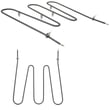
| Bake won’t heat | Bake element | Frigidaire range bake element 316202200 |
| Broil won’t heat | Broil element | Frigidaire range broil element 316203301 |
| Temp swings, odd shutoffs | Temperature sensor | Oven probe 316233903 |
Why it matters
When the electronic control senses a fault, it can stop operation to protect the oven circuits. Separately, a weak or open heating element can make the oven seem “dead” even though the display and controls still work.
Last updated: February 2026
How do I reset my Kenmore Elite electric oven?
For the Kenmore electric range model 79095302102, the most reliable “reset” is a power reset: turn the oven off, cut power for a few minutes, then restore power and reset the clock and any oven functions per the 79095302102 owner's manual.
Quick reset options (what to try first)
- Cancel the current cycle: press CANCEL/OFF to stop Bake, Broil, or Self-Clean.
- Power reset (recommended): switch the range breaker OFF for 3 to 5 minutes, then back ON.
- Reset after a power outage: once power is restored, reset the clock and oven function.
- Clear a locked control/door: use the oven lockout feature (see below).
If the oven says “LOC” or the door is locked
Your control can lock the oven door and inactivate the oven controls.
- To turn on lockout: press and hold the oven lock pad for 3 seconds until “LOC” appears; allow about 15 seconds for the door to lock.
- To cancel lockout: press and hold the oven lock pad for 3 seconds to unlock and resume normal operation.
If you just ran Self-Clean, let the oven cool; the door typically stays locked until it cools down.
What “reset” does (and does not) change
| Reset method | What it fixes | What it won’t fix |
|---|---|---|
| CANCEL/OFF | Stops a cooking cycle | Power issues, failed parts |
| Breaker OFF 3 to 5 min | Clears many control glitches | Heating problems from a bad element/sensor |
| Lockout cancel | Restores keypad operation | Door lock motor failures |
Why it matters
A power reset clears many temporary control-board glitches, but it also confirms whether the issue is a simple control state (lockout, interrupted cycle) versus a hardware problem like a failed bake element or temperature sensor.
If the oven still will not heat after resetting, common suspects include the bake element (frigidaire range bake element 316202200) or the temperature sensor (oven probe 316233903).
Last updated: February 2026






