 Installation guide
 Owner’s manual
 Error Codes





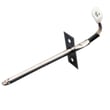





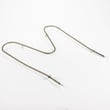

Where is the model number on my Kenmore electric stove?
On Kenmore electric range model 79091313013, the model and serial information is printed on an identification plate on the oven frame. The most common place to find it is behind the storage drawer on the lower right front frame.
We recommend checking these locations in this order:
- Open the storage drawer and look at the lower right oven frame (most common)
- Check the lower right front frame of the appliance (same area, different wording in some guides)
- Look under the cooktop (alternate serial plate location on some units)
- If your range has a bottom drawer, check the frame area behind it again with a flashlight
- Pull the storage drawer out fully.
- Shine a flashlight along the lower right front frame.
- Look for a sticker or metal plate with MODEL and SERIAL.
- Write the model number exactly as shown (for example, 79091313013).
| Item on the plate | What it’s used for |
|---|---|
| Model number | Matching parts and diagrams |
| Serial number | Identifying production details for service |
| Electrical ratings | Confirming power requirements |
We use the model number to match the correct Kenmore range parts for your exact configuration (surface elements, bake element, control board, and wiring). Using the full model number helps avoid ordering a similar-looking part that will not fit.
For the official location notes and diagrams, use the 79091313013 owner’s manual and the 79091313013 installation guide.
Last updated: January 2026
How do I reset my Kenmore electric range?
To reset your Kenmore electric range model 79091313013, turn the range off, then disconnect power at the circuit breaker (or unplug it) for about 1 minute and restore power. After power returns, reset the clock and reselect your oven function as needed (per the 79091313013 owner's manual).
- Turn all surface elements and the oven off.
- Unplug the range or switch the range breaker OFF.
- Wait about 60 seconds.
- Restore power (plug back in or switch breaker ON).
- Reset the clock and any cooking settings.
These checks help confirm the range is actually getting full power.
- Confirm the breaker is fully reset (OFF, then ON).
- Check that the power cord is firmly seated (if your installation uses a cord).
- If you recently moved or installed the range, verify the power cord wiring is correct and the rear cover is installed (see the 79091313013 installation guide).
- If the oven heats incorrectly after a reset, the temperature sensor or control may need attention.
| Action | What it affects | What to expect |
|---|---|---|
| Power cycle reset | Electronic control and display | Clears many temporary glitches; clock resets |
| Turning knobs/buttons off | Cooking functions only | Does not reset the control board |
| Breaker reset after outage | Safety and operation | Range can resume operation if left on; always turn it off first |
A power-cycle reset is the safest first step for control-panel glitches, error beeps, or unresponsive buttons. It also matches the manual guidance to disconnect power at the breaker or fuse box in an emergency and to reset the clock and oven function after power is restored.
Last updated: January 2026
What does F13 mean on a Kenmore stove?
On the Kenmore electric range model 79091313013, an F13 code points to an electronic control communication problem (the keypad/display and the oven control are not “talking” correctly). A power interruption or failing control component can trigger it; resetting power is the first step.
- Turn the range OFF at the breaker for 2 to 5 minutes, then restore power.
- If the code returns immediately, avoid using Bake or Broil until the issue is corrected.
- If the oven was recently cleaned or exposed to heavy steam, let the control area dry and retry.
- Check that the clock and basic keys respond normally after the reset.
- Review any model-specific display messages and operating steps in the 79091313013 owner’s manual.
In most Kenmore ranges, F13 is caused by a problem in the control system, such as a failing oven control board, a failing keypad/touch interface, or a loose wiring connection between them.
| Symptom | Most likely area | Typical next step |
|---|---|---|
| F13 comes back right after reset | Control electronics | Inspect connections; test/replace control as needed |
| Some keys do not respond | Keypad/display interface | Check ribbon/connector; replace interface if defective |
| Oven heats erratically before F13 | Temperature feedback/control | Check sensor circuit; consider range oven temperature sensor 316233903 |
When the control cannot communicate reliably, the range may stop heating, overheat, or behave unpredictably. Addressing an F13 code quickly helps protect cooking performance and prevents repeated shutdowns.
Last updated: January 2026






