 Error Codes




How do I reset my Kenmore Elite electric oven?
To reset a Kenmore electric range like model 91195499301, we recommend doing a power reset first (it clears most control glitches). If the control is still unresponsive or shows error behavior afterward, the issue is often in the electronic control or a related wiring connection.
Quick reset steps (recommended)
- Turn the range OFF.
- Unplug the power cord, or switch OFF the range breaker.
- Wait 2 to 5 minutes.
- Restore power.
- Set the clock, then test Bake and Broil.
If the keypad is still acting up
These checks help narrow down whether you have a control problem or a heating problem:
- If the display is blank or buttons do nothing, inspect the power supply and connections at the terminal block; a loose or burned connection can cause intermittent resets.
- If the oven runs but will not heat, test Bake and Broil separately; a failed element can look like a “control” issue.
- If the oven light works but the control is erratic, the electronic control is a common suspect.
| Symptom after reset | Most likely area to check | Related part for this model |
|---|---|---|
| Dead display, random resets | Power connection at rear | Range terminal block WB17T10011 |
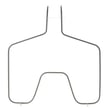
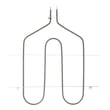
| No bake heat, broil works | Bake circuit | G.e. range bake element WB44T10010 |
| No broil heat, bake works | Broil circuit | Range broil element WB44T10009 |
| Buttons beep but functions fail | Electronic control | Oven control WB27X45466 |
Why it matters
A reset clears temporary electronic faults, but repeated lockups usually point to a failing control board, a weak power connection, or a heating circuit problem. Fixing the root cause prevents nuisance shutdowns and uneven cooking.
Last updated: February 2026
How to replace Kenmore Range oven control board?
To replace the oven control board on Kenmore range model 91195499301, we disconnect power, access the control panel, label and transfer each wire (and any ribbon connector) to the new board, then reassemble and test bake and broil. Use the exact replacement oven control WB27X45466 for proper fit and function.
Before you start (safety and prep)
- Turn off the range at the circuit breaker (240V); confirm the display is dark.
- Let the oven cool completely.
- Protect the cooktop and floor with a towel or cardboard.
- Take clear photos of every connector before removal.
- If wiring insulation is brittle or terminals are heat-damaged, replace the damaged connector before restoring power.
Replacement steps (typical for this style of control)
- Shut off power at the breaker.
- Access the control: remove the rear control cover or backguard panel screws (location varies by design).
- Label wires: tag each harness connector so it returns to the same terminal.
- Disconnect connectors:
- Pull spade connectors straight off (use needle-nose pliers on the connector, not the wire).
- Release any locking tabs on multi-pin plugs.
- For a ribbon cable, unlock the connector (if present), slide the ribbon out, then re-seat it fully on the new board.
- Remove the board: take out mounting screws and transfer any overlay or mounting brackets if required.
- Install the new board: mount it securely, then reconnect all plugs and wires exactly as photographed.
- Reassemble and restore power.
- Test: set Bake to 350°F and verify heating; then test Broil and confirm the display responds normally.
Quick troubleshooting after installation
- No display: check breaker, terminal block connections, and harness plugs.
- Oven heats but temps are off: allow a full preheat cycle; verify the bake element glows evenly.
- Error code returns: recheck ribbon seating and connector alignment; then reference Kenmore glass touch module electric range error codes.
What you’ll handle (at a glance)
| Task | What to do | Common mistake to avoid |
|---|---|---|
| Wire transfer | Move one connector at a time | Mixing up similar plugs |
| Ribbon cable (if used) | Fully seat and lock it | Partially inserted ribbon |
| Reassembly | Reinstall covers and screws | Pinching a harness |
Why it matters
The oven control board manages bake, broil, and temperature regulation. Correct wire placement and secure connectors prevent no-heat symptoms, error codes, and intermittent operation.
Last updated: February 2026
Where can I find my Kenmore electric range model number?
You can find the model number for your Kenmore electric range on the appliance’s rating label; on model 91195499301, it’s most often on the oven frame behind the door, or on the frame behind the storage drawer. Use the full model number when ordering parts or troubleshooting.
Most common model number label locations
Check these spots in this order:
- Oven door area: Open the oven door and look along the door jamb (the frame around the opening).
- Storage drawer area: Pull the bottom drawer out and look on the frame behind the drawer.
- Back panel: Look on the rear of the range near the power cord area.
- Side frame: Check the side of the unit behind the lower access area.
- Under the cooktop (less common): Some ranges place the label under the lift-up top.
What the label looks like (and what to write down)
We recommend copying the information exactly as shown.
- Model number (example: 91195499301)
- Serial number
- Electrical rating (volts/amps)
- Sometimes a manufacturing date code
Quick checklist
| Item | Why it matters | Example |
|---|---|---|
| Model number | Ensures correct part fit | 91195499301 |
| Serial number | Helps match production version | Varies |
| Electrical rating | Helps confirm power requirements | Varies |
Why it matters
Kenmore ranges often have multiple versions that look similar. Using the exact model number helps us match the correct bake element, broil element, control, or surface element parts for your range.
Related parts you might be shopping for
If you’re already diagnosing a problem, these are common replacements for this model family:
Last updated: February 2026
What causes a Kenmore oven to stop working?
On a Kenmore electric range like model 91195499301, an oven that “stops working” is usually caused by a loss of power to the range, a failed heating circuit (bake or broil), or a control problem that prevents the oven from turning on. Start by confirming the range has full 240V power, then check the heating elements and controls.
Quick checks we recommend first
- Verify the range is plugged in and the cord is secure at the terminal block area.
- Reset the double-pole breaker (turn it fully OFF, then ON).
- Test Broil and Bake separately; one mode working often points to a single failed element.
- If the oven light is out, replace the bulb to improve visibility while diagnosing (it does not fix heating).
- If the display is blank or unresponsive, suspect the control.
Most common failed parts on electric ranges
If power is good but the oven will not heat, these are the most frequent causes:
| Symptom | Most likely cause | Part to consider (if applicable) |
|---|---|---|
| No heat on Bake, Broil works | Failed bake element | G.e. range bake element WB44T10010 |
| No heat on Broil, Bake works | Failed broil element | Range broil element WB44T10009 |
| Oven dead or erratic controls | Failed electronic control | Oven control WB27X45466 |
| Oven light out only | Burned-out bulb or socket | Range oven light bulb 40A15 or range light socket WB08T10026 |
Why it matters
An electric oven needs both legs of 240V power plus a working control and heating circuit. If one leg of power is lost (tripped breaker, loose connection), the cooktop or lights may still work while the oven will not heat, which makes the problem look confusing.
When to stop and get service
- You smell burning insulation, see arcing, or find melted wiring near the power connection.
- The breaker trips repeatedly when you start Bake or Broil.
- The control panel shows error behavior; use a Kenmore range error code reference such as Kenmore 665 freestanding range error codes to narrow the failure.
Last updated: February 2026
Why is my Kenmore electric oven not getting hot?
If your Kenmore electric range model 91195499301 isn’t getting hot, the most common causes are a failed bake element, a problem in the broil circuit, or a control or wiring issue that prevents full voltage from reaching the heating elements.
Quick checks we recommend first
- Confirm the oven is set to Bake (not Delay Start or Sabbath mode, if equipped).
- Make sure the range has 240 VAC supply (a tripped double breaker can leave you with 120 VAC, so lights work but heat does not).
- Look for visible damage: blisters, cracks, or holes on the lower element.
- Try Broil for 2 to 3 minutes; note whether the top element glows.
- If the display is showing an error, use a Kenmore range error code reference such as Kenmore 2014-model self-cleaning electric range error codes.
Parts that commonly cause “no heat”
Heating elements
If Bake doesn’t heat, the lower element is the first suspect. If Broil also fails, power, wiring, or control is more likely.
- G.e. range bake element WB44T10010 (lower oven heat)
- Range broil element WB44T10009 (upper oven heat)
Control and power connection
If elements test good but never energize, the control or power connection can be the issue.
- Oven control WB27X45466 (sends power to heating circuits)
- Range terminal block WB17T10011 (where the power cord connects; overheating here can interrupt power)
What to test (basic DIY diagnostics)
| What you observe | Most likely issue | What to do next |
|---|---|---|
| Bake element never glows, broil works | Bake element failed | Replace the bake element |
| Bake and broil both dead, clock works | Lost 240 VAC (breaker/cord/terminal block) | Check breaker, cord, terminal block |
| Intermittent heat, odd temps | Control or wiring problem | Inspect wiring, consider control replacement |
Why it matters
An electric oven needs full 240 VAC to heat properly. A single failed leg of power, a burned terminal block, or a failed element can stop heating completely while the range still appears to have power.
Last updated: February 2026




