 Error Codes




Where can I find my Hotpoint stove model number?
You can find the model number on your Hotpoint free standing electric range by checking the appliance’s rating label, which is usually on the oven frame behind the storage drawer or on the door frame area. For this parts page, the model is RB525.
Common places to check on a Hotpoint range
Look in these spots first (power off the range if you need to move it or remove panels):
- Behind the storage drawer: pull the drawer out and look on the frame
- Along the oven door frame: open the oven door and check the front frame
- On the back panel: label near the power cord entry area
- Under the cooktop edge (less common): lift-up cooktops may have a label underneath
How to use the model number (and why it matters)
The model number narrows parts down to the exact configuration (burner size, bake element style, wiring, and mounting). That prevents ordering a surface element or bake element that looks similar but will not fit.
Examples of parts that depend on the correct model
| Part type | What the model number helps match | Example part on this page |
|---|---|---|
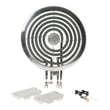
| Surface element (coil) | Diameter, terminal style, wattage | Range coil surface element assembly, 8-in WB30X354 |
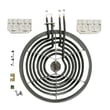
| Surface element (coil) | Diameter, terminal style, wattage | Range coil surface element, 6-in WB30X356 |
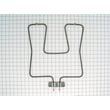
| Oven bake element | Shape, mounting bracket, terminals | Range bake element WB44X5043 |
Quick tips to avoid mix-ups
- Copy the model number exactly as printed (letters and numbers)
- If there is a serial number, record it too (it helps identify production variations)
- If the label is worn, take a clear photo and zoom in to confirm characters
- Use our guide: how to find your appliance model number (and what it means for parts)
Why it matters: Using the correct Hotpoint model number helps us match the right Range parts the first time, especially for electrical items like a bake element or coil surface element.
Last updated: February 2026
Why won't my Hotpoint electric oven heat up?
If your Hotpoint RB525 electric range oven will not heat, the most common causes are a failed bake element, a bad oven temperature sensor, or a wiring or control problem that is not sending power to the element. Start by checking the bake element and its connections.
Quick checks we recommend first
- Confirm you are using Bake (not Broil) and the oven is fully closed.
- Check for a tripped breaker; many electric ranges use a 2-pole breaker and can lose one leg of power.
- Look for visible damage: blisters, cracks, or a burned spot on the bake element.
- If broil works but bake does not, the bake circuit is the focus.
- If neither bake nor broil heats, suspect power supply, wiring, or control.
Parts most often involved
For RB525, the bake heater is a common failure item. If it is open (no continuity), replacement is the fix.
| Symptom | Most likely cause | What to do next |
|---|---|---|
| Bake does not heat; broil heats | Bake element failed | Test and replace the range bake element WB44X5043 |
| Bake heats weakly or unevenly | Element partially failed or poor connection | Inspect terminals, tighten/repair wiring, retest |
| Neither bake nor broil heats | Power issue or control not sending voltage | Check breaker, then test for voltage at elements |
How we test the bake element (safe, practical approach)
- Shut off power at the breaker.
- Remove the element mounting screws and gently pull the element forward.
- Inspect the wire terminals for burned connectors or loose fit.
- Use a meter to check continuity across the element terminals.
If the element shows no continuity, replacing the range bake element WB44X5043 restores heat in most cases.
Why it matters
An oven that will not heat is usually a simple circuit problem (element, connection, or sensor). Checking the bake element first prevents unnecessary control or wiring work and gets your Hotpoint range back to normal baking temperatures faster.
Last updated: February 2026
How to reset Hotpoint electric oven?
To reset a Hotpoint electric oven like model RB525, we reset power to clear a stuck control or clock issue: turn the range off at the breaker (or unplug it), wait about 1 minute, then restore power and set the clock. This restores normal operation in most cases.
Quick reset steps (power reset)
- Turn OFF the range circuit breaker (typically a 240V double breaker), or unplug the cord if accessible.
- Wait 60 seconds (a full minute helps the control fully discharge).
- Turn the breaker ON (or plug back in).
- Set the clock and try Bake again.
- If the display is blank or the oven still will not heat, stop and troubleshoot before repeated resets.
If the oven still will not heat after a reset
A reset will not fix a failed heating circuit. On an electric range, the most common causes are a bad bake element, a loose/burned wire connection, or a failed control/thermostat.
What to check first
- Look for visible damage on the bake element (blisters, cracks, holes).
- Confirm the oven is getting full power (a partial power loss can leave lights working but no heat).
- Inspect wiring at the element terminals for overheating or looseness.
- Test the bake element for continuity with a multimeter.
| Symptom | Most likely cause | What usually fixes it |
|---|---|---|
| Oven will not bake, broil may still work | Failed bake element | Replace the range bake element WB44X5043 |
| Display resets but heat never starts | Wiring or control issue | Check wiring, then test control outputs |
| Surface burners work, oven dead | Power supply or control | Verify breaker, terminal block, control |
Why it matters
Resetting power clears minor electronic glitches, but consistent no-heat problems point to a component failure. Replacing a failed bake element restores proper temperature control and prevents long preheat times and uneven baking.
Last updated: February 2026
Why is my Hotpoint oven not turning on?
If your Hotpoint RB525 electric range oven is not turning on, the most common causes are a tripped breaker, a failed bake heating circuit, or a wiring or control problem. Start with power checks, then test the heating components and connections safely.
Quick checks first (no tools)
- Confirm the range has power (clock or indicator lights on).
- Check the house breaker: ranges typically use a 240V double-pole breaker; reset it fully OFF then ON.
- Make sure the oven is not in a delayed start or timed mode.
- Try both Bake and Broil; if neither works, suspect power, control, or wiring.
- If the cooktop works but the oven does not, focus on the oven heating circuit.
What to test next (with power off)
Turn off the breaker before opening panels or touching wiring.
- Inspect the bake element for blisters, cracks, or burn spots.
- Check element terminals for loose, overheated, or broken wires.
- If you have a multimeter, test the bake element for continuity.
- Look for a burned wire at the rear terminal block where the power cord connects.
Helpful DIY references:
Parts that commonly fix “oven won’t turn on”
On Hotpoint RB525 ranges, a failed bake element is a frequent cause of no-heat or an oven that seems dead during Bake.
| Symptom | Most likely area | What to do |
|---|---|---|
| No heat on Bake, broil may still work | Bake heating circuit | Inspect and test the range bake element WB44X5043 |
| Oven works sometimes, then stops | Loose/burned connection | Tighten/repair wiring at element and terminal block |
| Neither Bake nor Broil works | Power, control, or wiring | Verify 240V supply and check for burned wires |
Why it matters
An electric oven needs full 240V power and an intact heating circuit. A weak connection or failed heating element can stop the oven from heating and can also overheat wiring, creating repeat failures if not corrected.
Last updated: February 2026




