 Error Codes




How do you reset a Kenmore electric stove?
To reset your Kenmore electric range model 6289467910, we recommend doing a hard power reset: shut off power at the breaker (or unplug the range) for 1 minute, then restore power. This clears many control glitches and can restore normal oven and surface operation.
Safe reset steps (hard power reset)
- Turn OFF the range circuit breaker (or unplug the power cord if accessible).
- Wait 60 seconds (a full minute is best).
- Turn the breaker ON (or plug the cord back in).
- Set the clock if needed; some ranges default to flashing time after a reset.
- Test a surface burner and the oven Bake function.
If the range still will not heat after resetting
A reset fixes software-like glitches; it will not fix a failed heating circuit. Check these common causes next:
- A tripped breaker that will not fully reset (double-pole breakers can trip on one side).
- Loose or burned wiring at the power connection; inspect the terminal block 5304409888 area for heat damage (power off first).
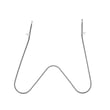
- A failed oven bake element; if the oven will not bake but broil works, the bake unit 5303051519 is a common suspect.
- A failed oven function control; if modes do not switch correctly, the selector switch 5301314788 can be involved.
Quick symptom guide
| Symptom | Most likely direction | What we do next |
|---|---|---|
| Display is blank, nothing works | Power supply issue | Check breaker, cord, terminal block wiring |
| Surface burners work, oven will not bake | Bake heating circuit | Inspect bake element for blisters or breaks |
| Oven heats sometimes, then stops | Connection or control issue | Check terminal block, then selector switch |
Why it matters
Resetting is the fastest way to clear a stuck control state after a power flicker or keypad glitch. If heat still fails afterward, focusing on the power connection, bake element, and selector switch helps you avoid replacing the wrong part.
Last updated: February 2026
What causes a Kenmore oven to stop working?
When a Kenmore 6289467910 electric range oven stops working, the most common causes are a failed heating element, a power supply problem (tripped breaker or loose connection), or a control issue such as a selector switch failure. Start by confirming the range has full power, then check the bake circuit.
Quick checks we recommend first
- Verify the range is getting 240 volts (many ovens will light up on 120V but will not heat).
- Reset both sides of the double breaker (OFF, then ON).
- If the display works but there is no heat, test Bake and Broil separately.
- Look for obvious damage: burned wiring, melted terminals, or a scorched connector.
- If the oven heats sometimes, suspect a failing switch or loose connection.
Most likely failed parts (electric range)
For model 6289467910, these parts commonly relate to “stopped working” symptoms:
- No bake heat: Bake unit 5303051519
- Intermittent operation or no function selection: Selector switch 5301314788
- Dead range, burning smell, or power cord connection issue: Terminal block 5304409888
Symptom-to-cause guide
| What you notice | Most common cause | What to do next |
|---|---|---|
| Oven will not heat, burners may still work | Failed bake element | Inspect and ohm-test the bake element |
| Display works, but Bake/Broil do nothing | Selector switch or control issue | Check switch output and wiring connections |
| Range seems completely dead or trips breaker | Terminal block or supply wiring | Inspect terminal block and cord connections |
| Heats unevenly or takes too long | Weak element or poor connection | Check element condition and tightness of terminals |
Why it matters
An oven can appear “on” while still lacking the 240V needed to heat. Catching a loose terminal block connection early also prevents overheating at the power cord connection point.
Last updated: February 2026
Where is the model number on a Kenmore electric range?
On a Kenmore electric range like model 6289467910, the model number is printed on a rating label that’s usually visible when you open the oven door or pull out the lower drawer. We use that exact model number to match the correct Kenmore parts and diagrams.
Most common places to check
- Open the oven door and look along the door frame (door jamb) on the left or right side
- Check the front frame just below the oven cavity opening
- Pull out the storage or warming drawer and look on the frame behind it
- Look on the back panel of the range (often near the power cord area)
- Check the side panel near the lower front edge
Quick tips to find it faster
- Use a flashlight; the label is often silver and can be hard to read
- Wipe grease and dust off the label gently so the numbers are clear
- Write down the full model number exactly as shown (including any extra digits)
- If the label is worn, take a close-up photo and zoom in
What the label usually includes
| Label item | What it’s used for |
|---|---|
| Model number | Identifies the exact range design and parts list |
| Serial number | Helps date the unit and confirm production version |
| Electrical rating | Confirms voltage and amperage requirements |
Why it matters
Kenmore ranges can look identical but use different bake elements, selector switches, or terminal blocks depending on the model. Using the correct model number helps us match parts like the bake unit 5303051519 the first time.
Last updated: February 2026
Why is my Kenmore electric oven not getting hot?
If your Kenmore electric range model 6289467910 oven is not getting hot, the most common causes are a failed bake element, a control or selector issue, or a power supply problem that leaves the oven with only partial voltage. Start with the bake element and basic power checks.
Quick checks we recommend first
- Confirm the oven is set to Bake (not Broil) and the temperature is above 300°F.
- Check the house breaker: many ranges use a double-pole breaker; a half-tripped breaker can leave the oven underpowered.
- If the cooktop works but the oven does not, suspect an oven heating circuit issue (element, selector, wiring, control).
- Look for an error code on the display; use Kenmore 790 range 4-digit error codes if your control shows a 4-digit fault.
- Inspect the bake element for blisters, cracks, or a burned spot.
Most likely failed part: bake element
A bad bake element can prevent the oven from heating at all, or it can heat very slowly.
- Unplug the range or shut off the breaker before inspecting.
- If the element is visibly damaged, replace it.
- If it looks normal, a continuity test with a multimeter often confirms failure.
Model-matched part to check: Bake unit 5303051519
Other common causes (and what they look like)
| Symptom | Likely cause | What to check next |
|---|---|---|
| Oven will not heat on Bake or Broil | Power supply issue | Breaker, cord, and wiring at the terminal block |
| Bake does not heat but Broil works | Bake circuit failure | Bake element, wiring, selector/control |
| Oven heats inconsistently | Control/selector issue | Oven selector switch contacts and harness connections |
| Display works but no heat | Control not sending power | Selector switch, control, and element wiring |
If you suspect a wiring connection problem where the power cord attaches, inspect the terminal block 5304409888 for heat damage (melted plastic, discoloration, loose lugs).
Why it matters
An electric oven needs full, stable power and a working heating circuit to reach and hold temperature. Catching a weak connection or failed element early prevents repeated no-heat problems and reduces the chance of further wiring damage.
Last updated: February 2026




