Installation guide
 Owner’s manual
 Error Codes



How to remove bottom grille on GE refrigerator?
On the GE GFE29HGDEBB bottom-mount refrigerator, the bottom grille (base grille) typically comes off by releasing its retaining tabs or removing a couple of screws (model variations exist). Once released, pull the grille straight out from the bottom front of the cabinet. Confirm the exact fastener locations in the installation guide.
Quick steps to remove the bottom grille
- Unplug the refrigerator or switch it off at the control (recommended before working near wiring).
- Pull the refrigerator slightly forward if you need better access; raise the front leveling legs first to protect flooring.
- Look along the top edge and corners of the grille for screws; remove them if present.
- If there are no screws, press in on the grille’s locking tabs (usually near the ends) and pull the grille outward.
- Tilt the grille slightly and lift it away from the base.
- Set the grille aside where it will not get stepped on or warped.
Reinstalling the grille
Reinstall is the reverse of removal: align the grille with the base openings, engage the tabs, then reinstall any screws.
What to check if it will not come off
- Hidden screws: Some versions use screws at the ends or along the top edge.
- Stuck tabs: Press tabs firmly while pulling straight out (avoid twisting).
- Refrigerator not level: If the cabinet is tight to the floor, raising the leveling legs can create clearance.
Why it matters
Removing the bottom grille gives access for basic care tasks (like safely moving the refrigerator straight out for cleaning behind it) and can help with airflow and cleaning around the base area.
Helpful reference
| Task | Best practice | Why |
|---|---|---|
| Pulling unit out | Raise leveling legs, pull straight out | Helps prevent floor damage |
| Grille handling | Pull straight, avoid bending | Prevents broken tabs and poor fit |
Last updated: February 2026
What is the most common problem with GE refrigerators?
Cooling problems are the most common issue we see with GE refrigerators, including the GE GFE29HGDEBB. Symptoms usually show up as warm fresh food, soft ice, or temperature swings; the root cause is often restricted airflow, frost buildup from a defrost problem, or a failing fan or control component.
What to check first (fast, no-parts steps)
- Confirm the temperature settings; most households do best around 37°F for fresh food and 0°F for freezer.
- Make sure vents inside the compartments are not blocked by food packages.
- Listen for normal operating sounds; newer high-efficiency compressors can hum or run longer than older units.
- Clean dust from the condenser area (restricted heat release can cause poor cooling).
- Check that doors close fully and seals are making full contact.
Common causes and the parts that often fix them
If basic checks do not restore cooling, these are the most frequent repair paths on this style of GE bottom-mount refrigerator:
| Symptom | Likely cause | Common related part on this model |
|---|---|---|
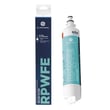
| Fresh food warm, freezer OK | Weak airflow in fresh food section | Refrigerator fan motor assembly WR60X26866 |
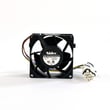
| Frost buildup, warming over time | Defrost system not clearing ice | Refrigerator defrost heater WR51X10132 |
| Temps fluctuate, odd readings | Sensor reporting wrong temperature | Refrigerator temperature sensor WR55X10025 |
| Random cooling issues or no response | Control not driving fans/defrost correctly | Refrigerator main board assembly WR55X46805 |
Why it matters
A refrigerator that cannot move air across the evaporator or cannot defrost on schedule will slowly lose cooling capacity. Catching it early helps prevent food spoilage and reduces strain on the compressor and sealed system.
When an error code or alarm is involved
If you are seeing a code or persistent beeping, use the troubleshooting and diagnostic steps in the owner's manual. For code definitions and common fixes, we also use the GE refrigerator error codes guide to narrow the problem to a fan, sensor, defrost circuit, or control.
Last updated: February 2026
How to remove the bottom drawer of a GE refrigerator?
On the GE GFE29HGDEBB bottom-mount refrigerator, you remove the bottom freezer drawer by opening the freezer door fully, then lifting the basket or bin up at the rear and rotating it upward to lift it out. Use the steps in the installation guide for your exact drawer configuration.
Steps to remove the bottom freezer drawer and basket
- Open the freezer door to the stop position.
- Remove the freezer door bin (if equipped): push in the plastic tab on either the left or right side to release it.
- Remove the freezer basket:
- Lift up the rear of the basket.
- Move the basket rearward until the front can be rotated upward.
- Rotate the basket up and lift it out.
If you are removing a fresh food drawer (not the freezer drawer)
Some customers mean the deli or produce drawer in the fresh food section. For that style of drawer:
- Pull the drawer out to the stop position
- Lift the front of the drawer up and out
- To reinstall, extend both slides fully, set the drawer back in, rotate the front down to seat, then push closed
Quick checks before you pull the drawer
- Remove heavy items first to prevent cracking the basket or rails.
- Pull straight out to the stop; do not force past the stop.
- Watch for an ice bucket or utility bin that must be removed first.
- If the drawer feels stuck, check for ice buildup along the rails or basket edges.
What typically comes out first (and why)
| Component | How it releases | Why remove it first |
|---|---|---|
| Freezer door bin | Push plastic tab left or right | Clears access to basket removal steps |
| Freezer basket | Lift rear, rotate up, lift out | Lets you reach the drawer/rail area safely |
| Utility bin/ice bucket (if equipped) | Push tab, slide out until it unlocks | Prevents binding and broken tabs |
Why it matters
Removing the basket and drawer the right way prevents broken hinge pins, cracked plastic tabs, and bent slide rails, which can cause the freezer door to not close tightly and lead to frost buildup.
Last updated: February 2026
How to order GE appliance parts?
For your GE GFE29HGDEBB bottom-mount refrigerator, we recommend ordering replacement parts by using the model-specific parts list for GFE29HGDEBB so you get the correct fit and electrical match. Your owner's manual also lists key part and accessory guidance for this refrigerator.
The fastest way to order the right part
- Confirm the full model number: GFE29HGDEBB (from the rating label inside the fresh food section)
- Identify the part by symptom and location (fresh food section, freezer, dispenser)
- Match the part name and part ID before you buy
- Order from the model parts list so you avoid look-alike parts
- Keep your serial number handy in case you need to confirm a production change
Common parts customers order for this model
If you are ordering for a specific problem, these are frequently replaced items shown for GFE29HGDEBB:
- Cooling issues: refrigerator fan motor assembly WR60X26866
- Temperature swings or error symptoms: refrigerator temperature sensor WR55X10025
- No ice: refrigerator ice maker assembly WR30X28731
- Water not dispensing or slow fill: refrigerator water inlet valve assembly WR55X11128
- Frost buildup: refrigerator defrost heater WR51X10132
Quick “symptom to part” guide
| Symptom | What to check first | Part example for GFE29HGDEBB |
|---|---|---|
| Warm fresh food, freezer OK | Evaporator fan airflow | WR60X26866 |
| No ice production | Ice maker, fill water supply | WR30X28731 |
| No water at dispenser | Inlet valve, filter head | WR55X11128, WR02X13684 |
| Frost on back wall | Defrost system | WR51X10132 |
Why it matters
Ordering by the exact model number (GFE29HGDEBB) helps ensure the part matches your refrigerator’s wiring, connectors, and revision level. That is especially important for control parts such as a main board, user interface, sensors, and fan motors.
Last updated: February 2026
How do I find the right GE part number?
For your GE GFE29HGDEBB bottom-mount refrigerator, the fastest way to get the right GE part number is to match the model number from the ID label inside the fresh food compartment, then use the parts diagrams and part listings for that exact model to confirm fit.
Where to find the model and serial label
The model and serial numbers are on a label on the left side, near the middle of the refrigerator compartment. Use that exact model number (GFE29HGDEBB) when searching parts so you get the correct revision and compatible components. See the owner's manual for the label location and model identification details.
How we recommend matching the correct part
Use this checklist to avoid ordering the wrong item:
- Confirm the full model number is GFE29HGDEBB (not just “GFE29”).
- Identify the failed system first (cooling, ice maker, lighting, water, door seal).
- Use the model’s exploded-view diagrams to match the part by shape and location.
- Cross-check the part name and part ID before ordering.
- If multiple similar parts appear, compare where each one installs (fresh food section vs freezer section).
Common examples for this model
These are examples of parts customers often look up by symptom:
| Symptom | Part type to look up | Example part on this model |
|---|---|---|
| Warm refrigerator section | Temperature sensing or airflow | Refrigerator temperature sensor WR55X10025 |
| Noisy or weak airflow | Evaporator fan motor | Refrigerator fan motor assembly WR60X26866 |
| Ice maker not producing | Ice maker assembly | Refrigerator ice maker assembly WR30X28731 |
| Frost buildup, poor cooling | Defrost heater | Refrigerator defrost heater WR51X10132 |
| Water not dispensing or slow fill | Water inlet valve | Refrigerator water inlet valve assembly WR55X11128 |
Why it matters
GE often uses different parts across close model variations and production runs. Matching by exact model number and then confirming the diagram location prevents fit issues, repeat repairs, and return delays.
Last updated: February 2026