 Installation guide
 Owner’s manual
 Error Codes




How to reset jenn air wall oven?
To reset a Jenn-Air wall oven like model JJW9630DDS, restore power by turning the oven’s circuit breaker(s) OFF for 1 minute, then ON. After power returns, start a Bake cycle and watch for about 1 minute to confirm normal operation.
Quick reset steps (power reset)
- Turn the oven circuit breaker(s) OFF.
- Wait 1 full minute.
- Turn the breaker(s) ON.
- Set the oven to Bake and start the cycle.
- Monitor the display for about 1 minute to confirm the error does not return.
If the display says “Press Cancel”
Many Jenn-Air wall ovens clear certain control messages by canceling the current function.
- Press Cancel/Off once.
- If the message returns, do the power reset above.
- If the oven is in a locked or self-clean related state, follow the reset and lockout guidance in the JJW9630DDS owner’s manual.
What to check after the reset
| What you see | What it usually means | What to do next |
|---|---|---|
| Oven heats normally | Temporary control glitch | Keep using the oven normally |
| Error/message returns quickly | Ongoing fault condition | Note the exact code/message and troubleshoot by symptom |
| No power/display stays blank | Power supply issue | Check breaker, wiring, and connections |
Why it matters
A power reset clears the electronic control’s temporary memory and can restore normal operation after a brief power interruption, keypad confusion, or a one-time sensor reading issue.
Last updated: January 2026
Why is my JennAir wall oven not turning on?
If your Jenn-Air wall oven model JJW9630DDS will not turn on, the most common causes are a power supply problem (tripped breaker, loose wiring) or a failed control component such as the electronic control board. Start by confirming the oven is getting the correct voltage, then check for obvious wiring damage.
Quick checks first (no parts needed)
- Verify the double-pole circuit breaker is fully reset (turn OFF, then ON).
- Confirm the oven is not in a control lock or Sabbath-type mode (see the JJW9630DDS owner’s manual for the exact key sequence).
- Check the display: completely blank usually points to power, wiring, or a control board power issue.
- If the oven was recently installed or moved, recheck the junction box connections.
- If the oven turns on sometimes, heat and vibration can indicate a loose connection at the terminal block.
Power and wiring items that commonly stop an oven from powering up
Electric wall ovens typically require a dedicated 240V circuit. A partial power loss (one leg of power missing) can leave the oven dead or acting erratically.
| What you see | Most likely area to check | What it affects |
|---|---|---|
| No display, no beeps | Breaker, house wiring, terminal connections | Entire oven power |
| Display works, no heat | Control, sensor circuit, elements | Heating functions |
| Works, then shuts off | Overheat protection, cooling airflow | Safety shutdown |
Parts to consider if power is confirmed
If the breaker and wiring check out and the oven still will not power up, these model-related parts are common suspects:
- Electronic control board: controls display and oven functions; a failure can leave the oven dead. Consider the Double control WPW10169131 if symptoms match.
- Terminal connections: heat-damaged or loose connections can interrupt power; inspect and replace the Terminal block WPW10245259 if it is discolored, cracked, or loose.
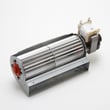
- Cooling fan circuit: if the oven overheats and shuts down, airflow issues can contribute; inspect the Wall oven cooling fan assembly WP74008383 for binding or noise.
Why it matters
A wall oven that will not turn on is often a power delivery issue, and continuing to reset breakers without checking connections can lead to repeated shutdowns or heat damage at wiring terminals.
Last updated: January 2026
How long does a Jenn air oven last?
A Jenn-Air electric wall oven like model JJW9630DDS typically lasts 15 to 20 years. With normal home use and basic upkeep (keeping vents clear, avoiding heavy slamming of the door, and fixing small issues early), it’s common to reach the high end of that range.
Typical lifespan and what changes it
Most wall ovens fall into a predictable life range, but a few factors move the needle.
- Usage frequency: daily high-heat cooking shortens life compared to light use
- Heat management: blocked vents or a failing cooling fan can overheat controls
- Door wear: worn hinges or a leaking gasket makes the oven work harder
- Electrical health: loose connections at the terminal block can cause heat damage
- Maintenance habits: spills left to bake on can stress components over time
Parts that most often determine “repair vs replace”
When an older JJW9630DDS starts acting up, these parts commonly drive the decision because they affect heating, safety, or temperature control.
| Symptom | Common part area | Example part for this model |
|---|---|---|
| Oven overheats, shuts down, or runs hot | Cooling/overheat protection | Wall oven cooling fan assembly WP74008383 |
| Door won’t close right, heat leaks | Door seal/hinge | Wall oven door gasket WPW10162386 |
| No power or intermittent power | Power connection | Terminal block WPW10245259 |
How to help your oven reach 20 years
These steps reduce heat stress and prevent avoidable failures.
- Keep the cooling vents unobstructed (cabinet items and foil can restrict airflow)
- Wipe up spills after the oven cools to prevent baked-on buildup
- If the door feels loose or doesn’t seal, address hinges or gasket early
- Avoid repeated self-clean cycles back-to-back; high heat is hard on controls
- Use the operating and care guidance in the JJW9630DDS owner’s manual
Why it matters
A wall oven’s lifespan is usually limited by heat-related wear on controls, wiring, and door sealing. Keeping airflow and door sealing in good shape helps the oven hold temperature accurately and protects expensive electronics.
Last updated: January 2026
What are common problems with Jenn Air stoves?
Common Jenn-Air cooking problems include no heat or weak heat, uneven baking, a door that will not close or seal, a cooling fan that runs loudly or not at all, and control or display issues. For the JJW9630DDS electric wall oven, these symptoms usually trace to the bake circuit, door components, cooling airflow, or the electronic control.
Most common symptoms and what they usually mean
- Oven will not heat or takes too long to preheat: failed bake element, wiring issue, or control not sending power.
- Uneven baking or temperature swings: sensor or airflow issue; sometimes a door seal leak.
- Fan noise, overheating cabinet, or fan not running: cooling fan problem.
- Door will not shut, pops open, or feels loose: worn hinge or latch alignment issue.
- Light does not work: bulb burned out or socket/door switch issue.
- Dead display, beeping, or erratic buttons: control board or power supply problem.
Quick checks we recommend first (safe, no tools)
- Confirm the oven is getting full power at the breaker (a tripped double-pole breaker can cause partial operation).
- Cancel any active cycle and power-reset the oven for 1 minute.
- Check that the door closes firmly and the gasket is not torn or flattened.
- If the oven light is out, replace the bulb with the correct type.
- If heat is uneven, verify racks are positioned correctly and the vent is not blocked.
Parts that commonly fix these problems on model JJW9630DDS
| Symptom | Common part to inspect/replace | Why it matters |
|---|---|---|
| Loud or no cooling fan | Wall oven cooling fan assembly WP74008383 | Prevents overheating and protects controls |
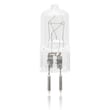
| Oven light out | Range oven light bulb WP74009925 | Restores visibility and confirms door switch behavior |
| Door not closing well | Range oven door hinge WP74010283 | Helps the door seal and maintain temperature |
| Heat escaping around door | Wall oven door gasket WPW10162386 | Improves temperature stability and cooking results |
| Random operation or dead controls | Wall oven control board WPW10169131 | Manages heating functions and user interface |
Why it matters
When a wall oven like the Jenn-Air JJW9630DDS cannot hold temperature or cool itself properly, cooking results suffer and heat can stress wiring and electronics. Catching door-seal, fan, and heating issues early helps prevent bigger failures.
For model-specific operating tips, error indications, and care guidance, use the JJW9630DDS owner's manual.
Last updated: January 2026





