Owner’s manual
 Error Codes



Is a top mount or bottom mount fridge better?
A bottom-mount refrigerator like Kenmore model 79572597712 is better when you want fresh-food items at eye level and more freezer organization (drawers and baskets). A top-mount is better when you want the simplest layout and typically the lowest purchase and repair costs.
Quick comparison
| Feature | Top-mount (freezer on top) | Bottom-mount (freezer on bottom) |
|---|---|---|
| Everyday access | Freezer is easiest to reach | Refrigerator section is easiest to reach |
| Organization | Usually simpler shelving | Often more drawers and pull-out storage |
| Ergonomics | More bending for fresh food | Less bending for fresh food |
| Typical cost | Usually lower | Often higher |
How to choose for your kitchen
- Choose bottom-mount if you use the refrigerator section most and want easier access to produce, drinks, and leftovers.
- Choose top-mount if you want a straightforward design and you do not mind bending for fresh-food items.
- If you use an icemaker and water dispenser, prioritize the layout that makes those features easiest for your household.
- If you meal prep or store lots of frozen foods, compare freezer drawer space and how easy it is to see items.
- If you have mobility or back concerns, bottom-mount designs reduce how often you bend for daily items.
Why it matters
The “better” choice is the one that matches how you actually use the appliance. Most households open the refrigerator section far more than the freezer; that is why many people prefer bottom-mount models for day-to-day convenience.
Model-specific tip for 79572597712 owners
If you are setting up or reorganizing your Kenmore 79572597712, we recommend adjusting shelves and storage to reduce door-open time (it helps temperature stability and energy use). See the 79572597712 owner's manual for shelf adjustment and use guidelines.
Last updated: February 2026
What are the common problems with Kenmore 79572597712 Elite refrigerators?
Common issues we see with the Kenmore 79572597712 bottom-mount refrigerator include cooling problems (long run times or warm temps), ice maker and dispenser troubles, and control or sensor-related temperature complaints. Many “not cooling” calls trace back to airflow, door sealing, or the sealed system (compressor). See the owner's manual for model-specific troubleshooting steps.
Most common symptoms and what they usually point to
- Not cooling or takes 24 hours to stabilize: normal after install or power loss; also check door openings and hot food loads.
- Compressor runs a lot: frequent door openings, warm room conditions, or the unit catching up after being plugged in.
- Ice maker not making enough ice: water supply not fully on, restricted supply, or demand exceeding capacity.
- Food freezing in fresh food section: items placed near an air vent or temperature set too cold.
- Door hard to open or not sealing: pressure equalization after closing, dirty or sticky gaskets.
Quick checks we recommend before replacing parts
- Give it time after a move or install: cooling can take up to 24 hours to fully stabilize.
- Confirm it is not in Demo Mode: Demo Mode can prevent normal cooling.
- Adjust temperatures gradually: change settings one step at a time and wait for temps to stabilize.
- Check airflow: keep vents clear; move high-water-content foods away from vents to prevent freezing.
- Verify water supply for ice: make sure the house valve is fully open and the line is not kinked.
Common part fixes for these symptoms (model-matched)
| Symptom | Common fix | Model-matched part to consider |
|---|---|---|
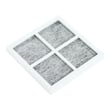
| No ice or low ice production | Replace a clogged filter; restore flow | Genuine Kenmore refrigerator water filter 9980 AGF80300805 |
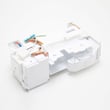
| Ice maker not producing | Replace ice maker assembly | Lg refrigerator ice maker AEQ73110210 |
| No water or intermittent dispensing | Diagnose/replace inlet valve | Lg refrigerator water inlet valve AJU72992601 |
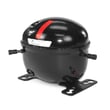
| Warm temps, clicking, won’t start cooling | Sealed system diagnosis; compressor issues | Refrigerator compressor assembly TCA38091801 |
Why it matters
Catching airflow, temperature-setting, and water-supply issues early prevents food spoilage, reduces excessive compressor run time, and helps you avoid replacing expensive components unnecessarily.
Last updated: February 2026
How do I know what model Kenmore refrigerator I have?
To identify your Kenmore refrigerator model, locate the model and serial number label on the appliance itself (not just on the dispenser or inside drawers). For Kenmore model 79572597712, the manual notes this label should not be removed; once you have the model number, you can match it to the correct parts list and instructions in the owner's manual.
Where to look for the model number label
We most often see the model number tag in one of these spots on Kenmore bottom-mount refrigerators:
- Inside the fresh food compartment on a side wall
- On the ceiling of the fresh food compartment
- Behind or beside the crisper drawers (you may need to slide drawers out)
- Along the door frame area (open the refrigerator door and check the inner frame)
- Under the front of the refrigerator (the manual mentions a tech sheet under the front; the model label is separate but often nearby)
How to read the model number (and why it matters)
Kenmore model numbers are the key to getting the right replacement parts and the right troubleshooting steps.
- Use the full model number exactly as printed (letters, numbers, and any dots)
- Don’t rely on “series” names or marketing labels
- If you’re ordering parts, the model number prevents mismatches in items like a water filter, ice maker, or control board
Quick guide
| What you have | What to do with it | Result |
|---|---|---|
| Model number | Search parts by model | Correct part fit and diagrams |
| Serial number | Track production details | Helps with service history |
| Partial number | Re-check the label | Avoids wrong parts |
If the label is hard to find or read
Use these practical steps to make the tag easier to locate and photograph:
- Use a flashlight and look for a silver or white sticker/plate
- Wipe dust or condensation off the label with a dry cloth
- Take a close-up photo, then zoom in to confirm characters
- Write it down immediately (one swapped digit changes the model)
Why it matters
Kenmore refrigerators share similar styling across many models, but internal components can differ. The correct model number ensures you get compatible parts (for example, a water filter or ice maker) and the right diagnostic information for your exact refrigerator.
Last updated: February 2026
How to fix a broken refrigerator water dispenser?
For Kenmore bottom-mount refrigerator model 79572597712, a “broken” water dispenser is usually caused by a locked control panel, air trapped after a new install or filter change, a kinked supply line, or low water pressure. Use the steps below, then confirm operating details in the owner's manual.
Quick fixes to try first
- Make sure the dispenser is set to Water (not ice) on the control panel.
- If the panel is locked, press and hold Lock for 3 seconds to unlock dispensing.
- Close all refrigerator and freezer doors fully; water will not dispense with a door open.
- Check the house shutoff valve is fully open and the supply line is not kinked behind the unit.
- If this is a new install or the filter was just replaced, flush the system to remove air.
Flush trapped air (common after install or filter replacement)
Our manual procedure is to dispense 2.5 gallons total to clear air and contaminants. Do it in cycles:
- 30 seconds ON (press dispenser pad)
- 60 seconds OFF Repeat until you reach about 2.5 gallons.
Water pressure and filter checks
Low pressure and a clogged filter can make the dispenser slow or stop.
| What to check | What “good” looks like | What to do if it’s not |
|---|---|---|
| House water pressure | 40 to 120 psi (with a water filter installed) | Correct supply issue; a plumber can address low pressure or add a booster pump |
| Water filter condition | Strong flow, no recent “output decrease” | Replace the filter; we recommend about every 6 months |
| Supply valve and tubing | Valve fully open; tubing not pinched | Open valve fully; straighten/replace kinked tubing |
If you need a replacement filter for this model, use the genuine Kenmore refrigerator water filter 9980 AGF80300805.
When a part is likely at fault
If the supply, settings, doors, and flushing steps are all correct, the issue is typically in the dispenser or water system components.
- A failed dispenser switch can prevent the dispenser from activating; see lg refrigerator dispenser switch 6600JB3001C.
- A weak or failed inlet valve can stop water flow to the dispenser; see lg refrigerator water inlet valve AJU72992601.
Why it matters
A dispenser that will not run is often an air lock or control lock, but ignoring low water pressure or a clogged filter can also reduce ice maker performance and strain the water system over time.
Last updated: February 2026
How to tell if a Kenmore refrigerator compressor is bad?
On Kenmore model 79572597712, a “bad compressor” usually shows up as no cooling or weak cooling even though the unit has power, often paired with repeated clicking (overload cycling) or unusual running sounds. Before condemning the compressor, we confirm basics like airflow, door sealing, and allowing up to 24 hours after power is restored. See the owner's manual for the model’s cooling and noise troubleshooting checks.
Quick checks before blaming the compressor
- Give it time after a restart: after plugging in or a power outage, cooling can take up to 24 hours.
- Confirm the fans are moving air: you should normally hear airflow (evaporator and condenser fan sounds).
- Check door closure and gaskets: doors not fully closed can mimic compressor failure.
- Clean the condenser cover and vents: use a vacuum and brush; do not remove the rear panel covering the condenser coil area.
- Verify room temperature: operation is intended for roughly 55°F to 110°F ambient conditions.
Signs that point strongly to a compressor or start-device problem
These symptoms are most meaningful when the condenser area is clean and the doors seal well:
| What you notice | What it often means | What we do next |
|---|---|---|
| Repeated clicking every few minutes and little to no cooling | Compressor trying to start, overload tripping, or start device issue | Check start components and compressor electrical readings (service-level test) |
| Compressor is very hot and unit is warm inside | Compressor running hard or locked, or sealed-system restriction | Confirm condenser fan operation and airflow; then sealed-system diagnosis |
| Compressor is silent and not running, but lights/control work | Control, start device, or compressor not engaging | Verify power to compressor circuit; inspect wiring and start components |
| High-pitched/pulsating sound while cooling normally | Normal high-efficiency compressor sound | No repair needed if temps are correct |
Why it matters
A compressor is the heart of the sealed cooling system. Misdiagnosing it can lead to unnecessary cost; many “compressor” complaints are actually airflow issues, dirty condenser vents, door sealing problems, or normal operating sounds.
Parts that may be involved (when diagnosis confirms it)
- Refrigerator compressor assembly TCA38091801
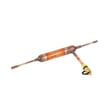
- Refrigerator filter dryer ADH73590303 (commonly replaced during sealed-system service)
- Refrigerator condenser fan motor EAU63923602 (if poor condenser airflow is causing overheating)
Last updated: February 2026