Owner’s manual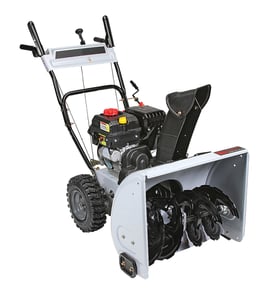



How do I tell what year my MTD snowblower is?
To tell the year your MTD snow thrower was built, we use the model and serial number from the ID label on the machine. For model 31AS6FEE729, the serial number format varies by production run, so the most reliable method is to match your serial number pattern to the date-code guidance in the owner's manual.
Where to find the model and serial number
Look for an ID label on the snowblower frame (commonly near the rear frame, under the handle area, or on the auger housing). Write the numbers down exactly as shown.
- Record the full model number: 31AS6FEE729
- Record the full serial number (all characters)
- Note whether the label is on the frame or on the engine shroud (engine labels can use a different date code)
- If the label is worn, take a clear photo and zoom in to confirm characters
How to decode the build year from the serial number
MTD has used more than one serial-number date format over the years. Start by identifying which pattern your serial number resembles.
| What you see on the label | What it usually means | What to do next |
|---|---|---|
| 11-character serial number | Often includes a year indicator within the characters | Use the manual’s serial/date-code notes to interpret the year |
| Serial begins with numbers that look like a date | Some formats embed year/month (and sometimes day) early in the serial | Compare the first several digits to the manual’s examples |
| Engine has its own model/type/code | Engine date may not match the snowblower assembly date | Use the snowblower frame label first; use engine code as a cross-check |
Quick cross-checks that help confirm the year
- Compare the build year you decode with the style of controls and chute hardware on your unit
- If you are ordering wear items, match parts by model number and diagrams, not by guessed year
- Use the parts list to confirm common wear parts for this model, such as the belt 256963
Why it matters
Knowing the correct build year helps us match the right parts and diagrams for your MTD snowblower, especially for wear items like belts, skid shoes, shave plates, tires, and shear pins.
Last updated: February 2026
How to find snowblower model number?
For your MTD snow thrower, we find the model number on the model plate; stand in the operating position (behind the handles) and look down at the rear of the deck to locate the plate, then copy the model and serial numbers for parts lookup and service reference.
Where to look on model 31AS6FEE729
Use these quick checks first:
- Stand behind the snowblower at the handles (normal operating position)
- Look down at the rear of the deck for the model plate
- Copy both the model number and the serial number exactly as shown
- Wipe off snow, salt, and grime so every character is readable
- Take a photo of the plate so you can zoom in later
For the exact location and a sample plate illustration, use the owner's manual.
What the model number is used for
Having the correct model number helps us match the right MTD parts and diagrams, especially for items that vary by configuration (auger housing width, drive system, and controls).
Common part lookups tied to the model include:
- Auger drive and traction belt
- Auger protection hardware (shear pins and cotter pins)
- Wear items like skid shoes and shave plates
- Chute components and fasteners
Model number vs. serial number (quick guide)
| Item | What it tells us | When you need it |
|---|---|---|
| Model number | Exact design and parts breakdown | Always, before ordering parts |
| Serial number | Production run details | Helpful when parts changed mid-run |
Why it matters
Snowblower features and components can vary by model, so using the correct model number prevents ordering the wrong belt, shave plate, or hardware and reduces downtime during a repair.
Last updated: February 2026
What happened to MTD snow blowers?
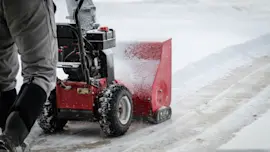
MTD snowblowers, including model 31AS6FEE729, are still supported through parts and service even though the MTD name is less prominent today due to corporate ownership changes. For owners, the practical takeaway is that maintenance and replacement parts (belts, skid shoes, shave plates) remain available and are handled the same way as before.
What this means for your MTD 31AS6FEE729
Ownership changes do not change how you maintain or repair your snow thrower. Use the owner's manual for model-specific procedures like starting, adjustments, and troubleshooting.
Common wear items you will still replace over time include:
- Drive and auger belts
- Skid shoes and shave plate (scraper bar)
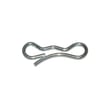
- Shear pins and cotter pins
- Friction disc or friction plate (drive system)
- Tires and wheel components
Quick troubleshooting tie-in (what owners usually notice)
If your snowblower seems like it is "not the same" as it used to be, it is usually normal wear, not anything related to branding.
Here are the most common symptoms and likely causes:
- Won’t start: stale fuel, spark plug issue, choke/primer not set correctly
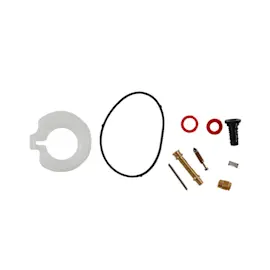
- Runs rough: blocked fuel line, dirty fuel, carburetor adjustment
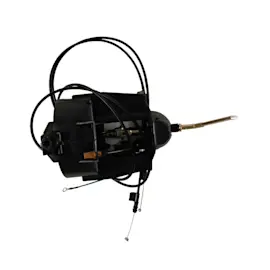
- Won’t move: drive control cable out of adjustment, drive belt worn
- Won’t throw snow: auger control cable out of adjustment, belt worn, shear pin broken
| Symptom | Most common fix | Parts often involved |
|---|---|---|
| Won’t propel | Adjust drive cable; replace worn belt | Belt 256963 |
| Auger turns poorly | Replace broken shear pin | Shear pin (match by model) |
| Scrapes poorly | Replace/adjust skid shoes or shave plate | Skid shoe, shave plate |
Why it matters
Snowblowers are maintenance-driven machines. Keeping fresh fuel (gas older than ~30 days can cause starting issues), checking belts, and replacing shear pins after jams restores performance and prevents bigger drivetrain damage.
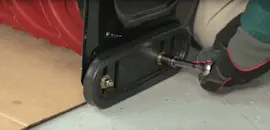
For step-by-step repair visuals, we recommend how to replace a snowblower belt video when you are diagnosing drive or auger performance problems.
Last updated: February 2026