Installation guide
 Owner’s manual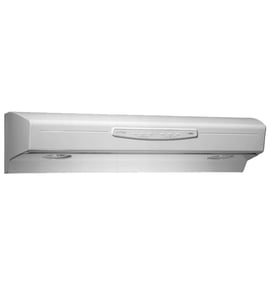




How to find Broan range hood model number?
On a Broan range hood, the model number is printed on the rating or specification label on the hood itself. For the Broan QDE30WW, you will typically find that label on the inside surfaces of the hood, such as the left or right side wall when you look up underneath the hood.
Where to look on the hood
Check these common label locations first (use a flashlight):
- Under the hood on the left interior side wall
- Under the hood on the right interior side wall
- Behind or near the filters (you may need to remove the filters)
- Near the wiring compartment cover (do not open it unless power is off)
- On the top interior panel near the blower housing
For diagrams and typical label placement, use the QDE30WW owner's manual.
What to write down (so you get the right parts)
When you find the label, copy the information exactly:
- Model number (example: QDE30WW)
- Brand (Broan)
- Electrical ratings (volts, amps) for reference
- Any series information (QDE series)
Quick ID checklist
| Item | Why it matters |
|---|---|
| Model number | Matches the correct parts list and diagrams |
| Series (QDE) | Helps confirm compatible assemblies |
| Electrical rating | Helps match switches, lights, and wiring parts |
Why it matters
Broan range hoods often look similar across multiple models, but parts like filters, light lenses, and blower components can vary by model. Using the exact model number helps us match the correct replacement part the first time.
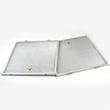
If you are replacing filters on the QDE30WW, the range hood filter, 2-pack SV14131 is a model-listed option.
Last updated: February 2026
Can you wash a Broan range hood filter?
Yes. On the Broan QDE30WW range hood, the aluminum filters are washable and designed to be dishwasher-safe; you can also hand-wash them with warm water and mild dish soap, then reinstall only after they’re completely dry (see the QDE30WW installation guide).
Best ways to clean the filter
- Dishwasher method (recommended): Place the filter(s) securely in the dishwasher and run a normal cycle; let them air-dry fully.
- Hand-wash method: Soak in warm water with mild dish detergent, gently scrub with a soft brush or cloth, rinse well, and dry.
- Avoid harsh cleaners: Skip abrasive pads and harsh chemicals that can damage finishes and leave residue.
What to avoid (to prevent damage)
- Steel wool, stainless steel wool, or scrapers
- Harsh or abrasive cleansers
- Cleaners containing bleach or halogens (chloride, fluoride, iodide, bromide)
- Reinstalling the filter while it’s still wet (can cause odors and reduce airflow)
When cleaning is not enough (replace instead)
If the filter is bent, has broken mesh, or stays greasy after cleaning, replacement is the better fix. For the QDE30WW, use the correct filter set such as the range hood filter, 2-pack SV14131.
| Situation | What we recommend |
|---|---|
| Light cooking, low grease | Wash about every 1 to 3 months |
| Frequent frying or high heat | Wash about every 2 to 4 weeks |
| Persistent odors or weak airflow | Clean filter and check damper/ducting |
Why it matters
A clean range hood filter helps the blower move air efficiently, keeps noise down, and reduces grease buildup inside the hood and ducting. It also helps your Broan range hood lighting and controls stay cleaner over time.
Last updated: February 2026
How to remove range hood fan blade?
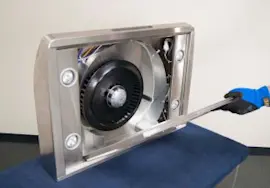
To remove the fan blade (blower wheel) on your Broan QDE30WW range hood, shut off power, remove the filters and bottom panel for access, then release the retaining clip and slide the blade straight off the motor shaft. Reinstall in reverse order using the same clip.
Safety first (do this before touching the blower)
- Turn off the breaker to the range hood; confirm the fan and lights will not turn on
- Let the hood cool if it was recently used
- Protect the cooktop with a towel or cardboard in case a screw drops
- Wear cut-resistant gloves; sheet metal edges inside the hood can be sharp
For panel and filter removal steps, follow the QDE30WW owner’s manual.
Step-by-step: removing the fan blade
- Remove the filters to open up the underside of the hood.
- Remove the bottom panel (typically held by retaining screws) to access the blower area.
- Locate the retaining clip (or similar fastener) that locks the fan blade to the motor shaft.
- Pop off the retaining clip using needle-nose pliers or a small flat screwdriver.
- Pull the fan blade straight off the motor shaft. If it is stuck, wiggle gently while pulling; avoid bending the blade.
- Install the replacement blade by aligning it on the shaft and pushing it fully into position.
- Reinstall the retaining clip, then reinstall the bottom panel and filters.
If you are replacing the wheel, match it to the correct part for this model, such as the range hood blower wheel SV01988.
Quick troubleshooting if the blade will not come off
- Grease buildup: Clean around the hub first; grease can glue the hub to the shaft.
- Stuck on the shaft: Apply steady, even pulling pressure; do not pry against the motor housing.
- Clip not fully removed: Recheck that the retaining clip is completely disengaged.
What you will typically need
| Item | Why you need it |
|---|---|
| Phillips screwdriver | Remove bottom panel screws |
| Needle-nose pliers | Remove and reinstall retaining clip |
| Work gloves | Protect hands from sharp edges |
Why it matters
A bent blower wheel or a missing retaining clip can cause vibration, noise, poor airflow, and premature motor wear. Correct removal and reinstallation keeps the Broan QDE30WW venting efficiently.
Last updated: February 2026
What are the parts of a range hood called?
On the Broan QDE30WW range hood, the main parts are the hood body (canopy), blower and blower wheel, filters, lights and lens/diffuser, controls (switches), and the venting pieces (duct connection and damper). For exact component names and locations, use the QDE30WW owner's manual.
Common range hood parts (what they do)
- Hood canopy (housing): the metal body that captures smoke and grease
- Blower assembly: moves air through the hood and ductwork
- Blower wheel: the fan wheel that actually pushes air (often called an impeller)
- Grease filters: trap grease before it reaches the blower and duct
- Lights (lamps) and lens/diffuser: light the cooktop and protect the bulbs
- Controls/switches: turn the fan and lights on and off (often rocker switches)
- Vent damper and duct connection: helps direct airflow and reduce backdrafts
Parts you will commonly replace on QDE30WW
These are model-matched examples we stock for the Broan QDE30WW:
- Range hood filter, 2-pack SV14131 (grease filters)
- Range hood fluorescent light bulb SV03623 (cooktop lighting)
- Range hood light lens SV01752 (lens/diffuser cover)
- Range hood vent damper SV13296 (backdraft control at the duct outlet)
- Range hood blower wheel SV01988 (air-moving fan wheel)
Quick “name to function” reference
| Part name (common term) | What it affects | Typical symptom when bad |
|---|---|---|
| Grease filter | Airflow, grease capture | Poor airflow, greasy buildup |
| Blower wheel | Air movement, noise | Rattling, weak suction |
| Vent damper | Draft control | Cold air backdraft, flapping noise |
| Light lens/diffuser | Lighting cover | Lens cracked, light glare |
| Fluorescent bulb | Lighting | No light or flicker |
Why it matters
Knowing the correct part names helps you match the right Broan replacement part, follow the correct disassembly steps, and troubleshoot symptoms like “fan doesn’t work,” “noisy blower,” or “lights don’t work” without replacing the wrong component.
Last updated: February 2026