 Installation guide
 Owner’s manual
 Error Codes






How do I get my Kenmore Elite dishwasher out of lock mode?
To take your Kenmore Elite dishwasher model 66513793K603 out of Lock mode, press and hold HEATED DRY for 4 seconds until the Lock On light turns off. If you press a button while locked, the Lock light typically flashes 3 times.
Quick unlock steps
- Make sure the dishwasher door is closed or at least fully latched.
- Locate the HEATED DRY button on the control panel.
- Press and hold HEATED DRY for 4 seconds.
- Confirm the Lock On indicator light turns off.
- Press START/RESUME to run a cycle if needed.
What you should see when it works
| What you notice | What it means | What to do |
|---|---|---|
| Lock On light is lit | Controls are locked | Hold HEATED DRY 4 seconds |
| Lock light flashes 3 times when you press a pad | Dishwasher is still locked | Repeat the 4-second hold |
| Lock On light turns off | Lock is cleared | Select cycle and press START/RESUME |
Why it matters
Lock mode prevents unintended button presses between cycles. It is especially helpful if the dishwasher is in a high-traffic kitchen or if kids can reach the controls.
If it still will not unlock
- Hold the button a little longer (count a full 4 seconds).
- Wipe the control panel dry; moisture can make pads act unresponsive.
- Restore power by turning the breaker off for 1 minute, then back on, and try again.
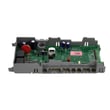
- If the panel stays unresponsive after a reset, a control issue is possible; the dishwasher electronic control is a common part involved.
For the exact control-panel details and indicator behavior for this model, use the 66513793K603 owner's manual.
Last updated: January 2026
What are the common problems with Kenmore dishwashers?
Common problems on the Kenmore Elite dishwasher model 66513793K603 are no-start or stopping mid-cycle, not draining, poor cleaning, leaks, and weak drying. Most of these trace back to power/door-latch issues, water supply problems, or clogs in the filter, drain path, or spray system; use the 66513793K603 owner's manual for model-specific checks.
Most common symptoms and what usually causes them
- Dishwasher will not start: tripped breaker, blown house fuse, door not fully latched, cycle not set correctly, water supply turned off
- Stops during a cycle: door opened mid-cycle, brief normal pauses, motor overload reset, power interruption
- Not draining: blocked drain hose/air gap, clogged sump area, failed drain pump
- Poor cleaning: blocked spray arms, overloaded racks, wrong detergent, hard water buildup
- Leaks: door seal issues, loose hose connections, overfill/float problems
- Poor drying: rinse aid low, venting issue, heater or control problem
Quick checks we recommend first (fast, no tools)
- Confirm the door closes tightly and latches.
- Verify the cycle is selected correctly and Start/Resume is pressed.
- Check the home breaker or fuse.
- Make sure the water shutoff valve is fully open.
- Run the shortest cycle and, after about 2 minutes, open the door and confirm there is water in the bottom of the tub.
Parts that commonly solve these problems
| Symptom | Part to consider | What it affects |
|---|---|---|
| Won’t drain / water left in tub | Dishwasher drain pump WPW10348269 | Pumps water out to the drain line |
| Won’t fill or fills slowly | Dishwasher water inlet valve WPW10158389 | Controls water entering the dishwasher |
| Dead/no power symptoms | Fuse W10258275 | Protects wiring and controls from overload |
Why it matters
Catching a simple issue (like a tripped breaker, closed water valve, or a clog) prevents repeat cycle failures and helps protect the pump motor and electronic control from strain.
Last updated: January 2026
Where is the filter on a Kenmore 66513793K603 dishwasher?
On the Kenmore Elite dishwasher model 66513793K603, the filter is located in the bottom of the tub, directly under the lower spray arm area. To access it, we remove the lower rack and then lift or twist out the filter assembly so it can be rinsed clean.
How to find and remove the filter
- Turn the dishwasher off and open the door.
- Pull out the lower dishrack.
- Look at the bottom center of the tub, beneath the lower spray arm.
- Remove the filter assembly (many Kenmore 665 models use a twist-lock style filter).
- Rinse the filter under warm running water; use a soft brush for stuck-on debris.
- Reinstall the filter fully seated and locked before running a cycle.
Quick checklist (what we look for)
- Food debris or labels blocking the filter screen
- Broken plastic tabs or a filter that will not lock in place
- Standing water that suggests a drain restriction
- A loose lower spray arm that can interfere with the filter area
- Odors that point to buildup in the sump area
Why cleaning the filter matters
A clogged filter restricts water flow and can lead to poor cleaning, gritty residue on dishes, and drainage problems. Keeping the filter clean helps the wash system circulate properly and reduces the chance of water backing up.
Related drainage tip (often confused with the filter)
Some installations use a drain air gap near the sink or countertop. If the dishwasher is not draining, we check and clean the air gap as well because it can clog even when the internal filter is clean.
| Symptom | Most common cause | What to do first |
|---|---|---|
| Dishes feel gritty | Filter needs cleaning | Remove and rinse the filter |
| Water left in tub | Drain restriction | Check filter, then drain path/air gap |
| Musty odor | Buildup in filter/sump | Clean filter and run a cleaning cycle |
For model-specific diagrams and the exact filter removal method for your unit, use the 66513793K603 owner’s manual.
Last updated: January 2026








