 Owner’s manual

Is 500 watts good for a vacuum?
Yes, 500 watts can be good for a vacuum for hard floors, low-pile rugs, and quick pickups; it is on the lower end for deep carpet cleaning. For a Hoover UH70400 upright vacuum, cleaning results depend more on airflow, brush roll condition, and clogs than wattage alone.
What 500 watts usually means in real cleaning
A 500W vacuum can perform well when the air path is clear and the floor nozzle is sealed properly.
- Best for: hard floors, low-pile carpet, light debris
- Can struggle with: thick carpet, heavy pet hair, ground-in dirt
- Performance depends heavily on: brush roll agitation, belt grip, filtration, and hose/nozzle clogs
- A higher-watt vacuum is not automatically better if airflow is restricted
Quick checks that matter more than watts (UH70400)
Use these steps to get the most suction and brush action from your upright:
- Empty the dirt cup before it reaches the max line
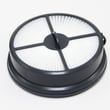
- Clean or replace filters on schedule (dirty filters reduce airflow fast)
- Check the hose and wand for a clog (coins, socks, hair plugs)
- Inspect the brush roll for wrapped hair and thread
- If the brush roll is not spinning, check the belt and brush roll ends for binding
For model-specific maintenance intervals and filter locations, follow the UH70400 owner's manual.
Wattage vs. suction: a simple comparison
| Spec on the box | What it tells you | What it does not tell you |
|---|---|---|
| Watts (W) | Electrical power draw | Actual suction at the nozzle |
| Airflow (CFM) | How much air moves | How well the brush roll agitates carpet |
| Sealed suction (in. H2O) | Pulling power with restricted airflow | How it performs on carpet without a brush roll |
| Brush roll action | Carpet agitation | Motor wattage |
Why it matters
If you are comparing vacuums, watts help you understand energy use, but they do not predict pickup on carpet. A well-maintained upright with a clean filter, clear air path, and a working brush roll often outcleans a higher-watt unit that is clogged or has a slipping belt.
For step-by-step repair help, use our vacuum repair-guides landing page.
Last updated: February 2026
How to put a Hoover WindTunnel back together video?
To put a Hoover WindTunnel upright vacuum back together (including model UH70400), reinstall the dirt cup and any accessory hose(s), then confirm the power cord is wrapped neatly on the cord hooks and nothing is pinched before you power it on. For model-specific diagrams and steps, use the UH70400 owner's manual.
Quick reassembly checklist (UH70400)
- Seat the dirt cup fully so it clicks or locks into place.
- Reattach the stair hose or extra hose to its storage position (if your configuration includes one).
- Confirm the filters are installed and the filter cover is closed.
- Check the bottom plate area for debris that could block the brush roll.
- Wrap the power cord around the upper and lower cord storage hooks; keep it snug and untwisted.
Step-by-step: what to check if it will not run after reassembly
- Make sure the dirt cup is installed correctly; many uprights will not seal properly if the cup is slightly unseated.
- Inspect the hose path for a clog (especially where the hose meets the base).
- Verify the brush roll area is clear; hair and string can bind the beater bar.
Common symptoms after reassembly
| What you notice | Most common cause | What to do next |
|---|---|---|
| Low suction | Dirt cup not seated, filter not installed | Reseat cup; reinstall/clean filters |
| Brush roll not spinning | Jammed brush roll, belt issue | Clear debris; follow vacuum brush roll on spinning |
| Red light stays on | Brush roll jam or airflow restriction | Clear base and hose; see vacuum upright red light always on |
Why it matters
Correct reassembly restores the vacuum’s air seal and airflow. If the dirt cup, filter cover, or hose connection is slightly off, you can get weak suction, overheating shutoffs, or a brush roll that stops under load.
Last updated: February 2026
Which Hoover vacuums are self-propelled?
Many Hoover self-propelled vacuums are labeled “Self-Propelled” on the handle or in the product name; your Hoover UH70400 upright vacuum is not typically marketed as a self-propelled model. For the most accurate confirmation, check the feature list and controls in the UH70400 owner's manual.
How to tell if a Hoover vacuum is self-propelled
We recommend using these quick checks before shopping for parts or comparing models:
- Look for a drive control (often a lever or switch) that engages the wheels
- With the brush roll on, the vacuum should “pull” forward with light guidance
- The wheels usually keep moving even when suction stays the same
- The product label or carton often says “Self-Propelled” or “Self-Propel”
- The manual typically describes a drive system, traction control, or propulsion feature
Common Hoover lines that often include self-propelled versions
Hoover has produced self-propelled versions across several upright families over the years. Names vary by generation and retailer bundle, so we recommend verifying by model number.
| What you see in the name/description | What it usually means | What to verify |
|---|---|---|
| “Self-Propelled” | Powered wheel drive | Drive control and wheel movement |
| “WindTunnel” | Airflow/cleaning system family | Not automatically self-propelled |
| “Upright” | Form factor | Could be either type |
Why it matters when choosing parts and troubleshooting
Self-propelled models add a drive system (gears, belts, or a drive motor depending on design). That changes what you check when the vacuum is hard to push or the wheels do not move.
If your upright is difficult to push or the brush roll is not turning, start with the basics that apply to UH70400-STYLE uprights:
- Clear hair and string from the brush roll and end caps
- Check for a worn or stretched belt
- Confirm the height setting is correct for your carpet
- Clean clogs from the nozzle and hose path
- Inspect wheels for debris and flat spots
For step-by-step repair help, use our vacuum repair-guides landing page.
Last updated: February 2026
What is the Hoover UH70400 vacuum?
The Hoover UH70400 is an upright vacuum cleaner model. It is designed for everyday floor cleaning using a powered brush roll for carpet agitation and suction airflow for debris pickup; features and maintenance steps for your exact unit are listed in the UH70400 owner's manual.
What this model is used for
Most Hoover upright vacuums like the UH70400 are built to handle:
- Carpet cleaning with a rotating brush roll (beater bar)
- Hard-floor pickup using suction and the floor nozzle
- Above-floor cleaning with a hose and attachments (when equipped)
- Routine filtration and dirt-cup or bag maintenance
What to check to identify your exact configuration
Because upright vacuums can have small variations by production run, we recommend confirming these items in the manual:
- Whether your UH70400 uses a bag or a dirt cup
- Filter locations (pre-motor and exhaust filters) and cleaning intervals
- Brush roll and belt access points
- Any indicator lights (for example, brush roll or airflow indicators)
Common components (and what they do)
| Component | What it does | When it matters most |
|---|---|---|
| Brush roll (beater bar) | Agitates carpet fibers to lift debris | Poor carpet pickup, brush not spinning |
| Drive belt | Transfers motor power to the brush roll | Burning smell, brush stops, loud squeal |
| Filters | Protect the motor and reduce dust exhaust | Low suction, overheating, odor |
| Hose and wand | Moves airflow for above-floor cleaning | Weak suction at tools, clogs |
Why it matters
Knowing what the Hoover UH70400 is and how it is configured helps you choose the right troubleshooting path for symptoms like low suction, a brush roll that will not spin, or a vacuum that shuts off during use.
For step-by-step repair and troubleshooting topics that apply to upright vacuums, use our vacuum repair-guides landing page.
Last updated: February 2026


