 Installation guide
 Owner’s manual
 Error Codes





Where is the model number on a Frigidaire electric stove?
On your Frigidaire electric range model PLES399ECI, the model number is printed on the serial plate. You’ll typically find that plate on the oven front frame behind the oven door, or behind the storage drawer (depending on the exact configuration). See the PLES399ECI installation guide for the illustrated location.
Check these common serial plate locations first:
- Open the oven door and look along the oven front frame (around the door opening)
- Pull out the storage drawer and look on the frame behind the drawer area
- Look for a silver or white sticker or metal tag labeled “Model” and “Serial”
- Use a flashlight; the plate is often low and partially shaded
- Snap a photo of the tag so you have the model and serial number handy for parts lookup
Both are on the same plate, but they mean different things.
| Item on the serial plate | What it’s used for | Example format |
|---|---|---|
| Model number | Identifies the exact range design for correct parts | PLES399ECI |
| Serial number | Identifies your specific unit’s production run | Letters and numbers |
We use the model number to match the correct Frigidaire parts diagrams and compatible parts (like an oven temperature sensor, control board, or surface element components). The serial number helps narrow down production changes when applicable.
Last updated: February 2026
Can I look up Frigidaire parts by model number?
Yes. For your Frigidaire electric range model PLES399ECI, looking up parts by the exact model number is the most reliable way to get compatible replacement parts because it matches the correct diagrams, wiring, and component versions used on your range.
On this range, the model and serial information is printed on the serial plate. Common locations include the oven front frame behind the oven door or behind the storage drawer.
- Open the oven door and check the front frame (around the opening)
- If you do not see it, pull out the storage drawer and look behind it
- Write down the model number, serial number, and any lot/letter code
- Use the full model number exactly as shown (including any suffix letters)
For diagrams and identification help, use the PLES399ECI owner’s manual.
Once you have the model number, match the part by both name and identifier (part ID/part number) to avoid ordering a look-alike that will not fit.
- Start with the symptom (for example: oven not heating, light out, burner not working)
- Find the matching section in the parts list (oven, cooktop, controls, wiring)
- Confirm the part description matches your component (shape, terminals, mounting)
- Compare your old part markings when possible
- If the repair involves wiring, shut off power at the breaker before touching connections
These are common items customers replace on this model:
| What you’re fixing | Example part to look up by model | What it affects |
|---|---|---|
| Oven light not working | Range oven light bulb 316538904 | Interior oven light |
| Oven temperature seems inaccurate | Frigidaire range oven temperature sensor 316217002 | Temperature regulation |
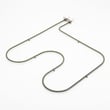
| Oven will not bake properly | Crosley range bake element 318254906 | Bake heat output |
Frigidaire ranges can use different control boards, sensors, and surface elements across similar-looking models. Using PLES399ECI ensures we show the correct parts and helps prevent returns, delays, and repeat repairs.
Last updated: February 2026
How to reset a Frigidaire electric range?
To reset your Frigidaire electric range model PLES399ECI, turn the range off and disconnect power at the circuit breaker (or unplug if accessible) for 5 minutes, then restore power. This reboots the electronic oven control and clears many temporary control glitches.
- Set all surface element controls to OFF.
- If the display is beeping or showing an F-code, note the code first.
- Turn OFF the range circuit breaker (preferred) or unplug the power cord.
- Wait 5 minutes.
- Restore power and set the clock.
- Test Bake at 350°F and confirm normal operation.
Many Frigidaire ranges use a control that monitors circuits and will stop operation and beep when it detects a fault. If the beeping returns right away, use these next checks:
- If an F-code is flashing, match it to the troubleshooting steps in Frigidaire self-cleaning range error codes.
- If the oven temperature seems inaccurate after the reset, check the sensor circuit and consider testing or replacing the Frigidaire range oven temperature sensor 316217002.
- If the display is dead after restoring power, check the house breaker, then inspect the power connection area (a loose or burned connection can prevent a proper reboot).
| Symptom | Reset helps? | What to do next |
|---|---|---|
| Random beeping, frozen keypad | Yes | Power reset, then retest functions |
| F-code returns immediately | Sometimes | Use error-code troubleshooting, then diagnose the circuit |
| Oven will not heat | Sometimes | Check bake circuit, sensor, and control outputs |
| No power to display | Rarely | Verify breaker and power connection |
A power reset is the fastest way to clear a temporary electronic control lockup. If a real failure exists (sensor circuit, wiring, or control board), the range will usually alert you again quickly with beeping or an error code.
For model-specific operating details and control behavior, follow the reset and troubleshooting guidance in the PLES399ECI owner's manual.
Last updated: February 2026
Why is my Frigidaire electric range display not working?
A blank or dead display on your Frigidaire PLES399ECI electric range is usually caused by a power supply problem (tripped breaker, blown fuse, loose terminal connection) or a failed electronic oven control. Restore correct power first; then address any fault codes or control issues using the PLES399ECI owner's manual.
- Verify the range has 240 VAC at the breaker (many ranges use a double-pole breaker; one side can trip).
- Reset power: turn the breaker OFF for 5 minutes, then back ON.
- If the cooktop works but the display is dead or erratic, check for a loose or overheated power cord connection at the terminal block.
- If the control is beeping and showing an F code, press STOP/CLEAR to stop the beeping and clear the display.
- Reprogram the oven; if the fault returns, use the error code chart to narrow the failure.
| Symptom | Most likely cause | What to do next |
|---|---|---|
| Completely blank display, nothing works | No power to range | Check breaker, outlet, cord, terminal connections |
| Cooktop works, oven/display dead | Partial power or control issue | Check terminal block and wiring; then evaluate control |
| Beeping with “F” error code | Control detected a fault | Clear with STOP/CLEAR; if it returns, troubleshoot by code |
| Display works but oven heats wrong | Sensor or control calibration | Check sensor circuit; review temperature adjustment steps |
If power is correct and the display still will not operate, these model-compatible parts are common fixes:
- Range oven control board 316462841 (failed control can cause a dead display or repeated fault codes)
- Terminal block 5304409888 (burned or loose connections can cause intermittent or total power loss)
The display is part of the electronic oven controller. When it loses stable power or detects a critical fault, the controller can stop operation for safety and accuracy, which is why restoring proper power and addressing F codes is the fastest path to a reliable fix.
Last updated: February 2026




